Uncensored AI Image · Pixel Art
Uncensored Tessera-small: Type a Few Words, Watch a Pixel Sprite Appear
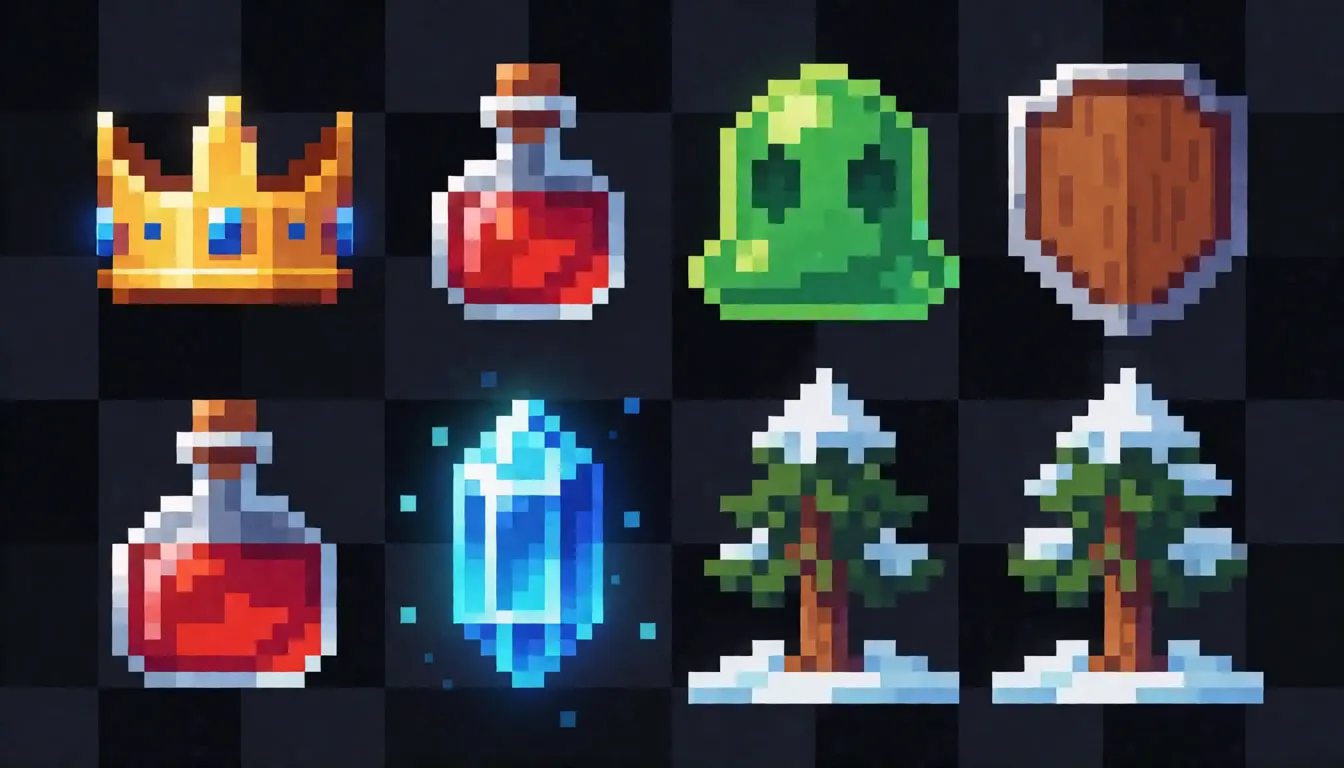
Type "golden crown with blue gems" and, a few seconds later, a whole batch of tiny crowns pops up, each one a clean 16×16 sprite on a transparent background. That is Tessera-small, a pocket-sized open pixel art model that Jagrat Patel (TheJagStudio) published on Hugging Face on November 9, 2026. It is small enough to run on an ordinary computer or even inside a browser tab, and the fun part is that you can watch every picture fill in, pixel by pixel. This guide covers what people make with it, the tricks worth knowing and prompts you can copy.
- Free to start
- No filters
- Runs in browser
Uncensored Alternative Image Generator
Text to imageDescribe the picture you want, and add "pixel art, 16-bit sprite" for a retro look. Upload a sprite as a reference, or leave it empty for text-to-image.
One short phrase in, a sheet of game-ready sprites out
Drawing pixel art by hand means clicking one square at a time, and even a small icon can eat half an hour. Tessera-small skips that part. You describe one object in a few English words and get anywhere from 1 to 16 versions at once, so you can pick the best and move on. Every result has a see-through background, which means it drops straight into a game level, a sticker sheet or a chat app without cleanup. The Tessera-small demo also exports a 512px PNG, an enlarged copy that keeps the hard square edges. The download is tiny too: the weights take up about 95MB, smaller than most phone games, which is why people run it on laptops and in the browser instead of renting a big graphics card.
Watch the pixels appear one by one in Pixel Studio
Most image generators show a spinner and then a finished picture. The free Tessera Pixel Studio demo on Hugging Face shows the drawing happen. The canvas starts fully hidden and, in about 16 quick rounds, Tessera-small uncovers more and more squares until the sprite is complete. A Ghost view lets you peek at what it expects in the squares that are still hidden, and a heat map shows where it feels unsure. Creators record these reveals as satisfying short clips, and students use them to see how a shape is built from a handful of colors.
- Batch mode: generate 1 to 16 sprites per prompt and keep the winners.
- Lock the seed, then nudge the settings to get small, controlled changes.
- Replay the whole reveal step by step, or break a sprite down into its palette.
- Remix or make variations of a result you already like.
- Browse the 56 curated examples in the built-in gallery for ideas.
Tessera-small for game icons, chat emoji and everyday uses
Because the output is small, clean and transparent, it fits jobs where you need lots of little pictures fast. Game jam teams use Tessera-small as a free game sprite generator for quick prototype art: potions, gems, swords, keys, slimes and skeletons, enough to make a prototype feel alive in an afternoon. Community managers turn inside jokes into custom emoji. Pixel art learners study how Tessera-small shades a 16×16 apple or crown with only a few colors, then redraw it themselves. Illustrators treat a batch of 16 as a mood board, choose one silhouette and polish it by hand. Video makers grab small retro icons for thumbnails and overlays. If you have been searching for a text to pixel art AI that gives real square pixels rather than blurry fakes, this is exactly the job it was made for.
Slack Moji: custom emoji drawn right in your browser
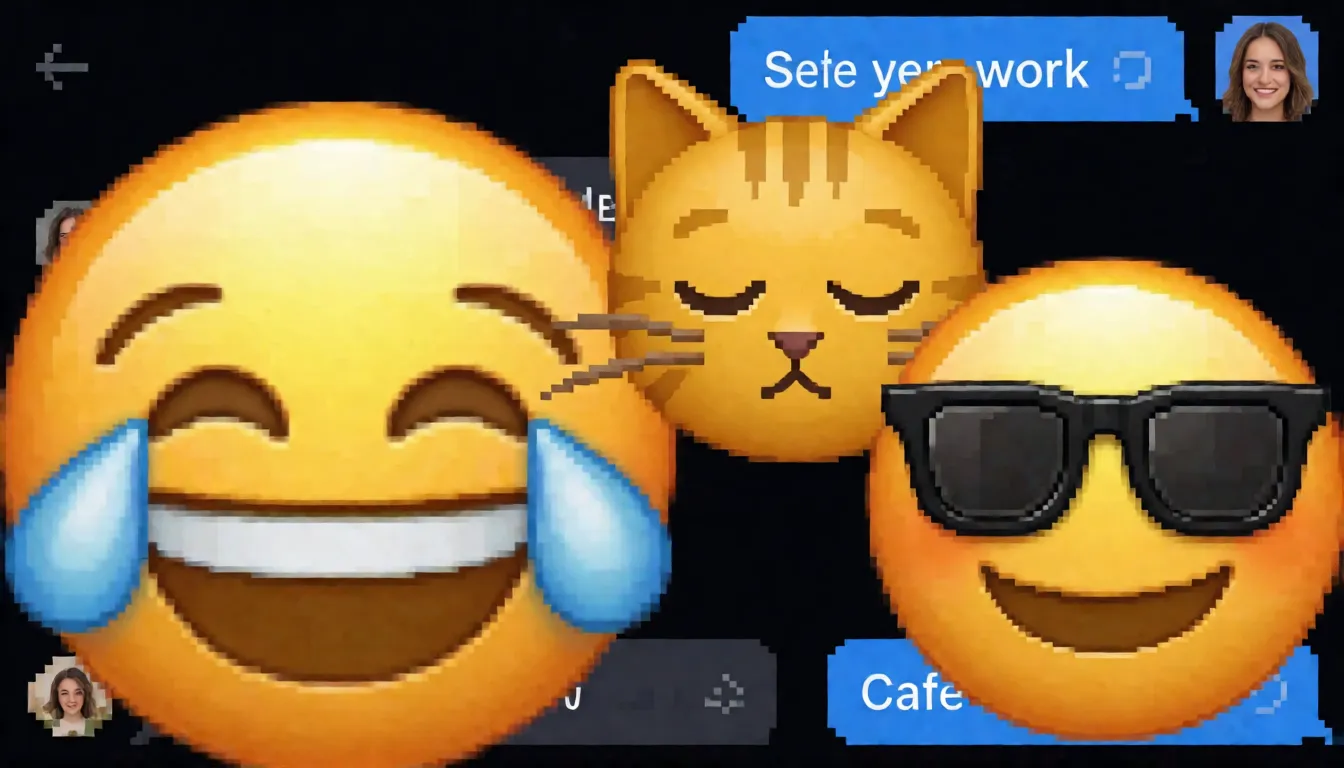
The biggest boost in attention came from Slack Moji, a community demo by cfahlgren1 that has collected 61 likes on Hugging Face. You describe an emoji, and Tessera-small draws four 16×16 versions on your own computer. It runs through WebGPU, the browser feature that lets web pages use your graphics card, so your description is not sent to a server. Under the hood it uses a compressed ONNX copy of Tessera-small that, together with its text reader, weighs about 115MB, and the same package ships a small tessera.js file for anyone who wants to put the generator on their own web page. Copies such as ysharma/slack-moji-webgpu fall back to the processor when WebGPU is not available, which is slower but still works.
- Good emoji prompts: "laughing face emoji with tears", "sleepy cat face", "party hat", "thumbs up".
- Upload the PNG you like as a custom emoji in Slack or Discord.
- Make a matching set by keeping the same color words across prompts.
Fix one part of a sprite with the magic brush
Sometimes a result is almost perfect: the sword looks great, but the handle is a muddy blob. Instead of starting over, open the pixel editor in Pixel Studio and paint over just the squares you dislike with the Magic brush. Tessera-small redraws only that area and leaves everything else untouched, which is what people mean by AI pixel art inpainting. You can also go the other way: sketch a rough outline with a few strokes on an empty canvas and let it finish the full sprite. This is handy for fixing a hat, a face or a color that clashes with the rest of your set, and it keeps a series of icons looking consistent.
Tessera-small prompt templates that work at 16×16
The text reader only looks at roughly the first 24 words and symbols of a prompt, so short wins. Name one object, add a material or color, and stop. Long sentences and scenes with several subjects get blurry, because there are only 256 squares to work with. If the first batch misses, raise the batch size to 16 rather than writing a longer prompt.
- Items — [material] [object] with [detail]: "golden crown with blue gems", "wooden shield with iron rim", "red health potion bottle"
- Creatures — tiny [color] [creature], [feature]: "tiny green slime with big eyes", "skeleton warrior holding sword"
- Emoji — [emotion] face emoji, [color]: "laughing face emoji with tears", "sleepy cat face"
- Food — [food] icon: "slice of pepperoni pizza", "sushi roll"
- Nature — [object] in [setting]: "pine tree in snow", "glowing blue crystal"
Where it shines and where it stops
Expectations matter with a model as small as Tessera-small. It makes 16×16 pictures only, so think icons, items and tiny characters, not posters, landscapes or realistic portraits. It learned from about 1.4 million synthetic game sprites covering 6,194 themes, so its style leans toward classic fantasy and game items; detailed people, written words and busy layouts are beyond what 256 squares can show. The upside is cleanliness: every square is one color from a fixed 512-color palette, with no smudged edges to clean up. The author reports a CLIP score, a common measure of how well a picture matches its text, of 25.24 for generated sprites against 25.28 for real ones; that is a self-reported figure, not an independent test. If you are curious about the tech, the author calls Tessera-small a diffusion language model: it treats the picture like a 256-word sentence and fills in many words at once, which is why it is so quick.
Try it online or run it yourself
The easiest start is the browser. Pixel Studio gives you the full set of tools, and Slack Moji is the fastest way to get Tessera-small emoji. If you want Tessera-small on your own machine, the Hugging Face repository holds a half-precision .pt weights file of about 95MB. In Python you fetch it with hf_hub_download, and the pipeline code that loads it lives in the files of the demo Space, since there is no separate GitHub project yet. Web developers can skip Python and use the ONNX package with tessera.js instead. Either way, write prompts in English: the text reader is OpenAI's CLIP ViT-B/32, which is downloaded separately.
Grow tiny sprites into bigger pixel art on Spicy AI
Sixteen squares across is perfect for icons, but sometimes you want the same character as a full poster or a moving scene. A simple workflow works well. Make your sprite in Tessera-small first, export the 512px PNG, then upload it to the Spicy AI image editor as a reference and ask for a larger scene in the same look, using style words such as "pixel art, 16-bit sprite, limited palette". Once you have a picture you love, send it to image to video and let your retro hero walk, wave or cast a spell. The result is quicker than drawing every frame and gives you art at sizes the tiny model cannot reach.
Turn a tiny sprite into a full pixel art scene in your browser.
Open the image editor →Compared with pixel art LoRAs and drawing by hand
The usual alternative is a large text-to-image model with a pixel art LoRA, a small add-on trained on a style. That route gives bigger pictures and almost any subject, but the results are often fake pixels: soft edges, too many colors and squares that do not line up, so you have to clean them up afterwards. Tessera-small is the opposite trade. It is limited to tiny sprites, but every pixel is real and the palette stays tidy. Compared with drawing by hand, it gets you a first draft dozens of times faster, while a final, consistent style still needs a human touch.
| Tessera-small | Big model + pixel LoRA | Hand drawing | |
|---|---|---|---|
| Picture size | 16×16 only | Large, any layout | Any |
| Pixel cleanliness | Real pixels, fixed palette | Often needs cleanup | Perfect |
| Speed for a batch of ideas | Seconds | Fast | Slow |
| Runs in a browser | Yes | Rarely | Not needed |
Uncensored pixel art ideas for adults
The Tessera-small weights are open and nothing filters them when you run them yourself, but there is no NSFW version, and a 16×16 model trained on game items simply cannot show adult scenes. People who search for an uncensored pixel art generator usually want larger retro-style pin-ups of grown-up characters, which needs a bigger image model plus pixel style words. Spicy AI offers similar uncensored image generation in one place.
Bikini beach sprites
Adult characters in swimsuits on a sunny 16-bit beach, like a summer level of a retro game.
Pixel pin-ups
Classic pin-up poses of grown-up heroines with a bold, limited color palette.
Fantasy dating-sim portraits
Flirty adult elves, rogues and sorceresses drawn as retro character cards.
- Add "pixel art, 16-bit sprite, limited palette, crisp pixels" to the end of any prompt.
- Upload a sprite as a reference to keep the same outfit and colors across a set.
- Describe every character as an adult (18+), and never depict real people without consent.
Make adult-themed pixel art characters in your browser, no download needed.
Try the uncensored image generator →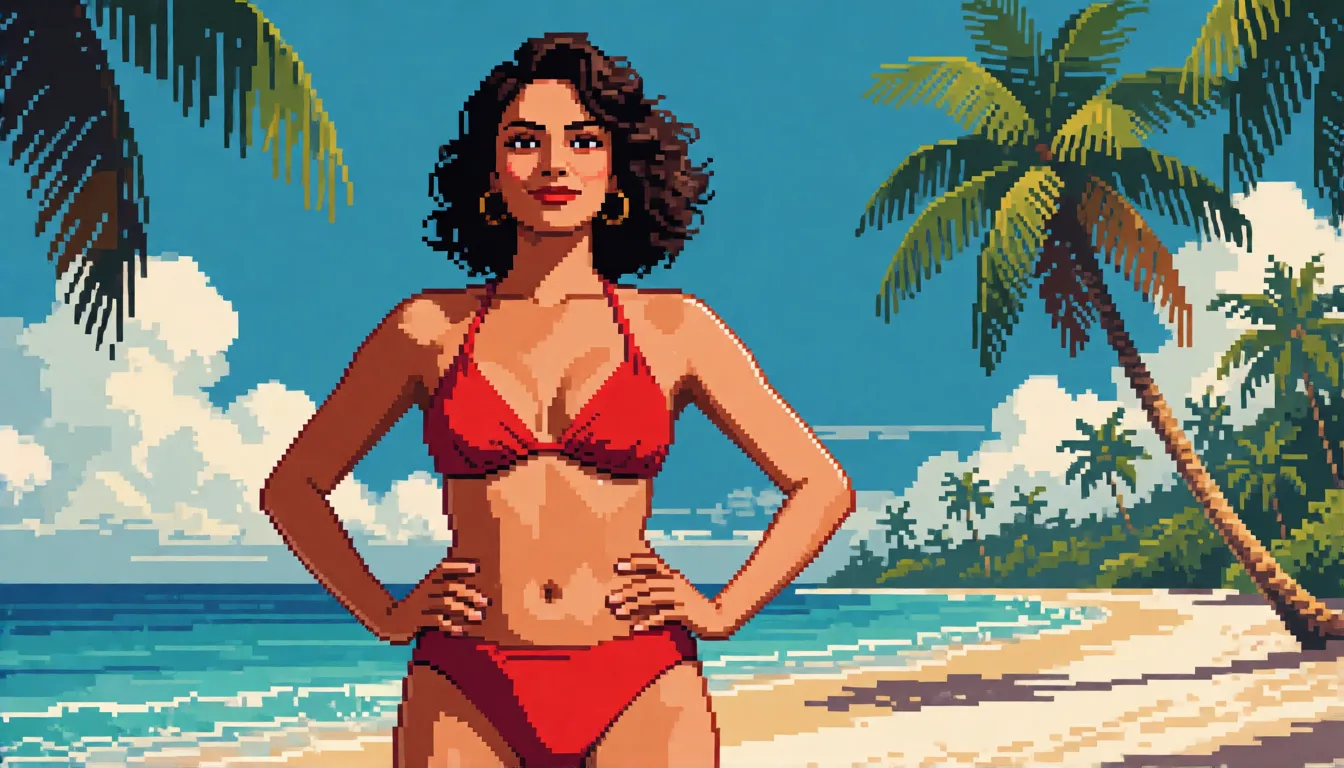
Self-hosting Tessera-small vs generating online on Spicy AI
| Local deployment (official weights) | Spicy AI online | |
|---|---|---|
| Content filters | None when run locally | No content filters |
| Open weights | Yes | Not needed — runs in the browser |
| Model | 16×16 sprite model | Similar uncensored image model, larger pictures |
| Price to start | Your own computer | Free tier available |
FAQ
What is Tessera-small?
A 47.6M-parameter open model from Jagrat Patel (TheJagStudio), released on Hugging Face on November 9, 2026. It turns short English text into 16×16 pixel art using a 512-color palette and about 16 quick steps.
Can I try it for free online?
Yes. The Tessera Pixel Studio Space and the community Slack Moji demo both run in the browser; Slack Moji draws on your own computer.
Can it make bigger pictures?
It draws 16×16 natively. The demo can export a 512px PNG, which enlarges the squares without adding detail.
Can I edit part of an existing sprite?
Yes. Use the Magic brush in the pixel editor to mark squares for a redraw, or sketch a few strokes and let it complete the rest.
What hardware do I need?
Very little. The weights are about 95MB, and the community ONNX version runs in a browser with WebGPU, or more slowly on the processor.
Should I write prompts in English?
Yes. Keep them short and in English, because the CLIP text reader only takes about 24 tokens.
Is Spicy AI affiliated with TheJagStudio?
No. Spicy AI is an independent platform and is not affiliated with or endorsed by TheJagStudio or Jagrat Patel. The model name belongs to its respective owner.