Uncensored AI Image · ByteDance Seed
Seedream 5.0: Pro vs Flash vs Lite, Styles, Layers and Prompts
Seedream 5.0 is the newest image model line from ByteDance's Seed team, released in three tiers: Lite (February 2026), Pro (July 2026) and Flash (September 2026). ByteDance does not ship an uncensored version, and its own apps moderate every request, but some third-party API hosts let approved accounts switch their extra safety checker off. This guide covers the tiers, the styles it handles well, what people make with it, prompt templates, and how to get filter-free adult images on Spicy AI.
Spicy AI is not Seedream 5.0 — this page currently runs Seedream, Krea 2 and Wan 2.6.
- Free to start
- No filters
- Runs in browser
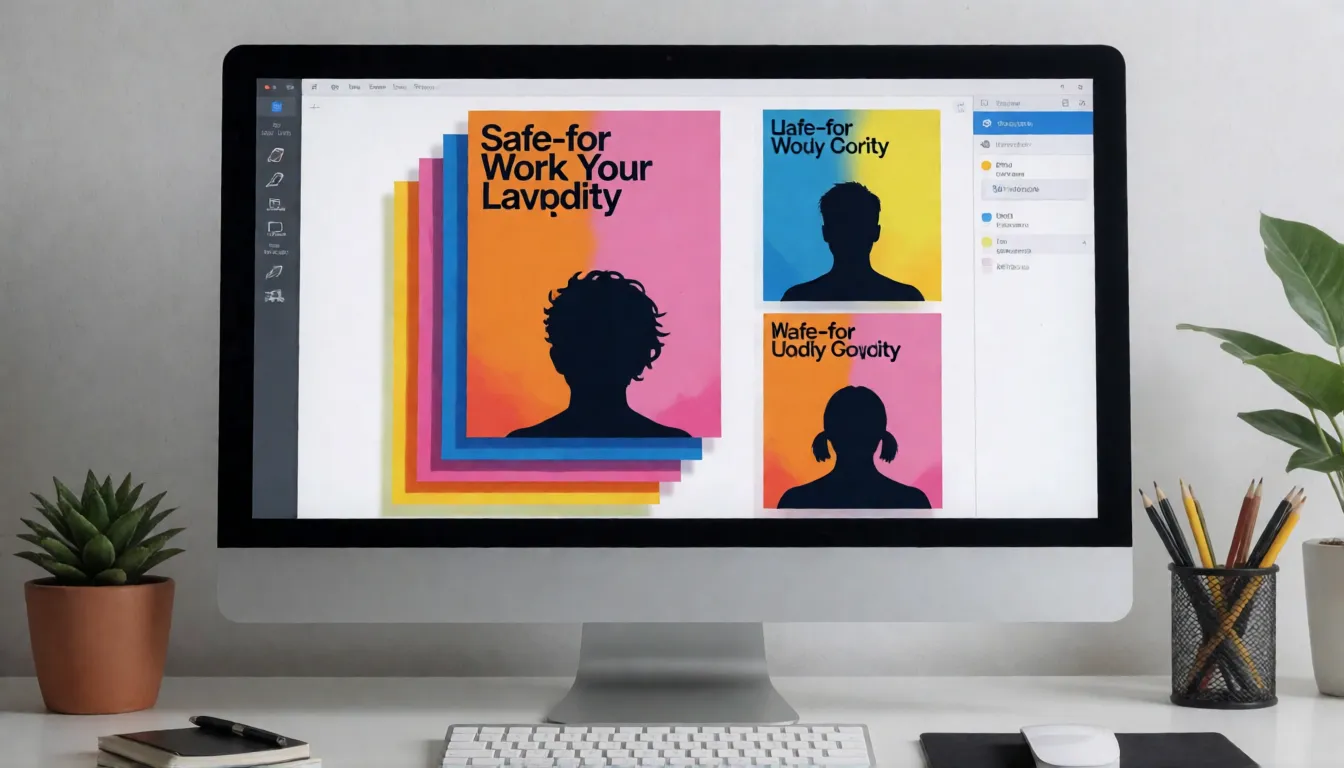
Key facts at a glance
- Developer
- ByteDance Seed
- Tiers
- Lite (Feb 13, 2026), Pro (Jul 8, 2026), Flash (Sep 2026 snapshot)
- Resolution (Pro / Flash)
- 1K, 1.5K and 2K; 2K by default
- Layer separation
- 1 base image + up to 16 layers
- Text rendering
- 10+ languages, including Arabic (RTL)
- Open source?
- No; closed weights, hosted only
- Uncensored?
- No official version; some API hosts let you disable their checker
Uncensored Seedream 5.0 Image Generator
Text to imageDescribe the image you want. Add a reference photo to edit it, or leave it empty for text-to-image.
Try a prompt
Example prompts are in English, which gives the most reliable results.
What is Seedream 5.0?
This is the latest model series in ByteDance Seed's Seedream image line, following Seedream 4.0 (September 2025) and 4.5. Lite arrived on February 13, 2026 as a smaller unified multimodal model with deeper reasoning and optional real-time search; ByteDance says its Elo beats Seedream 4.5 and that it can keep up to nine subjects consistent in one picture. Pro followed on July 8, 2026 for professional design: information-dense infographics, interactive precise editing, layer separation, realistic materials and skin, and text in more than ten languages. Flash is listed in BytePlus documentation with a September 15, 2026 snapshot as a faster Pro sibling with the same feature set. ByteDance offers the family through Dreamina, CapCut and Volcano Ark, and to developers through the BytePlus ModelArk API; the weights are not public.
Why people look for an uncensored Seedream 5.0
Every request on ByteDance's own products passes content review, and flagged prompts simply fail. People who make adult fashion, glamour, boudoir or pin-up art therefore look for an uncensored version of the model. There is no official uncensored release, and we do not describe ways to trick the filter. What exists is a choice of hosts: several resellers add their own safety checker on top and some let approved accounts turn that layer off. If you just want adult images without filters, Spicy AI's uncensored image generator runs other models (Seedream 4.0, Krea 2 and Wan 2.6) in the browser, so results will look different from the ByteDance model itself.
Pro vs Flash vs Lite: which tier to pick
Think of the family as two tracks. Pro and Flash share one feature set (text-to-image, single and multi-image input, interactive editing, layer separation and multilingual text) and differ in quality and speed. Lite is a separate, smaller model built around reasoning and live search, so it is not a cut-down Pro. Pick Pro for final infographics, precise edits and layer exports, Flash for fast drafts and bulk social or shop images, and Lite for everyday pictures that depend on current facts.
| Pro | Flash | Lite | |
|---|---|---|---|
| Released | Jul 8, 2026 | Sep 2026 (snapshot 260915) | Feb 13, 2026 |
| Resolution | 1K / 1.5K / 2K | 1K / 1.5K / 2K | Not listed with Pro specs |
| Editing and layers | Yes, up to 16 layers | Yes, same as Pro | Editing; no layer API listed |
| Prompt optimization | Standard and fast | Standard only | Live search on or off |
| Best for | Design delivery, infographics | Drafts, social, e-commerce | Everyday images, current facts |
Which styles the model handles well
ByteDance's own showcase leans toward designed images rather than single photos, but the range is wide. The Pro launch post shows photoreal portraits with visible skin texture, game character art, architecture, and a panning shot with motion blur next to watercolor gradients, rice-paper minimalism, vintage scrolls, halftone print, felt and embroidery textures, black-and-white film and dramatic light rays. In practice, it is strongest where layout and text matter.
- Photoreal: fashion, beauty close-ups, product shots with real reflections and refraction.
- Editorial and poster design: magazine covers, sale posters, event flyers with readable titles.
- Infographics and diagrams: timelines, charts, flavor wheels, field guides.
- Illustration: watercolor, flat vector, halftone and retro print looks.
- Craft textures: felt, embroidery and paper cut, often from a rough sketch.
- Game and CG art: stylized characters and concept scenes.
Popular ways people use the Seedream line
The examples ByteDance chose and the templates third-party hosts publish point to the same handful of jobs. Most of them are about turning messy input (data, a sketch, an old poster, several photos) into a finished visual rather than generating a pretty picture from nothing.
- One-image explainers: a research-station infographic mixing timeline, bar chart and photo, or a six-tea flavor guide.
- Poster remixes: split an existing poster into layers, swap the main subject (a parrot became a peacock in ByteDance's demo) and keep the type.
- Sketch to poster: rough blocks and lines turned into a finished felt-style school trip poster.
- Product recolors: change a sofa to an exact Hex color or swap its material from a reference swatch.
- Menu and label translation: rewrite the text into another language while keeping the layout.
- Group photo fusion: merge separate portraits into one consistent scene.
- Shop pages and UI mockups: a pet store homepage or app screen with real-looking copy.
Pro editing: point, lasso, box, doodle and layers
Pro and Flash let you mark the area first and then describe the change. You can click a point, draw a lasso or box, or doodle over a region; the model turns that into region semantics before adding, removing or recoloring only that part. Colors can be given as Hex values or a swatch, materials as a reference image, and colored frames keep different objects inside their own borders. Layer separation splits a finished poster into a base image plus up to 16 transparent layers (headline, product, background, decorations) and inpaints whatever was hidden behind them. ByteDance itself says fine text and pixel-level consistency still have room to improve, so check edges and small type.
Lite and Flash: live search versus speed
Lite takes a different route from Pro. ByteDance calls it a smaller model and admits structure stability, realism and aesthetics can still improve. Its strengths are reasoning and knowledge: real-time search can draw on current information such as weather or match results, and it can sketch the next Go move, assembly steps or a formula diagram. Flash, by contrast, copies Pro's features at higher speed; the documented gap is that Pro gives higher quality and a fast prompt-optimization mode, while Flash offers standard mode only. A common workflow is to draft many variations on Flash and rerun the best prompts on Pro.
Uncensored access through third-party APIs
Searches for an uncensored version usually end at API resellers, and their settings differ. These switches control the host's own extra checker; they do not change ByteDance's model or its terms, and none of them make illegal content acceptable.
- fal.ai: an enable_safety_checker field that defaults to on; turning it off requires account authorization, and unauthorized requests are always checked.
- Runware: a safety.checkContent option you can switch on or off, plus an NSFWContent flag in the response.
- Other resellers such as kie.ai expose a similar checker option with their own defaults; read each host's docs and policy before relying on it.
- ByteDance products (Dreamina, CapCut, Volcano Ark) keep moderation on for everyone.
Parameter names come from each provider's public documentation and may change.
How the community rates the model
Public reception is mostly about design work. Users and reviewers single out the infographic layouts, clean multilingual text and the layer split as the reasons to pick Pro over photo-first models, while the common complaints match what ByteDance lists itself: small text can still contain errors and repeated edits may drift. The family also spread quickly because it is easy to reach: Lite came to CapCut and Dreamina, and Pro and Flash appeared on many API hosts within weeks. Independent arena leaderboards place Pro among strong hosted models, but third-party snapshots disagree on its exact rank, so treat any single number with caution.
How to write prompts for the Seedream line
The model reads full sentences well, so describe a design brief instead of stacking tags. State the purpose and format first, list the blocks in reading order, quote every piece of on-image text and name its language, then give one style and a palette. For edits, mark the region and change one thing per request.
- Format first: "vertical 2K poster for a travel guide" sets size and intent in one line.
- Blocks in order: title, timeline, chart with the real numbers, photo, caption.
- Exact text in quotes and the language named; proofread numbers afterwards.
- One style, one palette, one light source.
- Describe every person as an adult (18+) and never use a real person's likeness without consent.
Prompt templates you can copy
Replace the bracketed parts and keep the structure. The same templates work in Spicy AI's uncensored image generator for adult fashion and glamour shots, with the caveat that a different model renders them.
| Goal | Template |
|---|---|
| Infographic | Vertical 2K infographic about [topic]: title "[title]" at top, a timeline of [events], a bar chart of [data], one photo of [scene], [style] style, [palette] palette. |
| Fashion poster | Editorial poster of an adult [model description] in [outfit] at [location], headline "[text]" in bold serif at the top, [light source], magazine layout. |
| Recolor edit | Change only the [object] inside the box to [Hex color] with a [material] finish; keep everything else unchanged. |
| Layer remix | Separate this poster into layers, replace the main subject with [new subject] and keep the title and background. |
| Pin-up | Retro 1950s pin-up of an adult woman in [outfit] beside [prop], halftone print texture, saturated colors, space for a title. |
Model IDs and API parameters
On BytePlus ModelArk the model IDs are dola-seedream-5-0-pro-260628 for Pro, dola-seedream-5-0-flash-260915 for Flash and seedream-5-0-lite-260128 for Lite. Size can be given as width by height or described in plain language; if you omit it, Pro and Flash render at 2K, and documentation lists 1K, 1.5K and 2K but not 4K. Edits accept coordinates, boxes, arrows and doodles as location hints, outputs are PNG or JPEG with transparent layers, and Pro and Flash are listed at 500 images per minute.
Compared with Nano Banana 2.1 and GPT Image 2.5
These comparisons rest on vendor descriptions, not independent tests. Nano Banana 2.1 is described with 4K output, up to 14 reference images and search grounding; Pro answers with layer separation, infographic layouts and multilingual typesetting. GPT Image 2.5 is strongest inside ChatGPT, with multi-turn editing and sketching, while Pro is easier to use as an API that returns finished design assets. All three are closed and moderated, so none of them is an uncensored model.
Is it open source? Limits to know
No. ByteDance has not published weights for any tier, so it cannot be downloaded or run locally, and files claiming to be its open weights are not from ByteDance. Small text, long paragraphs and complex charts can still contain errors, transparent layers may show rough edges, and 4K is not listed. Seedream, Dreamina, BytePlus and Volcano Ark are ByteDance brands; this page is an independent guide and is not affiliated with ByteDance.
What you can create
Adult fashion posters
Evening-wear and swimwear campaign layouts with room for headlines, featuring consenting adult models.
Glamour and pin-up art
Retro pin-ups and glossy beauty close-ups that moderated apps often block, always depicting adults.
Magazine-style sets
Editorial spreads and cover concepts with consistent lighting across several images.
Prompt tips for Seedream 5.0-style results
- Describe the layout as blocks in order (title, chart, photo, caption) rather than one long sentence.
- Put exact on-image text in quotes and name the language, then proofread numbers and dates.
- Draft on Flash, then rerun only the best prompts on Pro.
- Change one region per edit and keep the rest of the prompt fixed.
- State that every person is an adult (18+) and never use real people's likeness without consent.
Using official Seedream 5.0 vs generating online on Spicy AI
| Official service | Spicy AI online | |
|---|---|---|
| Content filters | Set by ByteDance Seed | No content filters |
| Open weights | No | Not needed — runs in the browser |
| Model | Seedream 5.0 | Seedream, Krea 2 and Wan 2.6 |
| Price to start | Varies by plan | Free tier available |
- Text-to-image from a prompt
- Image-to-image edits from a reference photo
- Up to 4 images per run in multiple aspect ratios
FAQ
Is there an uncensored Seedream 5.0?
Not officially. ByteDance moderates all three tiers. Some third-party API hosts let authorized accounts disable their own extra safety checker, but that does not change ByteDance's terms.
Does Spicy AI run this model?
No. The uncensored image generator here uses Seedream 4.0, Krea 2 and Wan 2.6, so results will differ from Pro, Flash or Lite.
Does the model support 4K output?
BytePlus documentation lists 1K, 1.5K and 2K for Pro and Flash, with 2K as the default. 4K is not listed.
Where can I try it without code?
ByteDance offers it in Dreamina, CapCut and the Volcano Ark experience center; availability and free credits depend on region and account.
Is Spicy AI affiliated with ByteDance Seed?
No. Spicy AI is an independent platform and is not affiliated with or endorsed by ByteDance Seed. Seedream 5.0 is a trademark of its respective owner.
Is it free?
You can start free with daily generations, and buy credits when you need more.
Sources
Spicy AI is not affiliated with ByteDance Seed. Seedream 5.0 and other product names are trademarks of their respective owners and are used here for identification only. All content must depict adults (18+).