Uncensored AI Image · Alibaba Tongyi Lab
Uncensored Z-Image Turbo: Setup, Low-VRAM Files and Prompt Playbook
Sometimes typed as zimage turbo, this is the quick member of Alibaba Tongyi Lab's open Z-Image text-to-image series. It is a distilled 6B model that finishes a picture in eight sampling steps, handles photoreal people and Chinese-English lettering well, and ships with Apache-2.0 weights you can keep on your own disk. This playbook starts with the practical part: what to download, how to fit it on your graphics card and how to prompt a model that has no negative prompt. The technical background and comparisons come after. Alibaba offers no uncensored edition; if you simply want adult images in a browser, Spicy AI runs an uncensored alternative generator.
Spicy AI is not Z-Image Turbo — this page currently runs Seedream, Krea 2 and Wan 2.6.
- Free to start
- No filters
- Runs in browser
Z-Image Turbo in thirty seconds
- Maker
- Alibaba Tongyi Lab (Tongyi MAI)
- Public since
- November 2025
- Size
- About 6.15B, S3-DiT
- Sampling
- 8 steps, guidance off
- Lettering
- Chinese and English
- Open weights?
- Yes, Apache-2.0
- Hardware
- Consumer GPUs, under 16 GB
- Uncensored edition?
- None official
Uncensored Image Generator (Z-Image Turbo Alternative)
Text to imageDescribe the image you want. Add a reference photo to edit it, or leave it empty for text-to-image.
Try a prompt
Example prompts are in English, which gives the most reliable results.
Where Z-Image Turbo comes from
This is the latest speed-tuned model in the Z-Image series from Alibaba's Tongyi Lab, built by the Tongyi MAI team. It was also the first of the series to go public: the Hugging Face repository is dated November 25, 2025 and the GitHub news post November 26. Under the hood sits a Scalable Single-Stream Diffusion Transformer (S3-DiT) of roughly 6.15 billion parameters, where prompt tokens, visual semantic tokens and image latents travel through one shared sequence. Distillation cut sampling down to 8 function evaluations with guidance switched off; the team quotes sub-second renders on an H800 data-center GPU and says a 16 GB consumer card is enough. Alibaba makes the weights available on Hugging Face and ModelScope, and a hosted endpoint on Alibaba Cloud Model Studio is simply one more way in.
Can you get an uncensored Z-Image Turbo?
Two things drive the question. First, the hosted endpoint on Alibaba Cloud screens every prompt and every finished image, so boudoir shots, pin-ups and other adult art get rejected there. Second, the Apache-2.0 weights run on your own machine with no server in the loop, and Hugging Face now lists many community LoRAs trained on top of them. So the honest answer is mixed: there is no official uncensored Z-Image Turbo, and what a local copy will draw depends on its training data rather than on a hidden switch. Unofficial NSFW fine-tunes exist, some built on real celebrities, and we do not link them, because the license covers code and weights, not anyone's face. If you would rather skip a 20 GB download, Spicy AI's generator runs Seedream, Krea 2 and Wan 2.6 without content filters for adults (18+); it is a stand-in, not Turbo itself.
No GPU at hand? Generate adult images in the browser with the alternative.
Open the generator →First image in fifteen minutes: the ComfyUI route
Most people never touch the official repository. The Comfy-Org repack had roughly 9.3 million downloads over 30 days in October 2026, against about 654,000 for the Tongyi-MAI original, because the original stores the transformer in F32 at about 24.6 GB. A working install always has three pieces, and missing the text encoder is the classic first-run error. Grab these, drop them into the folders below and open the official ComfyUI template.
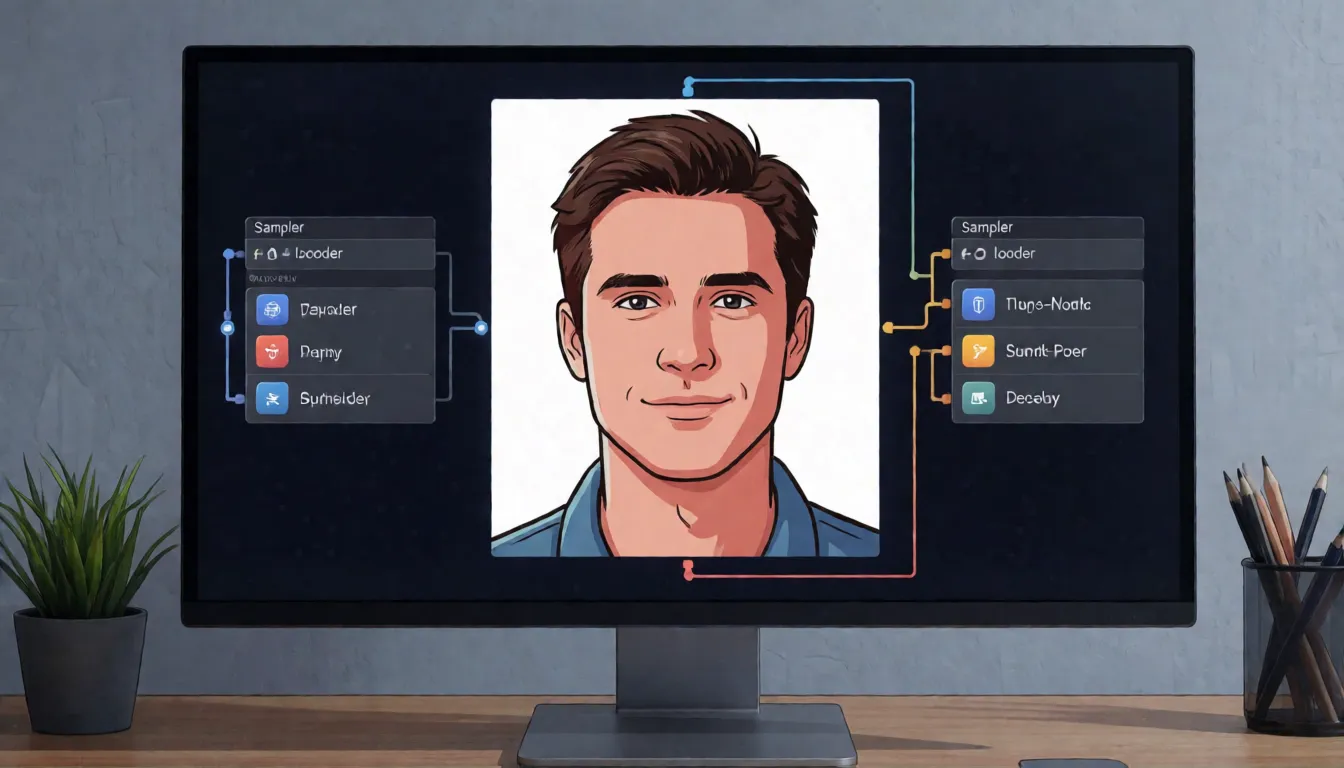
- Loaders: UNETLoader for the model, CLIPLoader set to type lumina2 for the encoder, VAELoader for the VAE.
- Template values worth keeping: 1024×1024, 8 steps, CFG 1.0, res_multistep sampler, simple scheduler, ModelSamplingAuraFlow shift 3.
- The negative branch is zeroed by ConditioningZeroOut, so anything typed there is ignored.
- Raising CFG to 7 or steps to 30 does not help Turbo; it burns colors or just costs time.
- For pose, depth or edge control, Alibaba PAI publishes Z-Image-Turbo-Fun-Controlnet-Union-2.1 as a separate download.
| Piece | File to grab | Size | ComfyUI folder |
|---|---|---|---|
| Diffusion model | z_image_turbo_bf16 (Comfy-Org) | 12.3 GB; int8 6.2 GB, nvfp4 4.5 GB | models/diffusion_models |
| Text encoder | qwen_3_4b | 8.0 GB; fp8 5.6 GB, fp4 3.5 GB | models/text_encoders |
| VAE | ae | 335 MB | models/vae |
"Qwen3-4B class" is inferred from the ComfyUI file name and its config; the model card does not name the encoder in one line.
Short on VRAM? Match the file to your card
Memory figures for this model come from three separate places, and each assumes different software, so read them side by side rather than as one promise. The Tongyi team says the model runs comfortably below 16 GB. DiffSynth-Studio documents an 8 GB setup with CPU offload and warns that FP8 quantization visibly softens results. A stable-diffusion.cpp wiki page describes a community recipe for 4 GB cards using Q3 or Q4 GGUF files plus offloading, at a clear cost in speed. Remember that a GGUF file replaces only the diffusion model: the text encoder and VAE still have to be downloaded.
| Your card | What to load | Expect | Source of the claim |
|---|---|---|---|
| 16 GB or more | bf16 repack, no offload | Full quality, fastest | Tongyi Lab |
| 8–12 GB | int8 or fp8 with CPU offload | Slower; fp8 loses detail | DiffSynth-Studio docs |
| 6–8 GB | Unsloth GGUF Q4_K_M (5.0 GB) or Q8_0 (7.2 GB) | Good balance for laptops | Unsloth model card |
| About 4 GB | Q3/Q4 GGUF via stable-diffusion.cpp, offload on | Works, but slow and softer | Community wiki |
Cache-DiT, LeMiCa and MeanCache advertise extra speed-ups; those numbers come from the community projects, not from Alibaba.
Eight steps or fifty? Turbo next to its slower sibling
The base model that arrived in January 2026, nicknamed Base, shares Turbo's architecture and text encoder but keeps classifier-free guidance and negative prompts. That makes the choice less about quality and more about workflow. If you iterate fast and want a polished photo look, stay on Z-Image Turbo. If you need a cast of distinct faces, illustration styles or a model to fine-tune, switch to Base and accept roughly four to six times the sampling time.
| Turbo | Base | |
|---|---|---|
| Steps per image | 8 | 28–50 |
| Guidance and negative prompt | None | CFG 3–5, negative prompt advised |
| Variety across seeds | Low | Medium |
| Fine-tuning | Not recommended | Rated easy |
| Sweet spot | Quick photoreal drafts | Variety, styles, LoRAs |
Variety and fine-tuning labels are the team's own ratings in the official model table, not an independent test.
Prompting a model that ignores negative prompts
With guidance off, the model only listens to what you ask for, so the positive prompt carries the whole job. Write it the way a photographer briefs a shoot, in full sentences and in a steady order: who, how they look, what they do, where, under which light, through which lens, in what style. Long prompts are fine; the hosted API caps them at 800 characters, a sensible ceiling locally too. The comparison below shows how much a vague prompt leaves to chance.
| Problem | Weak prompt | Stronger prompt |
|---|---|---|
| Generic look | beautiful woman, best quality, 8k | Adult woman in her thirties with a short black bob, silk camisole, sitting by a rain-streaked window, soft daylight from the left, 85mm, natural skin texture |
| Same layout every seed | new seed, same prompt | Change the setting, pose or outfit in words, e.g. "leaning on a balcony rail at dusk" |
| Merged faces in groups | two women at a bar | Two adults: one with curly red hair in a green dress, one with a grey buzz cut in a leather jacket, talking at a bar |
| Garbled lettering | poster that says summer sale | Poster with the headline "夏日限定" at the top and "SUMMER SALE" below in bold sans-serif |
Five Z-Image Turbo prompts to start from
Fill in the brackets and keep the order of the parts. All five assume adult subjects. They work in the ComfyUI template, in the hosted API and as a starting point in the alternative generator above.
| Goal | Template |
|---|---|
| Photoreal portrait | Photo of an adult [person] with [hair, features], wearing [outfit], [pose] in [setting], [light source], 85mm lens, shallow depth of field, natural skin texture. |
| Bilingual poster | [Style] poster for [product or event], headline "[Chinese text]" at the top and "[English text]" below, [main image], clean layout, [color palette]. |
| Shop banner | Product photo of [item] on [surface], adult model [action] in the background, soft studio light, empty space on the right for copy. |
| Fashion editorial | Editorial photo of an adult [model] in [outfit] on [location], [time of day], wide shot, magazine color grading. |
| Two-person scene | Two adults: [person A details] and [person B details], [shared action] in [place], clearly different faces, candid photo, warm light. |
Where it shines and where it stumbles
Community feedback lines up with the design trade-offs. Speed and realism get the praise; variety gets the complaints. The team reported eighth place overall and first among open models on the Artificial Analysis text-to-image leaderboard on December 8, 2025. That ranking is dated: by October 2026 the model was no longer in that board's top 20 as newer releases arrived. Gigazine's hands-on review noticed repeated compositions across seeds, look-alike faces in group scenes and trouble with Japanese text, while the slower base model did better on illustration and range.
| Strength | Weak spot |
|---|---|
| Natural skin and lighting in photoreal portraits | Similar compositions when only the seed changes |
| Chinese and English headlines on posters | Japanese and other scripts untested or weak |
| 8 steps, runs on gaming GPUs and laptops | No negative prompt in the default workflow |
| Large LoRA and ControlNet ecosystem | Fine-tuning erodes the few-step speed |
Adoption signals in October 2026: about 12,100 GitHub stars, about 1.07 million 30-day downloads of Unsloth's GGUF builds and about 241,000 for one popular LoRA pack. Downloads show reach, not quality.
What people actually make with it
Because a render takes seconds, people use the model for volume work where they would otherwise give up after a few tries. Sellers on Chinese marketplaces like it for banners that mix both languages, and short-drama and game teams use it for fast mood boards before a final render elsewhere.
- Portrait and fashion series: dozens of outfit and lighting variations of the same adult model in one sitting.
- Bilingual e-commerce art: product scenes with Chinese and English headlines for shop pages and social feeds.
- Pre-visualization: key frames for short dramas, ads and game pitches.
- Character LoRAs: community add-ons for specific looks, costumes and art styles.
- Pose matching: the ControlNet Union model copies a stance or layout from a sketch.
- Older hardware: GGUF builds made it a common pick for laptops and mid-range gaming cards.
No GPU? The hosted z-image-turbo endpoint
Alibaba Cloud Model Studio serves the model under the ID z-image-turbo, and it is the only member of the family offered there. Each request carries one user message with a single text prompt of up to 800 characters, plus optional size (512×512 to 2048×2048 total pixels, default 1024×1536), seed and a prompt_extend flag that lets a language model rewrite the prompt and return its reasoning. You get one PNG per call, its link expires after 24 hours, and the limit is 120 requests per minute. Prompts and outputs pass a safety check, and batch jobs, fine-tuning and function calling are not available, which makes the endpoint convenient but strictly moderated.
Up against FLUX.2 and Qwen-Image
The technical report pitches the series as a 6B answer to open models of 20B and more, such as Qwen-Image, HunyuanImage 3.0 and FLUX.2. Treat that as the authors' framing. In practice the gap is running cost: a small model with 8 steps is the easiest of the three to keep on one consumer card, while the larger ones may cope better with crowded scenes. Test with your own prompts before switching.
| Z-Image Turbo | FLUX.2 | Qwen-Image | |
|---|---|---|---|
| Open weights | Yes (Apache-2.0) | Yes, varies by variant | Yes |
| Size | 6B | Larger (20B+ class) | 20B |
| Typical steps | 8 | More | More |
| Chinese lettering | Showcased by the team | Not compared | A main strength |
Sizes and licenses follow the technical report; check each model card before relying on them.
Trying the uncensored route in a browser
The browser path skips downloads and drivers. It does not run this model, so the look will differ; Spicy AI uses its own image models.
- 1. Press the button at the top of the page to open the image generator.
- 2. Paste a template from this page and describe every person as an adult.
- 3. Choose an aspect ratio and create up to four images per run.
- 4. Change only one thing per retry: light, pose or outfit.
- 5. Upload a photo you own to switch to image-to-image editing.
Three jobs it handles best
Portrait runs
Many photoreal adult portraits and outfit looks in one quick session.
Two-language posters
Chinese and English headlines on banners for shops and social feeds.
Mood boards
Fast concept frames to test an idea before the final render.
Five habits that save failed renders
- Leave CFG at 1 and steps at 8; move to the base model when you need a negative prompt.
- Download the text encoder and VAE alongside any GGUF file.
- Vary the scene in words, not only the seed, to break repeated layouts.
- Put exact on-image words in quotes and proofread small text before publishing.
- Describe every character as an adult (18+) and never use a real person's likeness without consent.
Self-hosting Z-Image Turbo vs generating online on Spicy AI
| Local deployment (official weights) | Spicy AI online | |
|---|---|---|
| Content filters | Set by Alibaba Tongyi Lab | No content filters |
| Open weights | Yes | Not needed — runs in the browser |
| Model | Z-Image Turbo | Seedream, Krea 2 and Wan 2.6 |
| Price to start | Varies by plan | Free tier available |
- Text-to-image from a prompt
- Image-to-image edits from a reference photo
- Up to 4 images per run in multiple aspect ratios
FAQ
Is the model free to use?
The weights are free to download under Apache-2.0 from Hugging Face and ModelScope and run on your own hardware. The hosted Alibaba Cloud endpoint is a separate, billed service.
Is there an official uncensored version?
No. Alibaba has not published one. The hosted API moderates prompts and images, local runs have no hosted filter, and NSFW LoRAs on Hugging Face are unofficial.
What is the minimum VRAM?
The team says under 16 GB is comfortable. DiffSynth-Studio reports 8 GB with CPU offload, and community GGUF recipes reach about 4 GB at lower speed and quality.
Does Spicy AI run this model?
No. Spicy AI's image generator uses Seedream, Krea 2 and Wan 2.6, so images will look different from Turbo's.
Is Spicy AI affiliated with Alibaba Tongyi Lab?
No. Spicy AI is an independent platform and is not affiliated with or endorsed by Alibaba Tongyi Lab. Z-Image Turbo is a trademark of its respective owner.
Is it free?
You can start free with daily generations, and buy credits when you need more.
Sources
Spicy AI is not affiliated with Alibaba Tongyi Lab. Z-Image Turbo and other product names are trademarks of their respective owners and are used here for identification only. All content must depict adults (18+).