Uncensored AI Image · BRIA AI
Uncensored Fibo 2.0 Edit Turbo: BRIA's Fast Open-Weights Image Editor
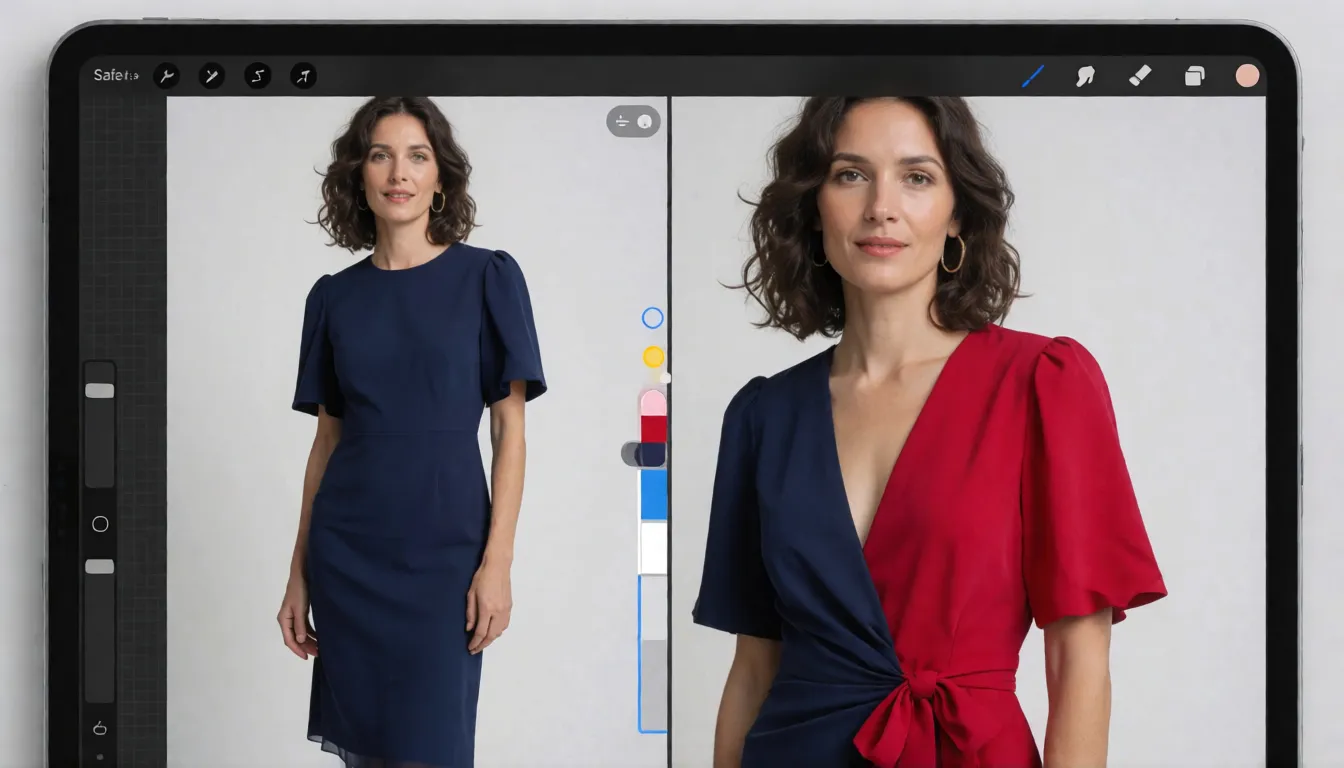
Fibo 2.0 Edit Turbo is the speed-focused editor in BRIA AI's Fibo 2.0 image series. It was distilled from the Dev base model, published with open weights on Hugging Face on October 19, 2026, and only edits existing images: change a color, swap a background, fill a masked area or combine several photos in four sampling steps. (This is BRIA's image model, not the FIBO fitness trade show.) The open-weights release works as an uncensored editor: run locally, it skips the moderation BRIA's hosted edit endpoint applies.
- Free to start
- No filters
- Runs in browser
- Developer
- BRIA AI
- Weights published
- October 19, 2026 (Hugging Face)
- Base model
- Distilled from the Dev base model
- Sampling
- 4 steps, guidance 1.0
- Edit inputs
- Instruction, mask (single image), 1 to 4 references
- Text-to-image
- No, edits only
- Open weights
- Yes, gated, CC BY-NC 4.0
- Uncensored?
- Open weights: no filter locally; SFW training data
Fibo Edit Turbo Alternative: Uncensored Image Editor
Text to imageDescribe the image you want. Add a reference photo to edit it, or leave it empty for text-to-image.
Try a prompt
Example prompts are in English, which gives the most reliable results.
Where Edit Turbo sits in BRIA's Fibo 2.0 line
This Turbo checkpoint is the distilled editing model in BRIA AI's Fibo 2.0 family. Its Hugging Face card, briaai/Fibo-2.0-edit-turbo, names the Dev model as the base model, and both share the same 8B architecture: Qwen3-VL-4B-Instruct reads the instruction and images, a Perceiver resampler compresses them, a single-stream DiT does the work and the FLUX.2 VAE decodes the result. Distillation cuts sampling to 4 steps at guidance 1.0, which is what makes it suited to interactive tools and batch retouching. It cannot generate from text alone. BRIA offers Fibo 2 as a whole through open weights, its hosted platform, self-hosting and partners such as fal; the API is only one way to use it. Prompts should be written in English, the only language listed on the card.
Three ways to edit with Edit Turbo
The model accepts the same edit inputs as BRIA's v2 edit endpoint, so the limits documented there are a good guide for any front end built on it:
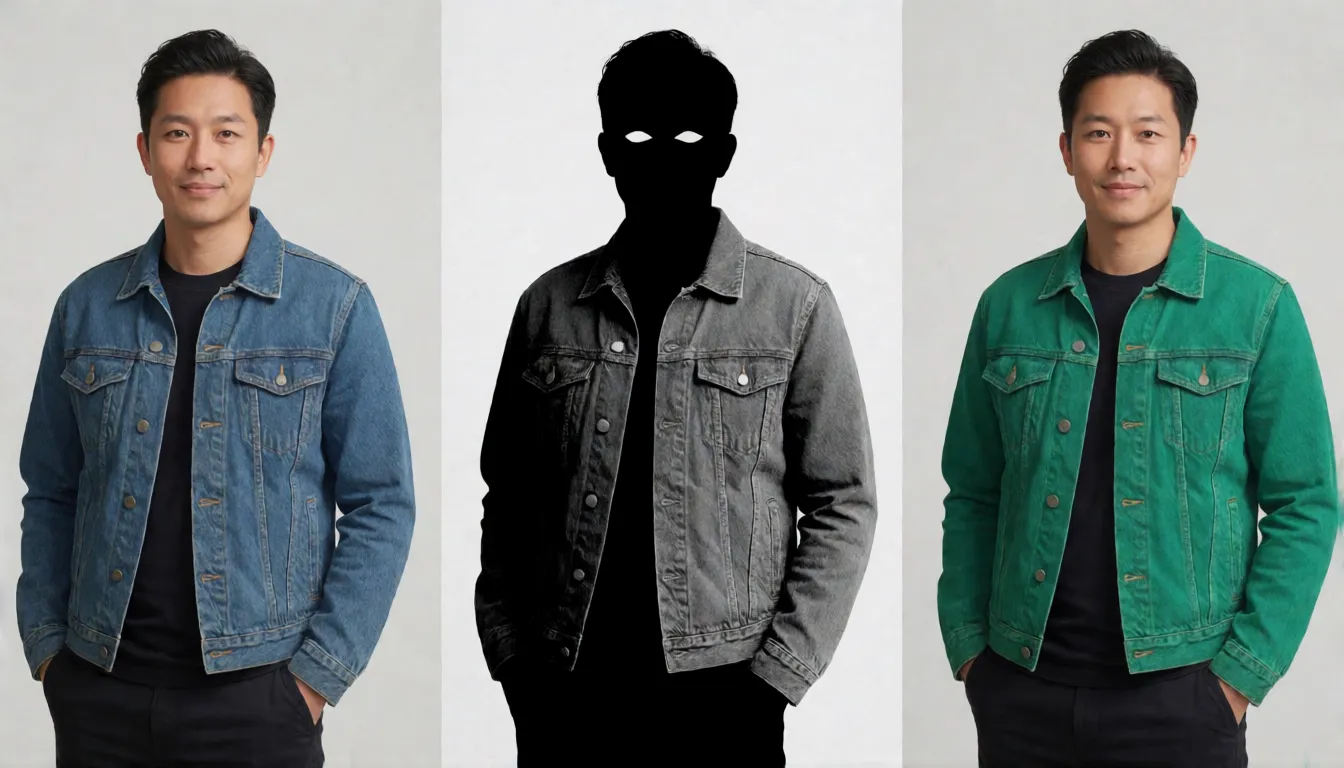
- Instruction edit: one image plus a sentence such as "make the jacket cherry red"; areas you do not mention are meant to stay as they were.
- Mask edit: one image plus a mask of the same size; black is kept, white is regenerated, and the output keeps the input resolution. Masks cannot be combined with several images.
- Multi-reference edit: 1 to 4 images on BRIA's API (more than 4 returns an error; the diffusers pipeline allows 5), for example a model photo, a garment and a location.
Where a fast editor pays off
Four-step editing changes what is practical. Retouching that used to mean a queue becomes something a user can drag and retry. Early adopters are mostly ComfyUI users: the official repository had 68 likes and 310 downloads in its first two days, and Comfy-Org repackaged it with bf16 and INT8 files. Typical jobs that suit it:
- Catalog fixes: recolor one product across hundreds of shots without reshooting.
- Background swaps for listings and social posts while the subject stays intact.
- Interactive editors and plugins where each click needs a quick preview.
- Ad variants: the same model photo in several outfits or settings for testing.
Edit Turbo vs Dev: speed or full control
Pick the model by the job. Turbo trades flexibility for speed: four steps instead of thirty or more, no text-to-image, and according to the model card summary a negative prompt has no effect. Dev is slower but generates and edits, honours negative prompts and is the one to fine-tune. A sensible workflow uses Turbo for quick previews and routine fixes, then reruns hard edits such as large structural changes on Dev.
| Edit Turbo | Dev | |
|---|---|---|
| Tasks | Edits only | Text-to-image and edits |
| Steps / guidance | 4 steps, guidance 1.0 | 30 to 50 steps, CFG 5 |
| Negative prompt | No effect | Supported |
| Fine-tuning | Not recommended | Suited to LoRA and full tuning |
| Weights published | October 19, 2026 | October 18, 2026 |
Edit prompt guide with templates
Turbo responds best to short, specific instructions. Name the element, the change and what must not move. Do not rely on a negative prompt; write the constraint into the instruction instead. Large changes of aspect ratio on a single image can degrade quality, so crop first or use several images. For multi-image edits, refer to each image by its order. Templates:
- Recolor: "Change the [item] to [color] [material]; keep the face, pose, lighting and background identical."
- Background: "Replace the background with [scene]; keep the person, outfit and shadows unchanged."
- Mask fill: "In the masked area, add [object or garment] matching the existing light direction."
- Combine: "Dress the person in image 1 in the outfit from image 2 and place them in the setting of image 3."
- Relight: "Add warm late-afternoon light from the right; do not change the composition."
Run Edit Turbo in ComfyUI
ComfyUI core added Fibo 2.0 support on October 21, 2026, one day after diffusers merged its BriaFibo2Pipeline. Accept the gated terms on Hugging Face, or use Comfy-Org's repackaged files, then set up the graph as follows. BRIA gives no official VRAM minimum; the INT8 files are the practical choice on 24GB cards or less.
- Put fibo2_edit_turbo_bf16 or fibo2_edit_turbo_int8_convrot in models/diffusion_models.
- Put qwen3vl_4b_bf16 or its INT8 version in models/text_encoders, and flux2-vae in models/vae.
- Feed the source images into the TextEncodeFibo2 node together with the instruction.
- Sample at 4 steps, CFG 1, euler with the simple scheduler; more steps do not help a distilled model.

Is Edit Turbo open source?
It is open weights, not open source. Download requires a Hugging Face login and acceptance of BRIA's gated terms, and the bria-fibo license points to CC BY-NC 4.0, which allows non-commercial use only. Using it in a paid product needs a separate agreement with BRIA, either through its hosted platform or a self-hosting license that covers both generation and editing. The model card does not spell out whether edited outputs from the open weights may be used commercially, so confirm with BRIA first.
Does the Turbo checkpoint have filters?
BRIA's hosted edit endpoint can moderate prompts, input images and outputs, and the Fibo line is trained on licensed data that excludes nudity, violence and public figures. The downloadable checkpoint has no such moderation step, so locally it works as an uncensored Fibo 2.0 Edit Turbo. Photographers retouching boudoir, swimwear or glamour shots of consenting adults use it for that reason, though explicit detail is limited by the SFW training data and a distilled model is a poor base for retraining.
Yes, as open weights. Run in ComfyUI or diffusers, the Turbo checkpoint applies no prompt, input or output moderation; only BRIA's hosted endpoint does. It follows edit instructions on adult photos such as outfit or lighting changes, but its SFW training data makes explicit detail weak, and distilled models are hard to fine-tune without losing speed. As of October 21, 2026 no NSFW derivative had appeared on Hugging Face. The CC BY-NC license keeps any uncensored Fibo 2.0 Edit Turbo use non-commercial, and you should only edit photos of adults you have permission to change.
Uncensored photo editing on Spicy AI
For adult (18+) edits, Spicy AI's image editor is the direct option. It offers similar uncensored photo editing and works in the browser without downloads or a GPU. Upload a reference photo, paste one of the edit templates above, say what must stay unchanged and generate. Only edit photos you own or have permission to change, and never depict minors or real people without consent.
Outfit and color swaps
Restyle lingerie, swimwear or evening wear on an adult model while the face stays the same.
Mood and background changes
Move a boudoir or glamour shot to a hotel suite, a beach or a neon bar in one edit.
Multi-photo composites
Combine an adult model, a garment and a location into one consistent image.
- Keep instructions short: element, change and what must stay.
- Write constraints into the instruction instead of a negative prompt.
- Crop to the final ratio before editing a single image.
- State that everyone shown is an adult (18+), and edit only photos you have the right to use.
Upload a photo and edit adult content without filters.
Open the image editor →Self-hosting Fibo Edit Turbo vs generating online on Spicy AI
| Local deployment (official weights) | Spicy AI online | |
|---|---|---|
| Content filters | Set by BRIA AI | No content filters |
| Open weights | Yes | Not needed — runs in the browser |
| Model | Fibo 2.0 Edit Turbo | Similar uncensored image model, hosted online |
| Price to start | Varies by plan | Free tier available |
FAQ
What is Fibo 2.0 Edit Turbo?
It is BRIA AI's distilled image editor from the Fibo 2.0 series. It edits images in 4 steps at guidance 1.0 and was published with open weights on October 19, 2026.
Can it generate images from text?
No. It only edits existing images. Use the Dev model for text-to-image.
How many images can I combine?
One to four on BRIA's API, while the diffusers pipeline accepts up to five. Mask edits work on a single image only.
Is Fibo 2.0 Edit Turbo uncensored?
Its open weights run locally without the moderation of BRIA's hosted API, so yes in that form. Explicit detail is limited by SFW training data.
Is Spicy AI affiliated with BRIA AI?
No. Spicy AI is an independent platform and is not affiliated with or endorsed by BRIA AI. Fibo Edit Turbo is a trademark of its respective owner.
Is it free?
You can start free with daily generations, and buy credits when you need more.