AI Photo Editing · Community Add-ons
Qwen-Image-2.1 LoRAs: Turn Anime Characters Real and Keep Every Face Consistent
Ever wondered what your favorite anime heroine would look like as a real person, or needed the same character to smile, frown and turn around without her face drifting? This pack answers both wishes. Published on Hugging Face by community creator WarmBloodAban, the pack adds two small add-ons to the open-weights base editing model: one turns any drawing into a lifelike photo, the other keeps a character on-model from shot to shot.
- Free to start
- Anime to real
- Runs in browser
- Creator
- WarmBloodAban (community)
- Base model
- Open-weights editing model, version 2.1
- Included
- Anything2Real, Anime Consistency
- Suggested strength
- 0.6 to 0.8
- Open weights
- Yes, on Hugging Face
- Trigger words
- None listed
Uncensored Alternative Image Editor for Character Makeovers
Text to imageUpload a character drawing and describe the real-life look you want, or leave the image empty for text-to-image.
Try a prompt
Example prompts are in English, which gives the most reliable results.
Two tiny add-ons that give characters a second life
A LoRA is a lightweight add-on file that teaches a big picture model one new trick without retraining it. This repository holds two of them, both built on the same open base model and both aimed at characters rather than general style. Anything2RealCharacters converts anime, illustration or 3D characters into realistic people. Anime_consistency helps anime-style edits keep the same face and outfit. The creator is a community member, not the base model's developer, and the weights are openly downloadable. People clearly use it: the page showed 33,254 downloads in the last month, 128 likes and links from more than 47 Hugging Face Spaces.
Anything2Real: from drawn character to living, breathing person
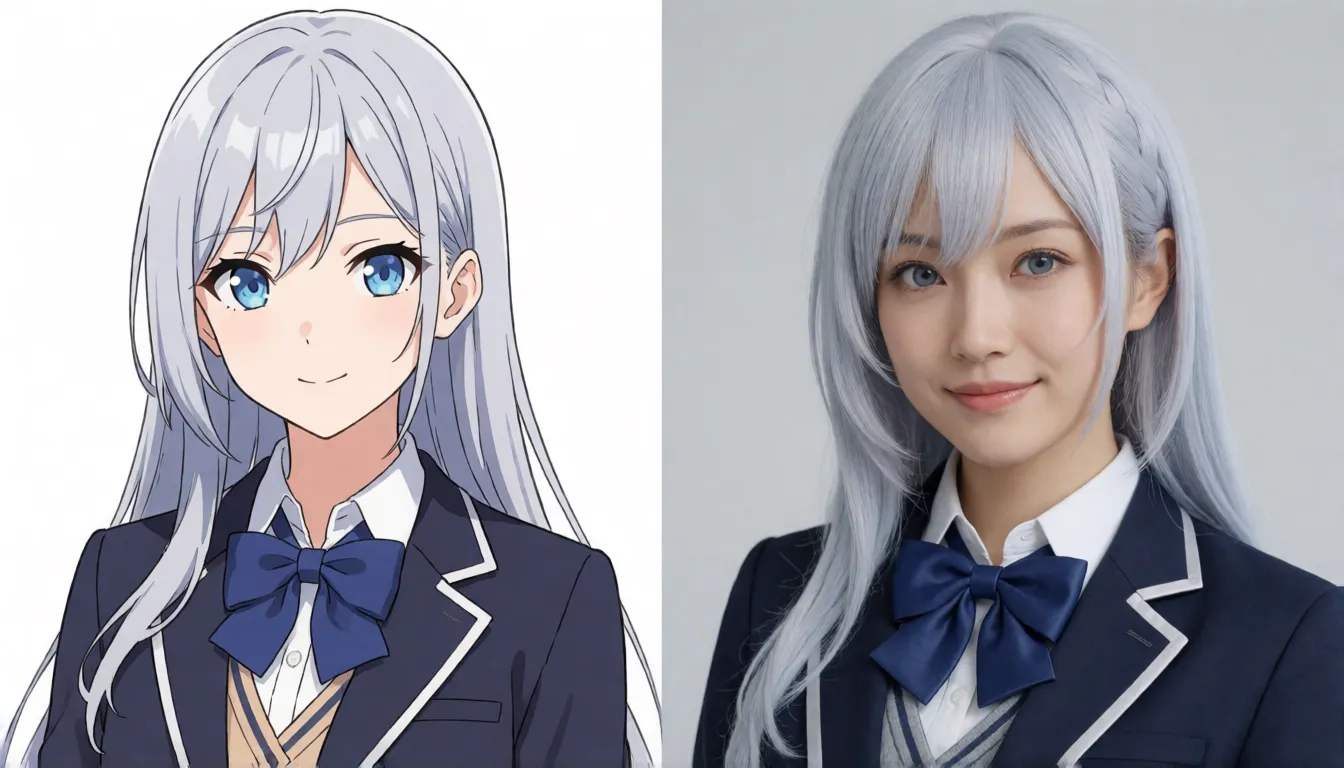
This is the crowd-pleaser of the pack. Feed it an anime screenshot, a game splash art, a painted illustration or a 3D render, ask for a real person, and it returns a photo-style portrait that keeps the hairstyle, hair color, outfit, color palette and expression of the original. It was trained on real photos paired with expression-control references, which is why faces come out believable instead of doll-like. The creator recommends the Euler sampler with the FlowMatchEulerDiscreteScheduler for softer, more natural skin and light.
- Anime to real: the classic "what if this character were a real person" post.
- Game heroes to live-action: concept stills for a fan film or a cosplay plan.
- 3D avatars to photos: VTuber or game models rendered as studio portraits.
Anime Consistency: one character, every angle and mood
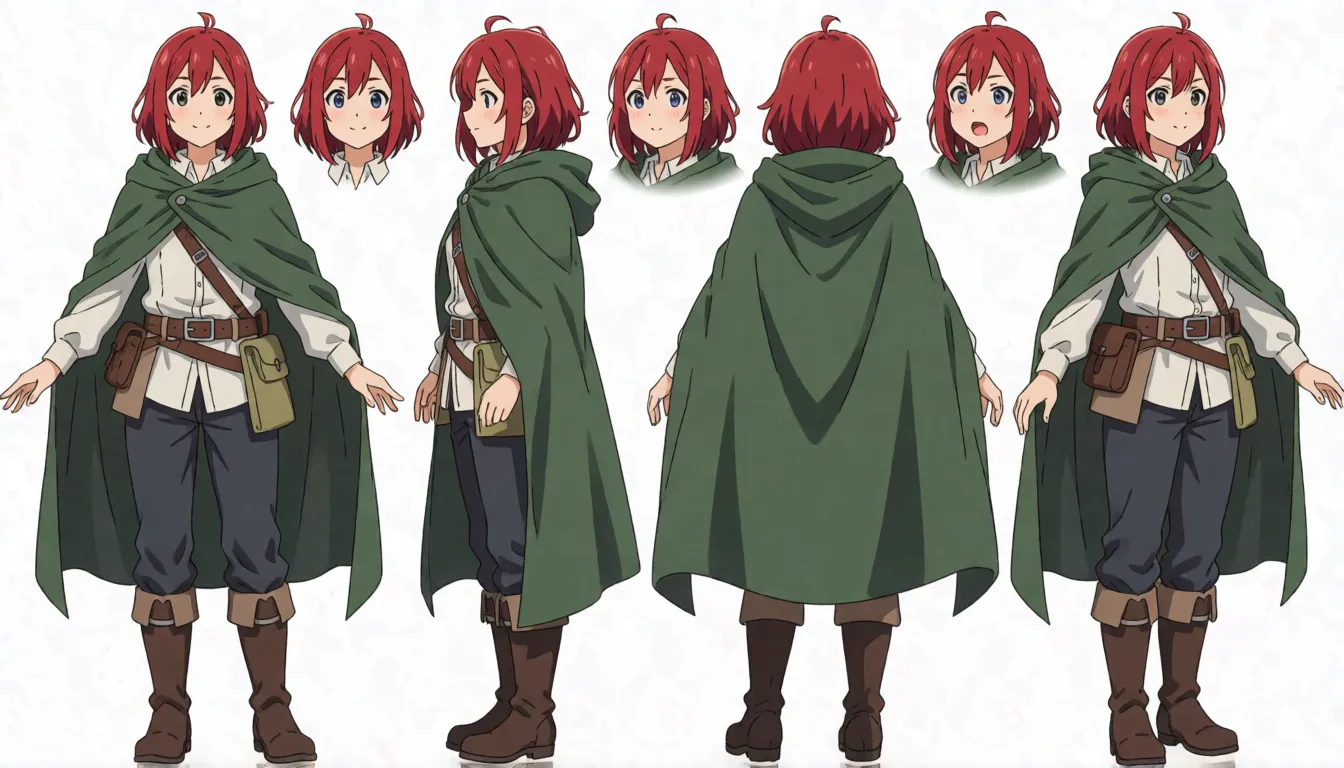
The second add-on in the pack tackles the oldest headache in AI art: the face changes every time you ask for a new pose. It was trained on character turnaround sheets with four views plus expression edits, so it nudges the editor to keep the same eyes, hair and clothing while you change only the angle, the emotion or the action. The creator labels it experimental, mainly a test of training settings, so expect to roll a few times and keep the best result.
- Expression packs: happy, shy, angry and surprised versions from one drawing.
- Turnaround sheets: front, side, back and three-quarter views for a design.
- Story panels: the same hero across a comic page or storyboard.
Where these character add-ons are catching on
Character-focused add-ons such as these are still rare for this model family, which is why creators in several fast-moving niches have picked them up. The most common uses:
The before-and-after format is the one that travels: the drawn version on the left, the photo on the right, and a caption asking viewers to guess the character. On the adult side, creators take original grown-up characters to a beach at sunset, a rooftop pool or a softly lit bedroom for glamour-style sets.
| Who | What they make | Which add-on |
|---|---|---|
| Short drama and AI comic studios | Casting concept art for live-action adaptations, consistent panel characters | Both |
| Cosplayers | Real-life makeup and costume references for a character | Anything2Real |
| VTubers and virtual idols | Sticker packs and multi-angle model sheets from one portrait | Anime Consistency |
| TikTok, Douyin and Xiaohongshu creators | Before-and-after "anime character in real life" posts | Anything2Real |
| Adult (18+) creators | Original adult characters as swimsuit, bikini or lingerie photo shoots | Anything2Real |
Prompt templates for anime-to-real and consistent characters
The model card lists no trigger words and no sample prompts, so plain editing instructions do the job. The templates below follow how instruction editors usually respond best: first say what to keep, then what to change, then describe light and lens. They are suggestions to adapt, not official examples.
- Anime to real: "Turn this anime character into a photorealistic real person. Keep the same hairstyle, hair color, outfit and expression. Natural skin texture, soft studio lighting, 85mm portrait, shallow depth of field."
- Chinese version: "把图中动漫角色转换为真实的人类,保持发型、发色、服装和表情不变,真实皮肤质感,柔光人像摄影。"
- New expression: "Same character, same outfit, change the expression to a shy smile, three-quarter view."
- Turnaround: "Character turnaround sheet of this character: front, side, back and three-quarter view, consistent design, white background."
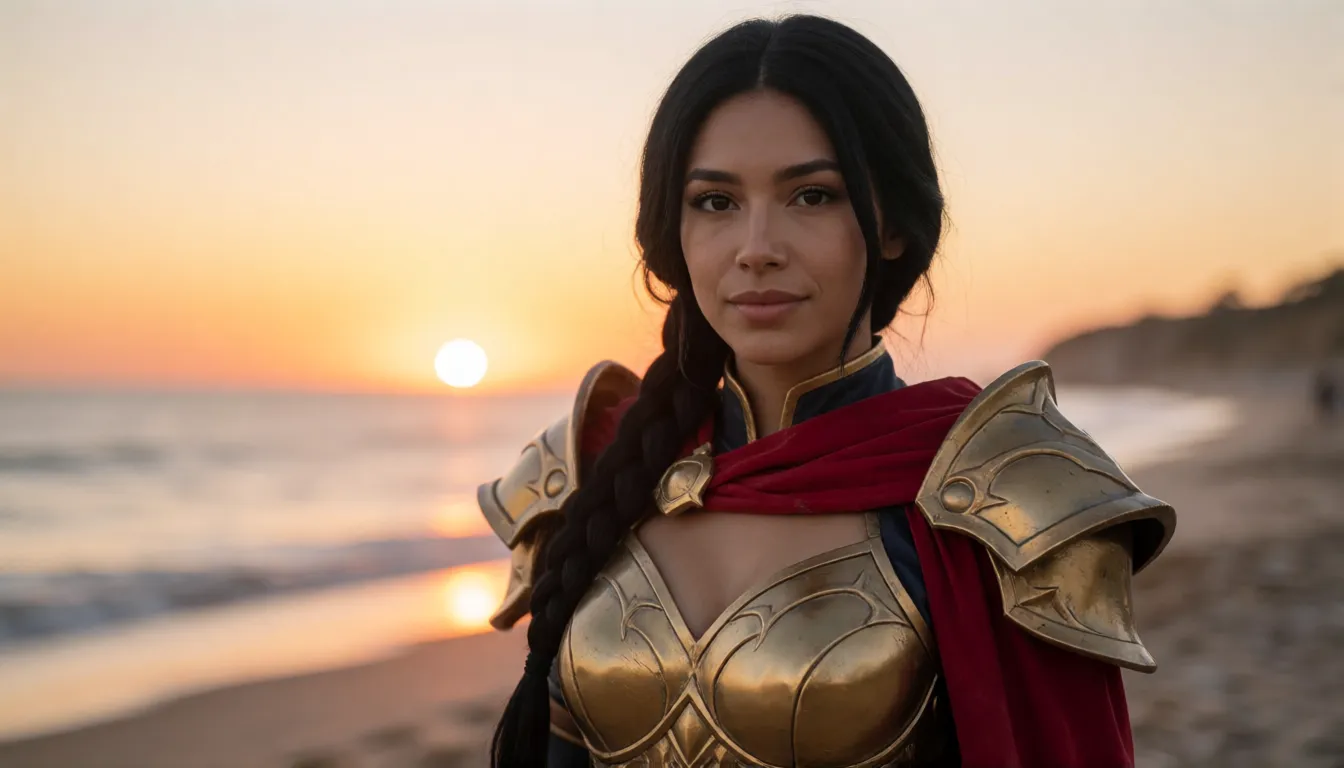
- Adult glamour (18+, original adult character): "Photorealistic adult woman version of this original character, same hair and face, wearing a red bikini, beach at sunset, cinematic light."
- Adult boudoir (18+): "Same adult character in lace lingerie, bedroom with soft window light, editorial photo, keep facial features."
Writing tip: if skin looks plastic, lower the add-on strength; if the face drifts from the drawing, add "keep facial features" to the instruction.
Download and run them in ComfyUI or diffusers
Getting the two add-ons running takes a few minutes if you already run the base editing model locally. Download the .safetensors file you want from the WarmBloodAban repository on Hugging Face, then pick your tool:
- ComfyUI: put the file in models/loras, add a LoraLoaderModelOnly node right after the base model loader, choose the Euler sampler and start the strength at 0.6 to 0.8.
- diffusers: load the base pipeline, call pipe.load_lora_weights("WarmBloodAban/Qwen-Image-2.1-LoRAs", weight_name="<file name>"), then pass your picture and the edit instruction.
- Steps and CFG: keep the values recommended for the base model; the creator gives no separate numbers.
- Speed: stacking the 4-step Lightning add-on should work in principle but is untested by the creator, so lower both strengths and compare.
Strength settings and quick fixes
Most problems with these add-ons come down to how hard the add-on pushes. Start in the middle of the recommended range and move in small steps.
| What you see | Try this |
|---|---|
| Face does not look like the drawing | Raise strength toward 0.8 and say "keep facial features" |
| Waxy or plastic skin | Drop strength to 0.6 and use Euler with FlowMatchEulerDiscreteScheduler |
| Washed-out, grey colors | Add the community Fix add-on released on September 23, 2026 |
| Outfit changes between poses | Use Anime Consistency, describe the outfit and generate several takes |
Best LoRA picks: how this pack fits the wider family
Hugging Face listed about 151 adapters built on the same base model at the time of writing. Three kinds stand out, and they solve different problems, so they are often combined. If you want to make your own, SimpleTuner supports training for the base model.
| Add-on | What it improves | Released |
|---|---|---|
| Lightning (LightX2V) | Speed: pictures in 4 steps | October 13, 2026 |
| Community Fix add-on | Quality: less greyness, more detail, ComfyUI workflow included | September 23, 2026 |
| WarmBloodAban character pack | Characters: anime-to-real and consistency | September 20, 2026 |
| Your own add-on | Any style or character you train | Train with SimpleTuner |
What early users are saying
The pack has spread mostly through demos rather than reviews. Downloads and the dozens of Spaces that reuse it show steady interest, and some third-party Spaces even put "uncensored" in their names, but there is only one discussion thread on the repository and no systematic comparison yet. The creator is candid that the consistency add-on may be unstable. The fair summary: Anything2Real is the one people share, while Anime Consistency is a promising experiment worth testing on your own characters.
Is there an NSFW or uncensored version?
Many people searching for an NSFW or uncensored add-on for this model want adult makeovers of original characters: swimsuit shoots, glamour portraits or boudoir-style photos that hosted photo tools often refuse.
Not among the files in this repository. The model card makes no NSFW claim and does not describe the training data as adult. Running the files on your own computer means no cloud moderation, but the base model's own ability to produce explicit detail is limited, so these remain character-editing tools rather than an adult model. Separate NSFW add-ons for the base model are shared on community platforms such as Civitai; we have not verified them.
Adult character makeovers right in your browser
Spicy AI's photo editor offers similar uncensored editing for adults (18+) without downloads or a graphics card. If you liked what the pack does, upload a drawing of an original adult character, paste one of the templates above and generate. Only use characters you created or have rights to, keep everyone clearly adult, and never depict real people without consent.
Swimsuit and bikini shoots
Turn an original adult character into a beach or poolside photo set.
Glamour portraits
Lingerie or evening-wear portraits with soft studio or window light.
Live-action casting looks
See how an adult hero or villain might look in a real film still.
- Say what stays the same before saying what changes.
- Name the light and the lens: soft window light, 85mm portrait.
- Describe the outfit in detail when you change poses.
- State that the character is an adult (18+) in every adult prompt.
Upload a character drawing and give it a real-life or glamour makeover.
Open the photo editor →Self-hosting the pack vs generating online on Spicy AI
| Local deployment (official weights) | Spicy AI online | |
|---|---|---|
| Content filters | None added locally; base model limits explicit detail | No content filters |
| Open weights | Yes | Not needed — runs in the browser |
| Model | The open base model plus the add-on you load | Similar uncensored photo editor, hosted online |
| Price to start | Your own GPU | Free tier available |
FAQ
Is this pack made by the base model's developer?
No. They come from the community creator WarmBloodAban on Hugging Face. The base model they plug into is the official release.
Which add-ons are included?
Two: Anything2RealCharacters, which turns any art style into a realistic person, and Anime_consistency, an experimental add-on for keeping anime characters consistent.
What strength should I use for these add-ons?
Start between 0.6 and 0.8. For Anything2Real, the creator suggests Euler with FlowMatchEulerDiscreteScheduler. Keep steps and CFG at the base model's recommended values.
Do they need trigger words?
No trigger words are listed. Write a normal editing instruction such as "turn this character into a real person".
Can I combine them with the Lightning add-on?
You can load several add-ons together, but the creator has not tested this pairing. Lower each strength a little and compare results.
How do I load them in ComfyUI?
Place the .safetensors file in models/loras and connect a loader node after the base model loader.
Is Spicy AI affiliated with WarmBloodAban or the base model's developer?
No. Spicy AI is an independent platform and is not affiliated with or endorsed by either. All trademarks belong to their respective owners.
Is it free?
You can start free with daily generations, and buy credits when you need more.