Uncensored AI Image · OpenAI
GPT Image 2 Guide: What It Does Best and How to Prompt It
GPT Image 2 is OpenAI's April 2026 image model, known in ChatGPT as ChatGPT Images 2.0 and available to developers through the API. Its strengths are easy to name: dense, legible text in many languages, close instruction following and clean poster and product layouts. It is no longer OpenAI's newest image model, because version 2.5 arrived in September, yet it stays listed in the API with no retirement date. Below you will find what it does best, how it compares with 2.5 and Nano Banana, prompt formulas that work, and a straight answer on uncensored use: no unfiltered edition exists.
- Free to start
- No filters
- Runs in browser
GPT Image 2 Alternative: Uncensored Image Generator
Text to imageDescribe the image you want. Add a reference photo to edit it, or leave it empty for text-to-image.
Try a prompt
Example prompts are in English, which gives the most reliable results.
ChatGPT Images 2.0 and its API ID: one model, three names
GPT Image 2 is a model in OpenAI's GPT Image series, released on April 21, 2026 together with the ChatGPT Images 2.0 system card. OpenAI offers it as a whole through ChatGPT, where it powers ChatGPT Images 2.0, and the API is one way to use it, under the model ID gpt-image-2 with a dated default snapshot from April 21. It takes text and images as input and returns images. OpenAI's launch post highlights stronger world knowledge, better instruction following and dense, legible text, and press coverage noted clear gains for Japanese, Korean, Chinese, Hindi and Bengali lettering. It is a closed model: there are no downloadable weights and no fine-tuning.
The naming confuses many searches. ChatGPT Images 2.0 is the product inside ChatGPT, the hyphenated lowercase name is the API model ID, and the spaced, capitalized form (sometimes followed by .0) is the shorthand used by media and creators. All three refer to the same April 2026 release. It has nothing to do with GPT-2, the text model OpenAI published in 2019. Within the image line, it sits between GPT Image 1.5 and the newer 2.5 generation:
| Model | Released | API ID | Status in October 2026 |
|---|---|---|---|
| Image 1 | April 2025 | gpt-image-1 | Retires October 23, 2026 |
| Image 1.5 | December 2025 | gpt-image-1.5 | Retires December 1, 2026 |
| Image 2 | April 21, 2026 | Same name, lowercase | Available, no retirement date |
| Image 2.5 | September 8, 2026 | Flare and Sunburst variants | Available, newest |
Dates from OpenAI's launch posts, model pages and deprecations page.
Is the April model still available after the 2.5 launch?
Yes, it is still in the API. OpenAI positions the 2.5 Flare model as the default for most new apps, but the documentation still lists the April model and the deprecations page does not give it a shutdown date. Third-party coverage of the September launch described the rollout as additive, and the model is also offered through OpenRouter, fal and Microsoft Foundry. Older versions are a different story: gpt-image-1 retires on October 23, 2026, and gpt-image-1.5, gpt-image-1-mini and chatgpt-image-latest retire on December 1, 2026, so anyone still on the 1.x line has to move. Inside ChatGPT, the 2.0 announcement now points readers to 2.5; whether the older model can still be picked depends on your account, because OpenAI has not said it was removed.
ChatGPT Images 2.0 vs the API
Many feature lists mix up what ChatGPT adds and what the model does on its own. In ChatGPT, the Thinking mode brings reasoning and tools into image creation: it can search the web, plan several images at once and turn an uploaded document into an infographic. At launch, the Instant mode was open to free users, while Thinking, web search and multi-image output were reserved for Plus, Pro and Business plans. The API is narrower. The model works through the image generations and edits endpoints and Batch, but not through the Responses or Chat Completions APIs, and there is no reasoning or web search parameter. If your app needs research or multi-step planning, you have to build that layer yourself.
| ChatGPT Images 2.0 | OpenAI API | |
|---|---|---|
| Thinking and web search | Yes, on paid plans | No |
| Several images per request | Yes, in Thinking | Yes, n from 1 to 10 |
| Document to infographic | Yes, upload a file | Only if your app extracts the data |
| Editing | Conversational edits | /v1/images/edits endpoint |
| Fine-tuning | No | No |
Based on OpenAI's system card, model page and launch coverage by eWeek.
4K resolution, sizes and output options
At launch OpenAI talked mostly about 2K output, so many pages still say the maximum is 2K. The current API reference is broader: any width and height work as long as both are multiples of 16, the aspect ratio stays between 1:3 and 3:1, the longest side is at most 3840 pixels and the total lands between 655,360 and 8,294,400 pixels. That allows 3840×2160 and 2160×3840, although anything above 2560×1440 is labeled experimental. Common sizes are 1024×1024, 1536×1024, 1024×1536, 2048×2048 and 2048×1152. Quality comes in low, medium, high and auto, without the extra tiers added in 2.5. You can request 1 to 10 images per call in PNG, JPEG or WebP. Input fidelity cannot be set: every reference image is treated at high fidelity, which keeps detail but makes edit requests heavier.
- Draft at 1024×1024 or 1536×1024 on low or medium quality, then render the chosen layout larger.
- Use 2048×1152 or 3840×2160 for wide banners and slides, and expect slower results above 2560×1440.
- Pick WebP or JPEG with output_compression for web delivery, PNG when you need lossless edges.
- Plan for up to about two minutes on complex prompts and set generous client timeouts.
Does the model support a transparent background?
Yes, as a preview. OpenAI's API reference lists background set to transparent for this model as a preview feature, and it only works with PNG or WebP output; a transparent JPEG is not valid. The capability was reported in late August 2026, shortly after OpenAI's cookbook on transparent campaign assets, which used the 2.5 models and treats transparency as a regular parameter there. Tool support lags behind: a GitHub issue from September shows the Codex CLI rejecting transparent requests for the 2.0 model. For good cutouts, describe only the subject and do not mention a background, because describing a scene can bring the background back. Native alpha output handles glass, hair, fur and sheer fabric edges more cleanly than cutting out a finished photo, but check edges and small text before you publish.
- Request: background = transparent plus output_format = png or webp.
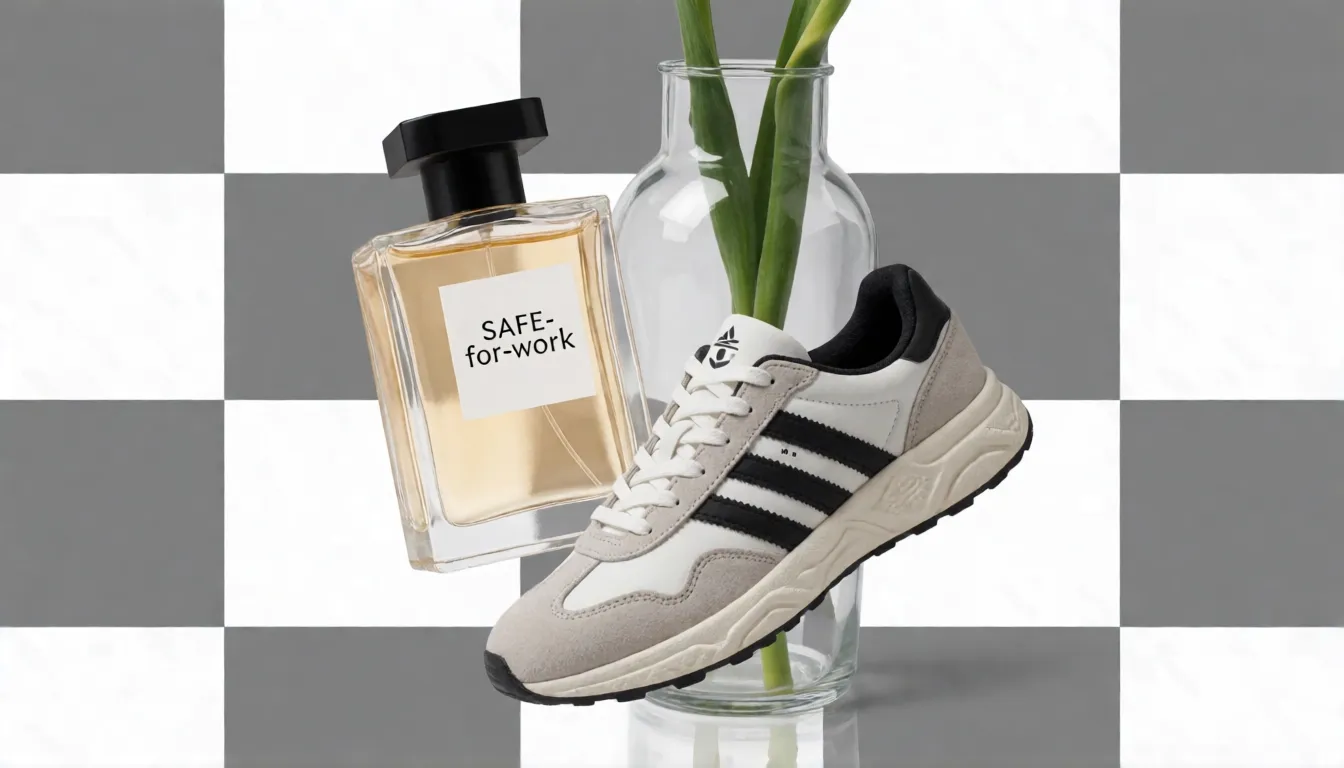
- Prompt: "A glass perfume bottle with gold cap, soft studio reflections, isolated product, no scene".
- Good fits: product photos, slide graphics, stickers, icons and print-on-demand designs.
How to use it in ChatGPT and through the API
In ChatGPT, describe the picture you want or upload a reference photo, then refine it in follow-up messages; which features you get depends on your plan and on the image model your account currently offers. Developers reach the model through the OpenAI API: create a key on the OpenAI platform, send a prompt to the image generation endpoint for new pictures or to the edits endpoint together with your own images, and pin the dated snapshot so results stay consistent over time. OpenAI does not hand out free API keys, so free credits on reseller sites are paid for by those platforms. Gateways such as OpenRouter or Microsoft Foundry call the same hosted model; they give you access, not an open-source copy.
- Step 1: choose ChatGPT for conversational work, or the API for automated pipelines.
- Step 2: in the API, start with size 1024×1024, quality medium and n = 1 to test your prompt.
- Step 3: read the usage field of each response to see how many tokens a job really used.
- Step 4: handle moderation_blocked separately from rate limits and server errors, and do not retry it unchanged.
What people create with it: posters, product photos, infographics
GPT Image 2 earned its reputation in work where text and layout matter. E-commerce teams use it for product photos with readable labels and clean shadows, and since the transparent preview, for cutouts that drop straight into a listing. Marketing teams make event posters, social ads and campaign variants in several languages, a strength OpenAI singled out for Japanese, Korean, Chinese, Hindi and Bengali. Educators and analysts turn notes or reports into infographics, while product designers sketch UI mockups and app store visuals. Creators use it for comic panels, character sheets and retro photo remixes. Typical styles range from clean studio photography and flat vector illustration to 3D renders, anime and vintage print looks.
- Online shops: packshots, lifestyle scenes and transparent PNG product cutouts.
- Marketing: posters, flyers and localized banners with exact headline text.
- Education and reports: infographics, diagrams and explainer cards (check every number by hand).
- Design: app mockups, slide graphics, icons and sticker sets.
- Storytelling: comic strips, character sheets and storyboard frames.
How good is it? Benchmarks and community verdict
Artificial Analysis runs blind preference arenas where people choose the better of two images. In October 2026 its text-to-image board puts the April model third, behind both 2.5 models, and its editing board puts it seventh. That still makes it one of the strongest image models available, but it is no longer the leader some September articles describe. Community feedback lines up with this: an OrcaRouter comparison observed that its edits tend to redraw the whole picture, so faces, text or backgrounds can drift on the second or third round, which is the weakness OpenAI targeted with 2.5. OpenRouter reports end-to-end latency of around 20 seconds on its own measurement, so claims of three-second generations do not hold up.
| Model | Text-to-image Elo | Editing Elo |
|---|---|---|
| Images 2.5 Sunburst | 1222 | 1199 |
| Images 2.5 Flare | 1207 | 1181 |
| Images 2.0 (this page) | 1186 | 1136 |
| Nano Banana 2.1 | 1176 | 1152 |
| Nano Banana 2 | 1140 | Not compared here |
| Images 1.5 | 1123 | Not compared here |
Artificial Analysis Image Arena v2.1, read in October 2026. Elo reflects human preference, not text accuracy or task success, and scores move over time.
Version 2 vs 2.5 and 1.5: should you switch?
Treat this as a migration decision rather than a spec contest. Stay on version 2 if your pipeline is stable, you have already tested prompts against its snapshot, and low or medium quality covers your needs. Move to 2.5 if you need more faithful multi-turn edits, the xhigh or max quality tiers, transparency as a regular parameter, the Responses image generation tool or higher preference scores. Anyone still on the 1.5 or 1 versions has no choice, because those models retire in October and December 2026. Run the switch as a test, not a flag flip: pin the snapshot, replay 100 to 200 real prompts on both models, compare edit success, text accuracy and token usage, update error handling, then shift traffic gradually.
| Version 1.5 | Version 2.0 | Version 2.5 | |
|---|---|---|---|
| Quality tiers | low to high | low, medium, high, auto | Adds xhigh and max |
| Transparent background | Not covered here | Preview | Regular parameter |
| Responses API tool | Not covered here | No | Yes |
| Multi-turn editing | Older generation | Can redraw the whole image | Built for targeted edits |
| Retirement | December 1, 2026 | Not scheduled | Not scheduled |
From OpenAI's model pages, the 2.5 launch post and the deprecations page.
Compared with Nano Banana 2, Nano Banana Pro and Seedream 5.0
Check which generation you are comparing. Nano Banana Pro is Google's late-2025 Pro model, Nano Banana 2 arrived in early 2026 and Nano Banana 2.1 is the October 2026 update. On Artificial Analysis, OpenAI's 2.0 model leads Nano Banana 2.1 by about 10 points for text-to-image and trails it by about 16 points for editing, gaps small enough that your own prompts should decide; ten Elo points is not a landslide. Against Nano Banana 2 it leads by a wider margin on text-to-image. ByteDance's Seedream 5.0 Pro scores slightly lower on editing and is popular for infographics. Midjourney is strongest as an artistic style tool, and FLUX models are the choice when you need open weights. Every one of the closed options here filters adult content.
How to write GPT Image 2 prompts that render text cleanly
Write a GPT Image 2 prompt like a short brief to a designer. Start with the format and purpose (a vertical poster, a square product photo), then the subject, the setting, the light and camera or illustration style, and last, every piece of text in quotation marks with its position. Natural sentences work better than tag lists because the model follows instructions and spatial relations closely. Ask it to render text exactly and to add no other words. For dense layouts use a two-step method: generate the layout first, then fix the lettering with an edit that changes nothing else. In multi-turn edits, change one thing per round and state what must stay, since this version tends to redraw.
- Purpose and format: "A 2:3 vertical poster for a jazz night" beats "a nice poster".
- Exact text: put every word in quotes, give its position and add "no other text".
- Data: say "use only these numbers, do not invent data" and proofread charts yourself.
- Languages: list each script separately, such as an English title, Japanese body and Korean labels, then have a native speaker check it.
- Edits: "Only change the background to a night street; keep the face, product and all text unchanged."
Copy-ready prompt templates for posters and products
Replace the bracketed parts and keep each template to one image goal. Start on low or medium quality to judge the layout, then rerun the winner on high quality at the final size. Every person in a prompt should be clearly described as an adult.
- Poster: "A 2:3 vertical poster for [event]. Headline '[3–5 words]' at the top in bold sans-serif, subline '[text]' below it, date '[date]' and address '[address]' at the bottom. [Style] illustration in the center. Render all text exactly, no other text."
- Infographic: "A 16:9 infographic titled '[title]' with [n] labeled sections using only these figures: [data]. Flat icons, large readable labels, do not invent numbers."
- Product photo: "[Product] on a pure white background, soft realistic shadow, label '[brand text]' sharp and readable, 50mm studio photo."
- Transparent asset: "[Product or icon], isolated, soft studio reflections, no scene" with background set to transparent and PNG output.
- Multilingual banner: "A wide banner with the English title '[text]', Japanese subtitle '[text]' and Korean button label '[text]', clean modern layout."
Can you download the model or run it locally?
No. OpenAI has not published weights for it, the model page links to no download, and the API does not offer fine-tuning. Searching Hugging Face for the model ID mostly returns unrelated GPT-2 captioning projects, and any file claiming to be the model is something else. Being reachable through OpenRouter or OpenWebUI does not make it open source; those tools still call OpenAI's hosted model. If you want an image model you can run on your own GPU, look at open-weight projects instead. Z-Image-Turbo (6B) and FLUX.2-klein-4B are light enough for a consumer GPU, Chroma1-HD is a common base for community fine-tunes, and Qwen-Image-2.1 is strong at text but published for research use. Check each model card before you build on it.
Is there an uncensored GPT Image 2?
No. GPT Image 2 has no uncensored version, no NSFW mode and no public weights that the community could retrain, so an unfiltered build does not exist. Any service selling an unfiltered API for it is either reselling the same filtered model or trying to dodge OpenAI's terms. OpenAI's usage policies ban sexual content involving minors, non-consensual intimate imagery and realistic use of someone's likeness without consent, and its system card describes prompt, input-image and output checks. In OpenAI's adversarial testing with prompts built to break the rules, the standard mode blocked 96.1% of violating outputs and the Thinking mode 87.5%, which shows the filters are strong but not perfect; it is no reason to hunt for workarounds. When the API returns moderation_blocked, read the stage and category, rewrite the prompt or replace the input image, and do not resend it unchanged.
The model runs behind OpenAI's safety stack: prompts are screened, uploaded images are checked and every output is reviewed again before you see it. The API moderation setting only accepts auto or low, and low means less restrictive filtering, not filtering turned off. Artists working on boudoir, swimwear, pin-up or mature fantasy art therefore hit refusals and moderation_blocked errors, and some go looking for an unfiltered build. That version does not exist, and we do not publish ways around OpenAI's rules.
Uncensored alternative on Spicy AI
Spicy AI's image editor is a separate tool for consenting adults that works without OpenAI's content filters. It offers a similar uncensored image feature rather than OpenAI's model itself, so results will look different, especially for dense text. Choose text to image or upload a reference photo you have the right to use, adapt one of the templates above, and say what must stay unchanged. Keep every character an adult and never upload real people without their consent.
Boudoir and lingerie posters
Editorial adult portraits with a headline and soft window light, the kind OpenAI's filters often block.
Swimwear campaign sets
Beach and pool looks for the same adult model across several ad formats.
Mature fantasy and pin-up art
Retro pin-ups and painterly fantasy characters, every one clearly an adult.
- Put every on-image word in quotes and say where it goes.
- Draft small on low or medium quality, then render the final layout large.
- Change one element per edit and name what must stay the same.
- For transparent PNGs, describe only the subject, never a background.
- Describe everyone as an adult (18+) and only use photos you have the right to edit.
Create adult (18+) images without OpenAI's filters in Spicy AI's image editor.
Open the image editor →Using OpenAI's model vs generating online on Spicy AI
| Official service | Spicy AI online | |
|---|---|---|
| Content filters | Set by OpenAI | No content filters |
| Open weights | No | Not needed — runs in the browser |
| Price to start | Varies by plan | Free tier available |
- Text-to-image from a prompt
- Image-to-image edits from a reference photo
- Up to 4 images per run in multiple aspect ratios
FAQ
Is GPT Image 2 the same as ChatGPT Images 2.0?
Yes. ChatGPT Images 2.0 is the product name in ChatGPT and the lowercase hyphenated name is the API model ID for the same April 21, 2026 release.
Is this still the latest OpenAI image model?
No. Version 2.5 launched on September 8, 2026. The 2.0 model remains available in the API and has no announced retirement date.
Is there a free API for it?
No. OpenAI does not offer a free API key; API usage is billed. Free credits on third-party sites are paid for by those platforms.
Does it support 4K?
Yes. The API accepts sizes up to 3840 pixels on the longest side, such as 3840×2160, but sizes above 2560×1440 are marked experimental.
Can I use its images commercially?
OpenAI's terms assign you its rights in the output, but outputs may resemble other people's, usage policies still apply, and any reseller adds its own terms. Images carry C2PA metadata and an invisible watermark.
Is moderation set to low the same as uncensored?
No. Low only makes filtering less strict. There is no setting that turns its moderation off.
Is it free?
You can start free with daily generations, and buy credits when you need more.
Sources
- Introducing ChatGPT Images 2.0 (OpenAI)
- Model page (OpenAI API docs)
- Image generation guide (OpenAI API docs)
- ChatGPT Images 2.0 system card (OpenAI)
- Deprecations (OpenAI platform docs)
- Introducing ChatGPT Images 2.5 (OpenAI)
- Transparent image assets cookbook (OpenAI)
- Codex CLI issue #43757 on transparent output (GitHub)
- Text-to-image leaderboard (Artificial Analysis)
- Image editing leaderboard (Artificial Analysis)
- OpenAI debuts ChatGPT Images 2.0 (eWeek)
- Version 2.5 vs 2.0 comparison (OrcaRouter)
- Usage policies (OpenAI)
- Z-Image-Turbo model card (Hugging Face)
More uncensored AI Image models
- Uncensored GPT Image 2.5
- Uncensored Midjourney
- Uncensored DALL·E
- Uncensored Stable Diffusion
- Uncensored Flux
- Uncensored Nano Banana
- Uncensored Nano Banana 2
- Uncensored Nano Banana 2.1
- Uncensored Nano Banana Pro
- Uncensored Ideogram
- Uncensored Leonardo AI
- Uncensored Seedream
- Uncensored Seedream 5.0
- Uncensored Krea
- Uncensored Kroma
- Uncensored Qwen-Image
- Uncensored Adobe Firefly
- Uncensored Fibo 2.0 Dev
- Uncensored Fibo 2.0 Edit Turbo
- Uncensored Text to Image
- Uncensored Z-Image Turbo
- Uncensored Z-Image
- Uncensored FLUX.2
- Uncensored FLUX.2 [dev]
- Uncensored FLUX.2 [pro]
- Uncensored GPT Image 1.5
- Uncensored AI Head Swap
- Uncensored AI Cloth Swap