Uncensored AI Image · Topaz Labs, Magnific and open-source projects
AI Upscaler Guide: Upscale Images and Video the Right Way
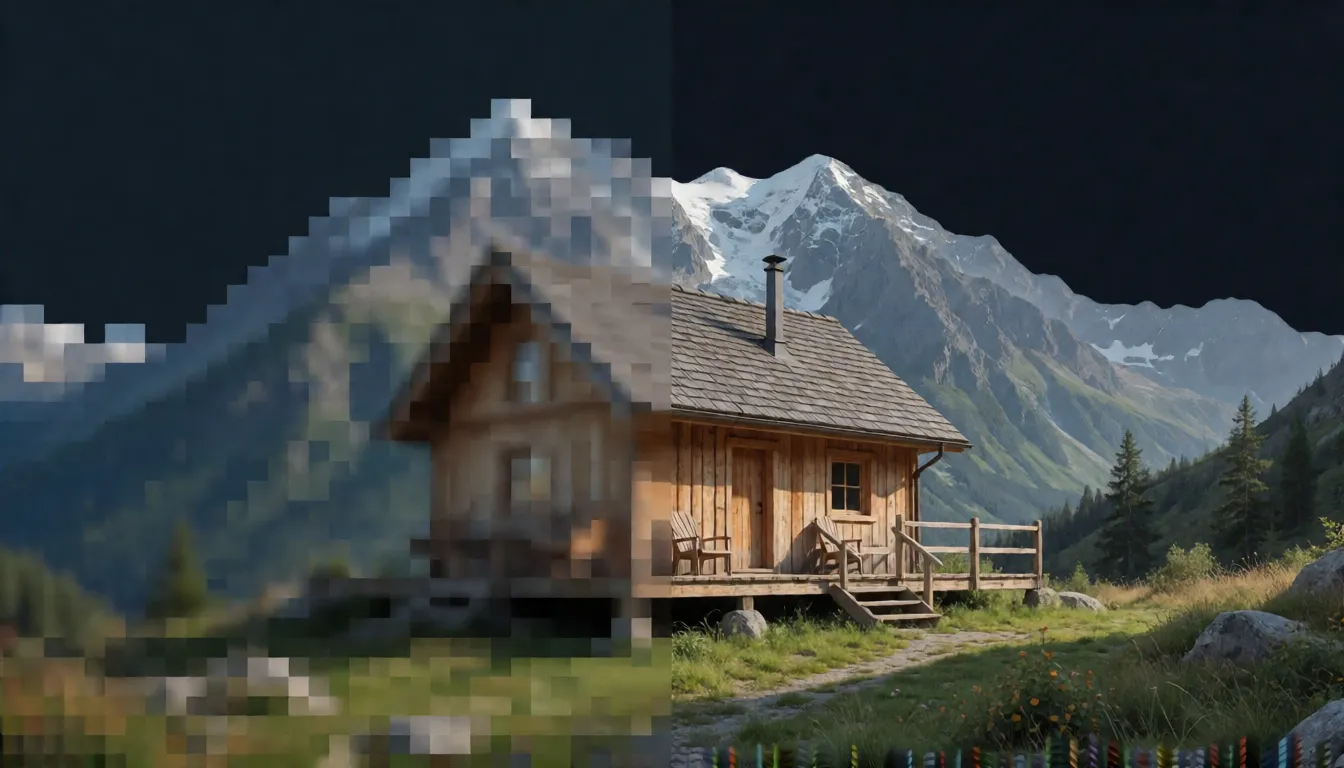
An AI upscaler enlarges a low-resolution photo or video and rebuilds missing detail, but it predicts pixels rather than recovering what the camera never captured. This guide explains the 2x, 4x and 8x math, how to upscale an image to 4K, which tool fits print, batch or video work, the free local options, and where the legal lines sit. Spicy AI has no dedicated upscaler; its uncensored image editor can re-render a reference photo as an alternative.
Spicy AI is not AI Upscaler — this page currently runs Seedream, Krea 2 and Wan 2.6.
- Free to start
- No filters
- Runs in browser
Upscaling key facts
- What it is
- A feature category, not one model or brand
- Four jobs
- Super-resolution, enhance, restore, generative upscale
- Scale math
- 2x = 4x pixels, 4x = 16x, 8x = 64x
- 1080p to 4K
- 2x; 1080p to 8K is 4x
- Free local tools
- Upscayl (AGPL-3.0), Real-ESRGAN (BSD-3-Clause)
- Video
- Needs temporal consistency, e.g. SeedVR2 or Topaz Video
- Cannot fix
- Missed focus, motion blur, heavy compression, blown highlights
- Uncensored?
- Local tools have no cloud filter; the law still applies
AI Upscaler Alternative: Uncensored Image Editor
Text to imageSpicy AI does not run a dedicated upscaler. Upload your photo and describe the result you want: the image editor re-renders it with new, model-generated detail. That is a creative re-render, not a faithful upscale, so keep the original for anything that must stay accurate.
Try a prompt
Example prompts are in English, which gives the most reliable results.
What is AI Upscaler?
An AI upscaler is not one product. The term covers four related jobs: super-resolution (more pixels from fewer), enhancement (denoise, sharpen, deblock), restoration (repairing old, scanned or damaged images) and generative upscaling, where a diffusion model invents plausible texture. Conservative models such as Real-ESRGAN or Topaz Gigapixel High Fidelity try to stay close to the source. Creative modes such as Magnific Creative openly add or infer new detail, which can look stunning but may change faces, text and logos. Every upscaling model predicts high-frequency detail; none can bring back information that was never recorded. Note that "Upscale AI" is also the name of a company, so searches about its careers, valuation or funding are a different topic from upscaling tools.
Why people look for an uncensored AI Upscaler
Searches for an uncensored upscaler are rare; Google Autocomplete returns phrases like "ai upscaler no login" and "upscale image free no sign up" instead. What people usually want is to upscale private photos without uploading them, creating an account or paying per image. Local tools deliver exactly that: Upscayl and Real-ESRGAN run on your own GPU, take no text prompt and have no cloud content filter. Cloud services do have rules, and some forbid adult content outright. "No filter" is an architecture fact, not a legal exemption, which is why this guide has a separate section on red lines.
Want to restyle or re-render an adult (18+) photo rather than enlarge it faithfully? The uncensored image editor runs in your browser.
Try the image editor →2x, 4x and 8x upscale math: pixels, 4K and 8K
Upscale factors are linear, but pixel counts grow with the square. A 2x upscale gives four times as many pixels, 4x gives sixteen times, and 8x gives sixty-four times, which is why time, memory and artifact risk climb so fast at high factors. A 1920×1080 frame at 2x becomes 3840×2160 (4K UHD); at 4x it becomes 7680×4320 (8K). Going to 4K from 720p is about 3x, and from 480p about 4.5x. Advertised maximums are measured differently: Topaz Gigapixel documents up to 6x and a 32,000 px long edge, Magnific quotes up to 16x for images, and Krea claims up to 22K output. These are different metrics and should not be merged into a single number.
| Linear factor | Pixel multiplier | 1920×1080 becomes | Typical use |
|---|---|---|---|
| 2x | 4x | 3840×2160 (4K) | Web, 4K screens, most photo work |
| 4x | 16x | 7680×4320 (8K) | Large prints, crop headroom |
| 8x | 64x | 15360×8640 | Rare; tiny sources, high artifact risk |
Arithmetic only; real output limits depend on the tool and your hardware.
Upscaled 4K vs native 4K
A native 4K image was captured or rendered with 3840×2160 real samples, so every fine edge, hair and letter comes from the scene. An upscaled 4K image has the same pixel count, but three quarters of those pixels were predicted by a model from a 1080p source. On smooth surfaces, skies and skin the difference can be hard to spot. It shows up in fine repeating patterns, small text, distant faces and foliage, where a model either smooths detail away or invents texture that was not there. For delivery to screens, a good 2x upscale is often acceptable; for evidence, archives, scientific work or anything where detail must be true, keep and label the native source.
Best upscaling tools compared by job
Topaz, Magnific, Krea, Upscayl and Real-ESRGAN are not interchangeable. Split the field by fidelity versus creativity, local versus cloud, and image versus video before comparing. Topaz Gigapixel is the usual pick for faithful, print-ready and batch work thanks to its High Fidelity, Text & Shapes and Face Recovery models. Magnific suits design workflows, but its Creative mode adds detail, so use Precision for logos and text. Upscayl and Real-ESRGAN are the free, offline route. SUPIR handles prompt-guided restoration of old photos for non-commercial use. For video, temporal models such as SeedVR2 or Topaz Video matter more than raw sharpness.
| Tool | Type | Runs on | Reported limits | License | Best for |
|---|---|---|---|---|---|
| Topaz Gigapixel | Image, fidelity + generative | Windows, macOS | Up to 6x, 32,000 px long edge | Proprietary | Print, batch, faces and text |
| Topaz Video | Video | Windows, macOS | Starlight models; Fast 2 needs 16 GB VRAM | Proprietary | Old footage, AI clips to 4K |
| Magnific | Image + video, cloud | Browser, API | Images up to 16x; video to 4K, 8 s | Proprietary | Creative design workflows |
| Krea | Image + video, cloud | Browser | 2x to 16x; claims up to 22K | Proprietary | Quick cloud upscales |
| Upscayl | Image, local | Windows, macOS, Linux | Vulkan GPU required | AGPL-3.0 | Free offline batches |
| Real-ESRGAN | Image + video frames, local | Python / CLI | Native 4x models, any --outscale | BSD-3-Clause | Scripts and pipelines |
| SUPIR | Image restoration, local | Python / ComfyUI | About 12 GB + 16 GB VRAM | Non-commercial weights | Old photo restoration |
| SeedVR2 | Video restoration, local | Python / ComfyUI | Official setup uses H100 80 GB GPUs | Apache-2.0 | Temporally consistent video |
Limits are the vendors' own published figures; quality depends heavily on the source and has not been independently lab-tested.
AI video upscaler: why temporal consistency matters
An AI video upscaler has a harder job than an image tool. If every frame is upscaled independently, grain, faces and fine textures shimmer or "boil" because each frame is predicted slightly differently. Temporal models look at neighboring frames: SeedVR2 from ByteDance Seed is a one-step video restoration diffusion transformer, and Topaz Video's Starlight family is built for the same problem. Video also adds practical details that images never have: interlacing, codecs, chroma subsampling, frame rate and audio passthrough. Frame interpolation, which creates new in-between frames, is a separate feature and not upscaling. To upscale video to 4K, deinterlace first, denoise heavy noise, keep the original frame rate, and test a 5 to 10 second clip with a camera pan, a face and fine texture before rendering the whole file.
- Topaz Video: Starlight Fast 2 needs at least 16 GB VRAM (32 GB recommended); Starlight HQ needs 10 GB minimum. Topaz notes small repeating patterns can still flicker.
- Magnific video upscaler: up to 4K (2160p), 24 to 60 fps, clips up to 8 seconds, MP4, MOV, AVI, WebM and MKV input.
- SeedVR2: Apache-2.0 code and weights in 3B and 7B sizes; the model card warns it can over-generate detail on lightly degraded 720p AI video and struggles with heavy degradation or large motion.
- Real-ESRGAN includes an anime video model, but frames are processed through ffmpeg without temporal modeling.
How to upscale an image to 4K step by step
Most failed upscales come from doing too much at once. A reliable single-image workflow looks like this, whichever tool you use:
- Inspect the source at 100%: note noise, compression blocks, blur and whether faces or text matter.
- Start conservative: Real-ESRGAN, Upscayl, Topaz High Fidelity or Magnific Precision before any creative mode.
- If noise is heavy, run a 1x enhance or denoise pass first, then upscale.
- Upscale once to the target: 2x takes 1080p to 4K, 4x takes it to an 8K master. Chaining several small upscales compounds artifacts.
- Compare at 100% on eyes, teeth, hair, fabric, straight edges and lettering; fix faces and text separately if needed.
- Apply only light sharpening, then export a PNG or TIFF master plus JPEG or WebP for delivery.
Free upscaling options: local tools and no sign-up claims
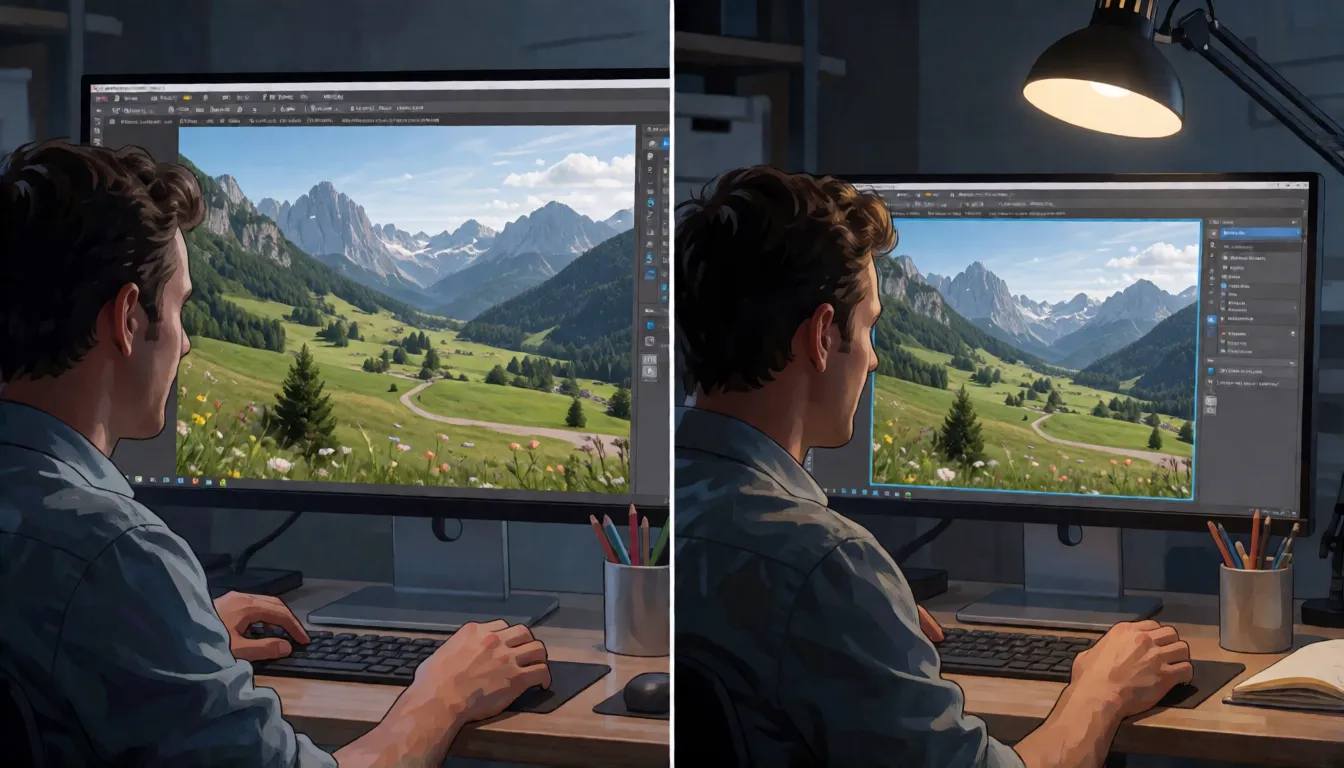
The genuinely free options are local. Upscayl is a free desktop app (AGPL-3.0, latest release v2.15.0) for Windows 10+, macOS 12+ and Linux that wraps Real-ESRGAN through NCNN and Vulkan. It supports batch folders and custom models such as Remacri, UltraSharp and HFA2k, but it needs a Vulkan-capable GPU, and its own documentation says it cannot deblur or fix focus. Cloud tools that promise free, no-login or no-watermark upscaling usually attach conditions: daily credits, watermarks, resolution caps or sign-up for full size. Read the pricing page, not the hero banner. Paid desktop tools such as Topaz are subscriptions with personal and Pro tiers; personal plans cover organizations under $1M in annual revenue, and Topaz states a two-day refund window.
Real-ESRGAN and batch upscaling images locally
Real-ESRGAN is the open-source workhorse behind many apps. Its code is BSD-3-Clause, so commercial use is allowed if you keep the notices. The native models are 4x (RealESRGAN_x4plus, an anime_6B variant and an anime video v3 model), and --outscale resizes to any factor. --face_enhance adds GFPGAN face restoration, and the scripts support tiling for low VRAM, alpha channels, grayscale and 16-bit images. The last tagged release, v0.3.0, dates from September 2022, so it is stable rather than actively developed, and it has no prompts or semantic understanding. For batch jobs, a little discipline saves hours of reruns:
- Test one representative image first and save the exact model, scale and settings as a preset.
- Run 5 to 10 files and inspect them at 100% before processing the full folder.
- Keep a manifest of source file, output file, model and scale for every image.
- Check bit depth and color profile so the batch does not silently convert 16-bit or wide-gamut files.
- Never apply generative face models to product SKUs, documents or ID-like images.
Best AI upscaler for print: pixels, PPI and viewing distance
Before choosing a tool for print, work out how many pixels you actually need: pixels equal inches multiplied by PPI. A 3000×2000 photo prints at 10×6.67 inches at 300 PPI; after a 2x upscale to 6000×4000 it covers 20×13.33 inches at 300 PPI, or 40×26.67 inches at 150 PPI. Viewing distance matters as much as resolution: around 300 PPI for prints held at arm's length, roughly 120 to 240 PPI for wall pieces and murals, and 30 to 90 PPI for billboards. For prints with faces or text, fidelity models such as Topaz Gigapixel High Fidelity, Text & Shapes and Face Recovery, or Magnific Precision, are safer than creative modes.
| Target | PPI | Pixels needed | Megapixels |
|---|---|---|---|
| A2 (420×594 mm) | 300 | 4961×7016 | ≈34.8 MP |
| A2 (420×594 mm) | 150 | 2480×3508 | ≈8.7 MP |
| 20×13.33 in | 300 | 6000×4000 | 24 MP |
| 10×6.67 in | 300 | 3000×2000 | 6 MP |
Pixels = inches × PPI. Do not prepare a billboard at 300 PPI.
When not to upscale: what upscaling cannot recover
Upscaling improves mild softness and compression, but it cannot recover information the camera never recorded. Generative models will instead invent something plausible, and plausible is not the same as true. Text and faces fail first: Topaz ships dedicated Text & Shapes and Face Recovery models precisely because general models struggle there, and the SeedVR paper notes diffusion priors have limited ability with small text and faces. Re-shoot or find a better source when you see:
- Missed focus or motion blur; Upscayl explicitly says it cannot deblur or fix focus.
- Heavy compression where blocks have already destroyed texture.
- Occluded or blown-out areas with no recorded detail.
- Evidence, ID documents, medical images or serial numbers, where invented detail is misleading or harmful.
- Over-smoothed "plastic" skin after processing; SUPIR even lists over-smooth in its default negative prompt.
- Metrics such as PSNR and SSIM reward smoothness and do not measure hallucinated detail, so judge by eye at 100%.
How to write prompts for generative upscalers
Classic upscalers such as Real-ESRGAN and Upscayl take no prompt at all. Prompt-guided tools, including SUPIR, Magnific's creative controls and image-to-image editors, use text to steer which detail gets invented. Good prompts describe the material truth of the source, not a new picture. Name the subject, the medium (film scan, phone photo, render), the textures you expect and the defects to remove, and keep creativity low when identity, text or products must not change. Templates you can adapt, with brackets replaced:
- Faithful restore: "High-resolution [film scan / phone photo] of [subject], natural skin texture, fine fabric weave, sharp but not over-sharpened, preserve original colors and composition."
- Old photo: "Restored 1970s family portrait of adults, reduce grain and scratches, keep faces unchanged, warm natural tones, no added objects."
- Product or text: "Clean product photo of [item], crisp straight edges, legible label text exactly as in the source, neutral studio lighting."
- Negative prompt idea: "oversmoothed, plastic skin, waxy, extra fingers, warped text, invented logo, halo artifacts."
- Adult glamour re-render (18+ only): "Detailed portrait of an adult model in a satin robe, soft window light, realistic skin pores, 4K detail."
Local, no-filter upscaling and the legal red lines
Running Upscayl or Real-ESRGAN on your own GPU means no upload, no account, no per-image fee and no cloud content filter; with no text prompt, there is nothing to moderate. That is the honest meaning of an uncensored or no-filter upscaler. It is not a safety net: local tools cannot detect illegal material, verify ages or report abuse, so all legal risk sits with the user. Cloud services set their own rules; A2E's terms forbid sexually explicit content of any kind, and Magnific's acceptable use policy bans exploiting minors, privacy violations and deception. Upscaling also makes people more identifiable, which can amplify harm. Examples of hard limits (not legal advice):
- Any sexualized content involving minors is illegal everywhere; US 18 U.S.C. §2256 covers computer-generated images indistinguishable from a minor and images of an identifiable minor altered into sexual content.
- The US TAKE IT DOWN Act was signed on May 19, 2025, and the FTC began enforcing it in May 2026: platforms must remove reported intimate images, including digital forgeries, within 48 hours.
- The UK Online Safety Act 2023, section 188, makes sharing or threatening to share intimate images an offence.
- Never enhance non-consensual intimate images. If you encounter child sexual abuse material, do not download or forward it; report it to NCMEC's CyberTipline or your national hotline.
For consensual adult (18+) creative work, Spicy AI's image editor can restyle your own photos in the browser.
Open the image editor →Licenses: AGPL, BSD, Apache and non-commercial weights
Licensing is the hidden cost of choosing an upscaler for a product. Upscayl is AGPL-3.0: distributing it or offering it as a network service triggers source-code obligations, so embedding it in a closed SaaS is risky, although images you process with it do not become AGPL (the FSF treats program output separately). Real-ESRGAN is BSD-3-Clause and SeedVR2 is Apache-2.0, both commercial-friendly if you keep notices; Apache also includes patent terms. SUPIR's code is public but its weights are non-commercial, so business use needs a separate agreement. Topaz, Magnific and Krea are proprietary with plan-based commercial rights. Owning an output under a contract is not the same as it being copyrightable; purely AI-generated material may lack a human author in some jurisdictions.
Upscale AI the company vs AI upscaler tools
Typing "upscale ai" into Google mixes two intents. Autocomplete suggests company-related phrases such as careers, valuation and funding, which refer to a business called Upscale AI rather than to image tools. This page is only about the feature: software that upscales images and video. If you are researching that company, its own website and business press are the right sources; nothing here describes its products, funding or hiring.
What you can create
Old photos and scans
Enlarge family prints and scans for reprints, using a conservative model first and restoring faces separately.
Product and listing images
Bring catalog shots to a long edge of 2000 px or more with fidelity models that keep labels and logos accurate.
Video and AI clips
Take SD footage or short AI-generated clips toward 4K with a temporal video upscaler and a short test render first.
Prompt tips for AI Upscaler-style results
- Upscale once to the final size instead of chaining several small steps.
- Use conservative or Precision modes for text, logos and faces; save creative modes for art.
- Judge every upscaled result at 100% zoom, not in a scaled-down preview.
- For video, test 5 to 10 seconds with motion and faces before rendering the whole file.
- Only process images you have the right to use, and only content depicting consenting adults (18+).
Self-hosting AI Upscaler vs generating online on Spicy AI
| Local deployment (official weights) | Spicy AI online | |
|---|---|---|
| Content filters | Set by Topaz Labs, Magnific and open-source projects | No content filters |
| Open weights | Yes | Not needed — runs in the browser |
| Model | AI Upscaler | Seedream, Krea 2 and Wan 2.6 |
| Price to start | Varies by plan | Free tier available |
- Text-to-image from a prompt
- Image-to-image edits from a reference photo
- Up to 4 images per run in multiple aspect ratios
FAQ
Does an AI upscaler really add detail?
It adds pixels and predicts missing fine detail. Conservative models stay close to the source, while generative models invent plausible but possibly wrong detail. Neither can recover missed focus, motion blur or heavy compression.
Is there a free upscaler with no login?
Yes, locally: Upscayl and Real-ESRGAN are free and need no account, but they need a capable GPU or a Python setup. Cloud free tiers usually come with credits, watermarks or resolution limits.
Does Spicy AI have an AI upscaler?
No. Spicy AI has no dedicated upscaler. Its uncensored image editor can re-render an uploaded photo with Seedream, Krea 2 or Wan 2.6, which creates new detail rather than enlarging the original faithfully.
What is the best upscaler for video?
Use a temporal model such as Topaz Video's Starlight family or SeedVR2 instead of upscaling frames one by one, keep the frame rate and audio, and test a short moving clip first.
Can I use upscaled images commercially?
It depends on the tool: Real-ESRGAN (BSD) and SeedVR2 (Apache-2.0) allow commercial use, SUPIR weights are non-commercial, and Topaz, Magnific and Krea grant rights by plan. Check the terms before client work.
Is Spicy AI affiliated with Topaz Labs, Magnific and open-source projects?
No. Spicy AI is an independent platform and is not affiliated with or endorsed by Topaz Labs, Magnific and open-source projects. AI Upscaler is a trademark of its respective owner.
Is it free?
You can start free with daily generations, and buy credits when you need more.
Sources
- Topaz Gigapixel product page (Topaz Labs)
- Topaz Gigapixel upscale documentation
- Topaz Video 1.3.0 release notes
- Topaz plans and commercial tiers
- Magnific AI image upscaler
- Magnific AI video upscaler
- Krea upscaling feature
- Upscayl repository (GitHub)
- Real-ESRGAN repository (GitHub)
- Real-ESRGAN paper (arXiv)
- SUPIR repository (GitHub)
- SeedVR2-7B model card (Hugging Face)
- SeedVR2 paper (arXiv)
- 18 U.S.C. §2256 definitions (Cornell LII)
- UK Online Safety Act 2023, section 188
- GNU licenses FAQ (FSF)
Spicy AI is not affiliated with Topaz Labs, Magnific and open-source projects. AI Upscaler and other product names are trademarks of their respective owners and are used here for identification only. All content must depict adults (18+).