AI image & video editing · Face replacement
Uncensored AI Face Swap: Star in Any Photo, Clip or Group Shot
One clear selfie is all it takes to become the detective in a noir poster, the hero of a meme or the friend who missed the group photo. The AI moves the eyes, nose, mouth and skin character from your photo onto someone in another picture or video, while the target keeps its hairstyle, expression, pose, lighting and background. No training, no masks, no editing skills.
- Free to start
- No filters
- Runs in browser
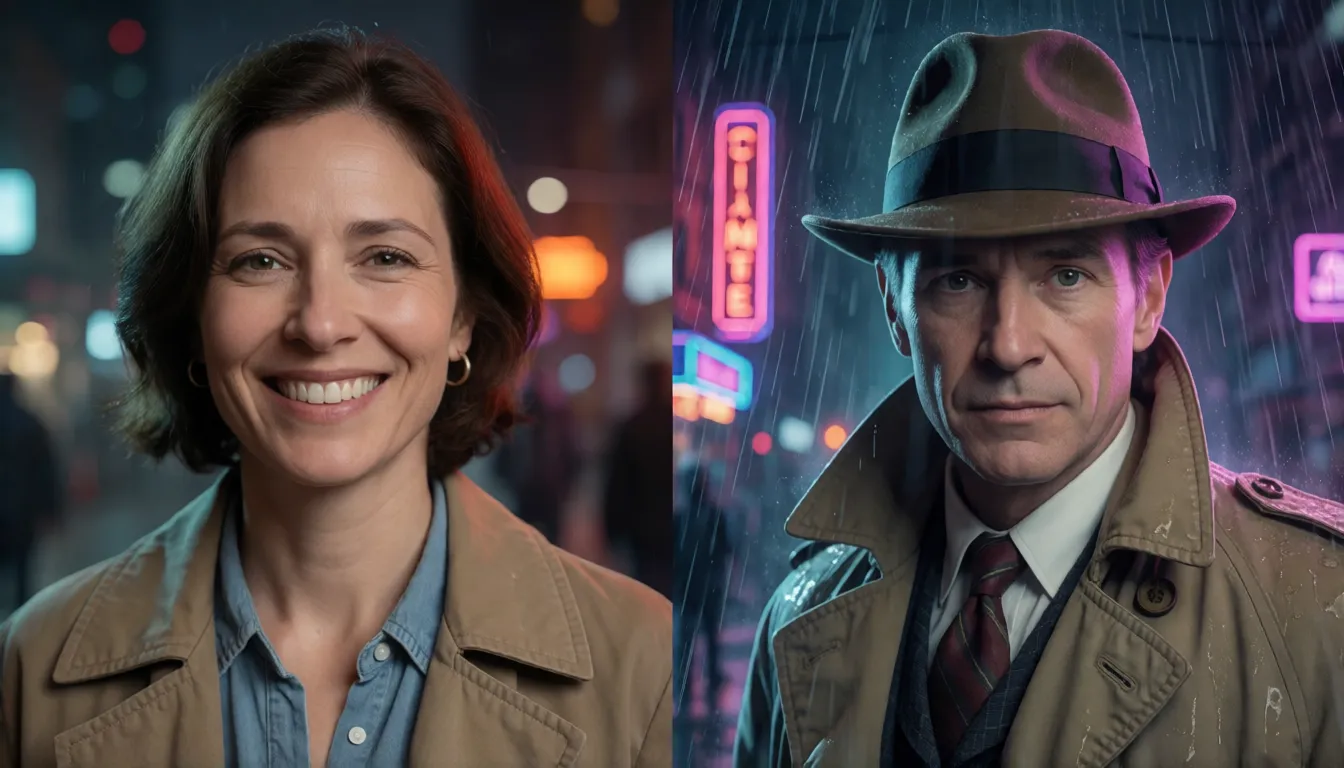
New face, same hair, same scene: how the swap works
Think of it as a costume change for the face only. The AI first finds every face in both pictures, reads the identity of your source face, then repaints that identity into the target face so it smiles when the target smiles, turns when the target turns and catches the same light. Everything outside the face oval stays untouched: the haircut, the hat, the outfit, the room behind.
That makes it different from two close cousins. A head swap carries the whole head across, hair and ears included, which suits cosplay wigs. A cloth swap leaves the person alone and changes the outfit. If you want to be the character while keeping the character's look, this is the right tool.
| Edit | What gets replaced | What stays | Best for |
|---|---|---|---|
| Face swap | Eyes, nose, mouth, skin texture | Hair, head shape, pose, scene | Movie scenes, memes, video |
| Head swap | Whole head with hair and ears | Body, outfit, background | Cosplay, hairstyle tests |
| Cloth swap | Outfit only | Face, hair, pose, scene | Fashion, try-on, lookbooks |
Photo, group shot, video or live webcam: four ways to swap
The same idea comes in four flavors, and picking the right one saves most of the frustration people run into. Photos are instant and forgiving. Group shots need you to tell the tool which person to change. Video repeats the swap on every frame, so motion and angles matter. Live mode runs on a webcam feed in real time and needs a capable local GPU.
| Mode | What you upload | Typical result | Watch out for |
|---|---|---|---|
| Single photo | One source face + one target picture | Ready in seconds | Low-resolution or side-on targets |
| Multiple faces | Source faces + group photo, then pick who to replace | Only the chosen people change | Wrong face index, tiny faces in the back row |
| Video and GIF | Source face + short MP4 or GIF | Face follows expressions and lip movement | Flicker on fast turns or hands over the face |
| Live webcam | One source photo + camera feed | Real-time swap for streams and calls | Needs a strong local GPU; latency on laptops |
Free face swap online in three steps
Most online tools, ours included, follow the same simple flow, and you can start without installing anything. The quality you get depends far more on the photos you choose than on any setting.
- 1. Upload the source face: a sharp, front-facing photo with even light and nothing covering the eyes or mouth.
- 2. Upload the target: the movie still, meme template, product shot or short clip you want to star in.
- 3. Pick, preview, download: in a group picture choose the face to replace, check the edges around the jaw and hairline, then save.
- Tip for video: keep clips short and choose shots where the face looks toward the camera most of the time.
Ready to try it with your own selfie?
Open the photo editorMovie scenes, memes and GIFs people love to remake
Entertainment is where the trend exploded, and the formats are easy to copy. Swapping yourself into a famous film frame or album cover makes a perfect profile picture; reaction GIFs with a friend's face (with their okay) travel fast in group chats; couples trade faces for a laugh; and old family photos get a playful 'that's me in 1975' version for birthdays.
- Movie scene swap: stills from noir, sci-fi or period dramas work best because faces are lit like portraits.
- Meme and GIF swap: pick reaction loops with a mostly frontal face and short duration.
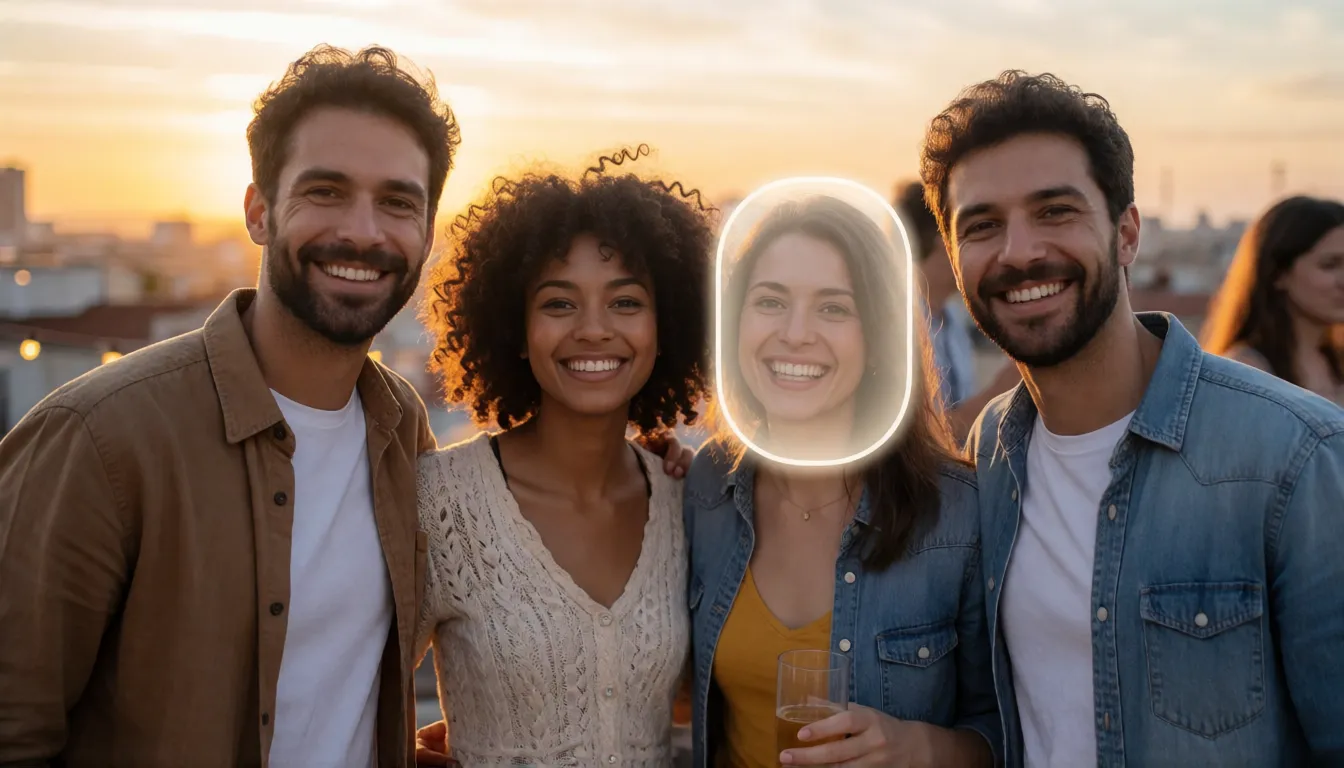
- Face trade: two friends exchange faces in one photo, a classic multi-face trick.
- Holiday cards: drop the whole family into a winter postcard or a superhero lineup.
- Character art: put yourself into a game splash screen or fantasy portrait you generated first.
Short dramas, ads and online stores: face swap at work
Beyond jokes, the technique quietly saves money for small creative teams. Short-drama studios use it to preview how a cast member reads in a scene before a reshoot, to keep one lead's face consistent across stunt-double shots, and to pitch storyboards with real-looking frames. Marketers produce one photo shoot and then vary the model's face for regional ads or A/B tests, using licensed models or fully AI-generated faces. Online shops show the same outfit on several faces without booking several models. In every case the rule is the same: the faces used must belong to people who agreed, or to characters who never existed.
Prompt templates: generate the scene first, then swap the face
A favorite trick is to create the perfect target image with a text-to-image prompt, then drop your face in. Because you control the scene, you can ask for exactly what swappers like: a front-facing pose, sharp focus and soft, even light. Write the scene, the outfit, the lighting and the framing, and keep the face unobstructed.
- Portrait: cinematic portrait of a woman in a red evening gown, front-facing, soft studio lighting, sharp focus, 85mm.
- Movie poster: adult man as a 1940s film-noir detective in a trench coat, rainy neon street, face clearly visible, high detail.
- Fantasy: adult cosplayer in an elf costume in a misty forest, looking at the camera, even light on the face.
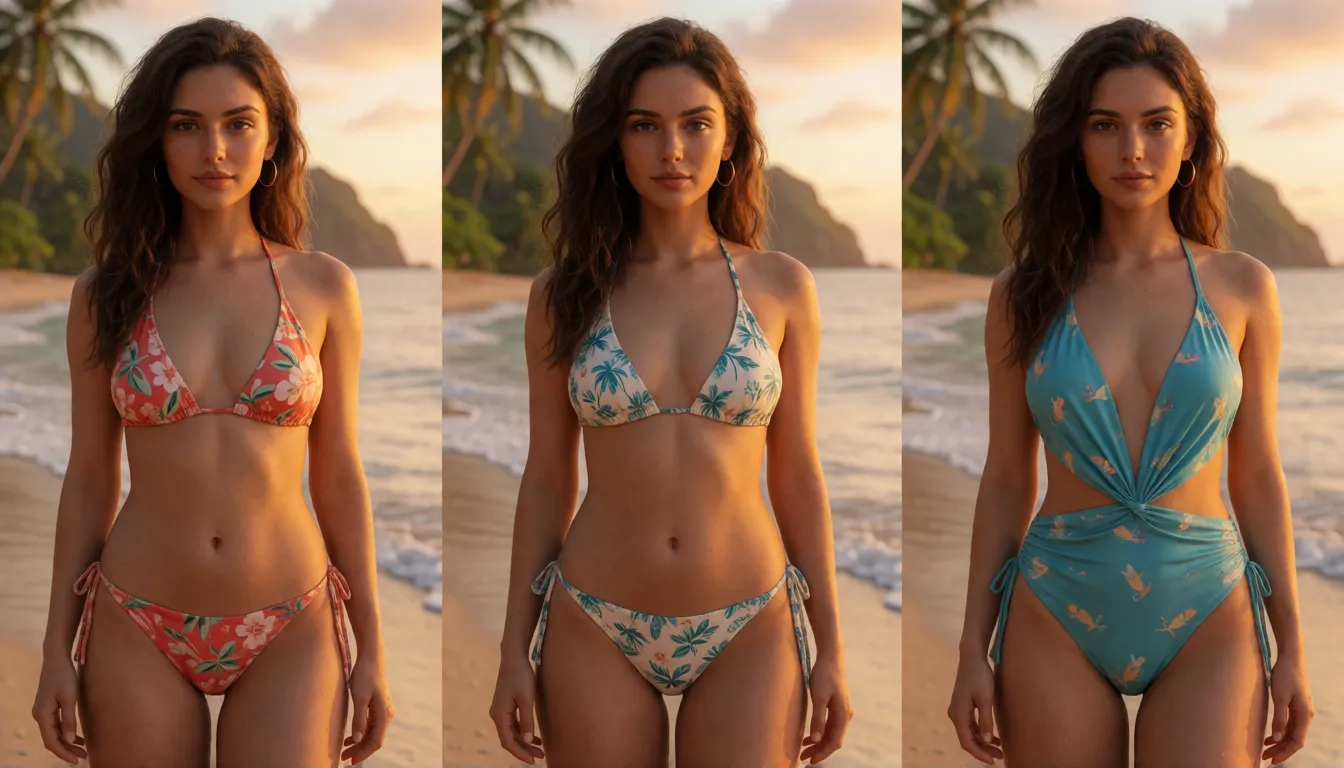
- Adult series (18+): adult fictional female character, 25 years old, wearing a bikini on a tropical beach, golden hour, full body, photorealistic. Generate several poses, then apply one fictional face to all of them.
- Writing tip: avoid sunglasses, hands near the mouth, heavy shadows and extreme profile views in the scene prompt.
Generate a scene, then bring your face into it.
Start with a promptUncensored face swap for adult fictional characters
Mainstream apps usually block swimwear, lingerie and boudoir images before any swap happens, which frustrates creators building an adult character series. Our editor has no such filter for adult (18+) content, so one AI-generated character can keep the same face across a bikini set, a pool party and an evening look. It is meant for fictional characters and consenting adults only, never for real people who have not agreed.
Why a swap looks fake, and quick fixes
Popular open-source swappers are built on InsightFace's inswapper_128 model, which works at 128-pixel face resolution. That is why close-ups often need a face restoration pass such as GFPGAN or CodeFormer, and why upscaling is best done after the swap. Most other problems come from a mismatch between the two pictures.
| What you see | Likely cause | Try this |
|---|---|---|
| Blurry or waxy face | Low face resolution in the target | Run face restoration, then upscale |
| Skin tone mismatch | Warm vs cool light in the two photos | Choose a source shot in similar light |
| Face melts on turns | Strong profile or fast head movement | Pick clips with mostly frontal angles |
| Flicker in video | Hands, hair or motion blur over the face | Trim to cleaner shots, shorten the clip |
| Wrong person changed | Group photo face order | Select the target face manually |
ReActor, FaceFusion and Deep-Live-Cam for local setups
If you prefer to run everything on your own computer, three free projects dominate community tutorials. ReActor is an extension for ComfyUI and Automatic1111 that swaps faces inside image-generation workflows; you can pick source and target faces by index, which makes a multiple face swap precise. Its ComfyUI version ships with a nudity detector, while the project's Automatic1111 README describes that edition as having no NSFW filter. FaceFusion is a standalone app with a browser interface; a typical tutorial path is choosing source, target and output, then enabling face swapper and face enhancer processors. Deep-Live-Cam focuses on real-time swaps from a single image for webcams and went viral in 2024.
Local tools add no logo to your output and cost nothing to download, but they need a decent GPU, a setup session and some troubleshooting. Note that the inswapper model is released for non-commercial research use.
| Local open-source | Spicy AI online | |
|---|---|---|
| Setup | Python, models and GPU drivers | Upload in the browser |
| Live webcam | Yes, with Deep-Live-Cam | No, photos and clips |
| Adult content | Depends on the tool and version | No filter for adult (18+) content |
| Cost to start | Free software, your own hardware | Credit cost shown before each run |
Best face swap AI: pick the right tool for what you create
No independent benchmark ranks one tool above all others, so match the tool to the job. For quick memes and profile pictures, an online editor is fastest. For video and lip-follow realism, frame-by-frame swappers like FaceFusion give the most control. For streaming or video calls, Deep-Live-Cam is the community favorite. For character series that mix generated scenes and one consistent face, a combined text-to-image plus face replacement workflow keeps everything in one place.
Turn a finished swap into a short animated clip.
Open image to videoQuick ideas to try today
Poster hero
Generate a noir or sci-fi poster scene, then place your own face into the lead role for a standout avatar.
Friends face trade
Swap two consenting friends' faces in one party photo and send it to the group chat.
One character, every look
Keep an AI-generated adult character's face identical across beach, studio and night-out shots.
FAQ
What is AI face swap?
It replaces the facial identity in a picture or video with a face from another photo, while the original expression, pose, hair and background stay in place.
What is the difference between face swap and head swap?
Swapping a face changes only the face and keeps the target's hair and head shape. A head swap replaces the whole head, hair and ears included.
Can I swap faces in a video or GIF?
Yes. Video tools replace the face frame by frame, usually on MP4 files. Short clips with mostly frontal faces and few hands near the face give the cleanest results.
Can I swap just one person in a group photo?
Yes. Most tools let you choose which face to replace, and ReActor lets you set source and target faces by index number.
Is face swap safe and legal?
Using your own face, consenting adults or fictional characters is the safe path. Sexual, deceptive or defamatory edits of real people without consent can break the law in many countries.
Can I face swap without a watermark?
Open-source tools you run yourself do not stamp a logo on results. Online apps differ, so check each one's terms before you rely on it.
Does it work on animals?
Generally no. Mainstream swap models are trained to detect and replace human faces, so pets and cartoon animals are usually not recognized.
Sources
ReActor, InsightFace, FaceFusion, Deep-Live-Cam, GFPGAN and CodeFormer are names of their respective projects, used here for identification only; Spicy AI has no affiliation with them. Every image must show adults (18+): yourself, people who consented, or fictional characters.