Uncensored AI Image · IvmeLabs
Uncensored Ivme-Denoise-v1: Turn Grainy Night Photos Clean in a Blink
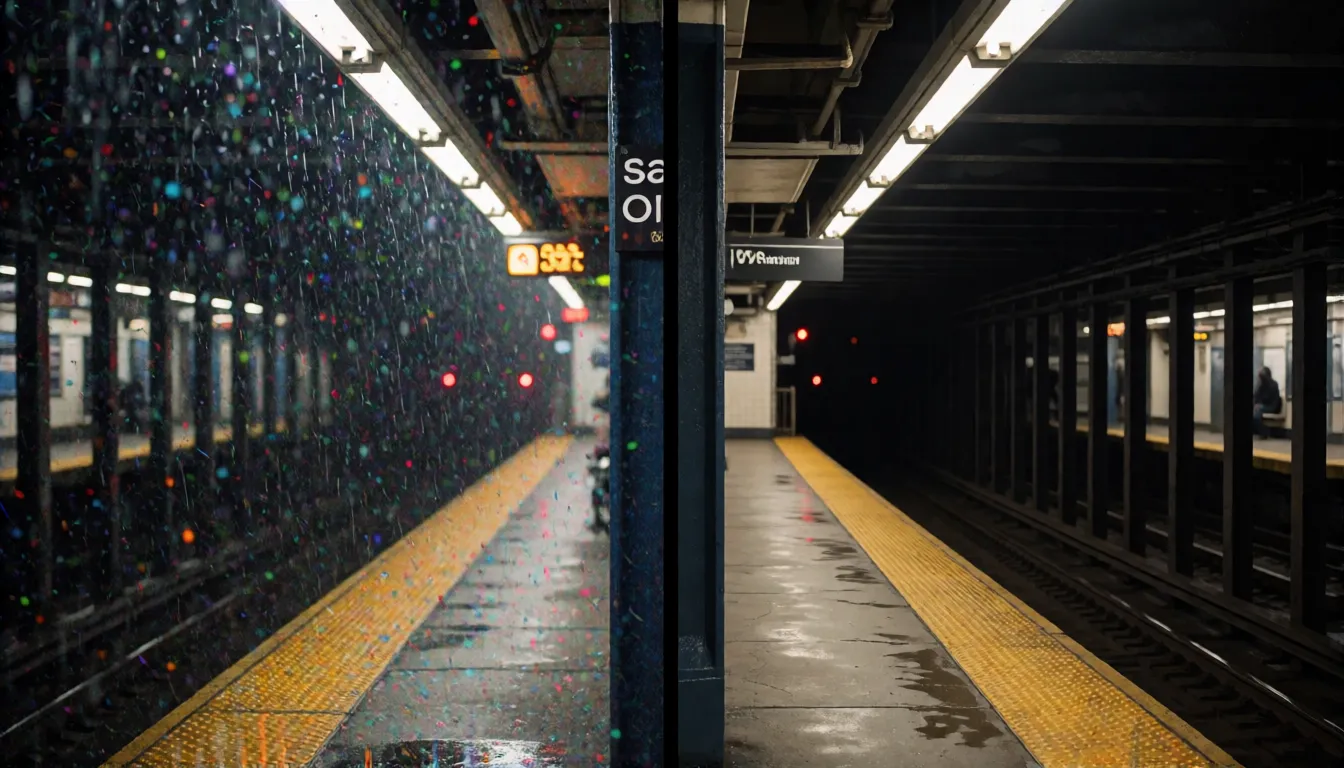
That concert video still, the neon street you shot on your phone, the dim subway platform: all covered in colored speckles. Ivme-Denoise-v1 is a free AI model built to wipe that grain away. It weighs only about 12MB, figures out by itself where the noise is, and runs right on your own computer, so your photos never have to leave it. Here is what it does well, how to use it, and how it fits into an AI image workflow.
- Free to start
- No filters
- Works offline
Uncensored Alternative Image Generator
Text to imageDescribe the image you want. Add a reference photo to edit it, or leave it empty for text-to-image.
A 12MB night-vision cat for your photos
The model comes from IvmeLabs, who published it on Hugging Face on October 27, 2026 under the Apache-2.0 license, which means free downloads and commercial use are allowed. İvme is Turkish for “acceleration”, and the team describes the series as stupidly small models built to punch above their weight. The codename is Margay 1, after a small nocturnal wild cat with huge eyes, because the job is literally to clean up the dark. Under the hood it has just under 3 million parameters, about a tenth of famous denoisers such as DRUNet or Restormer, yet on the standard test it lands only 0.22 to 0.54dB behind them. The trick, in plain words: instead of making the network bigger, the authors wrote the math of how noise should be shrunk directly into it, so it has far less to learn. It was trained on only 1,200 photos in about 7.5 hours on a single GPU.
Remove noise from night photos, concerts and high-ISO shots
Noise shows up whenever a camera has too little light and pushes its ISO up: night streets, indoor parties, gigs, aquariums, dark train stations. The official showcase is exactly that kind of picture, a 12.3-megapixel high-ISO subway frame. After one pass, the colored speckle on a nearly black tunnel wall disappears and the wall turns properly black instead of blue-grey, the number on the train front stays readable, and the clock hands survive. The measured color noise drops from 7.61 to 3.59, more than halved. Here is where Ivme-Denoise-v1 and its high-ISO noise removal are most useful:
| Scene | What gets better | Tip |
|---|---|---|
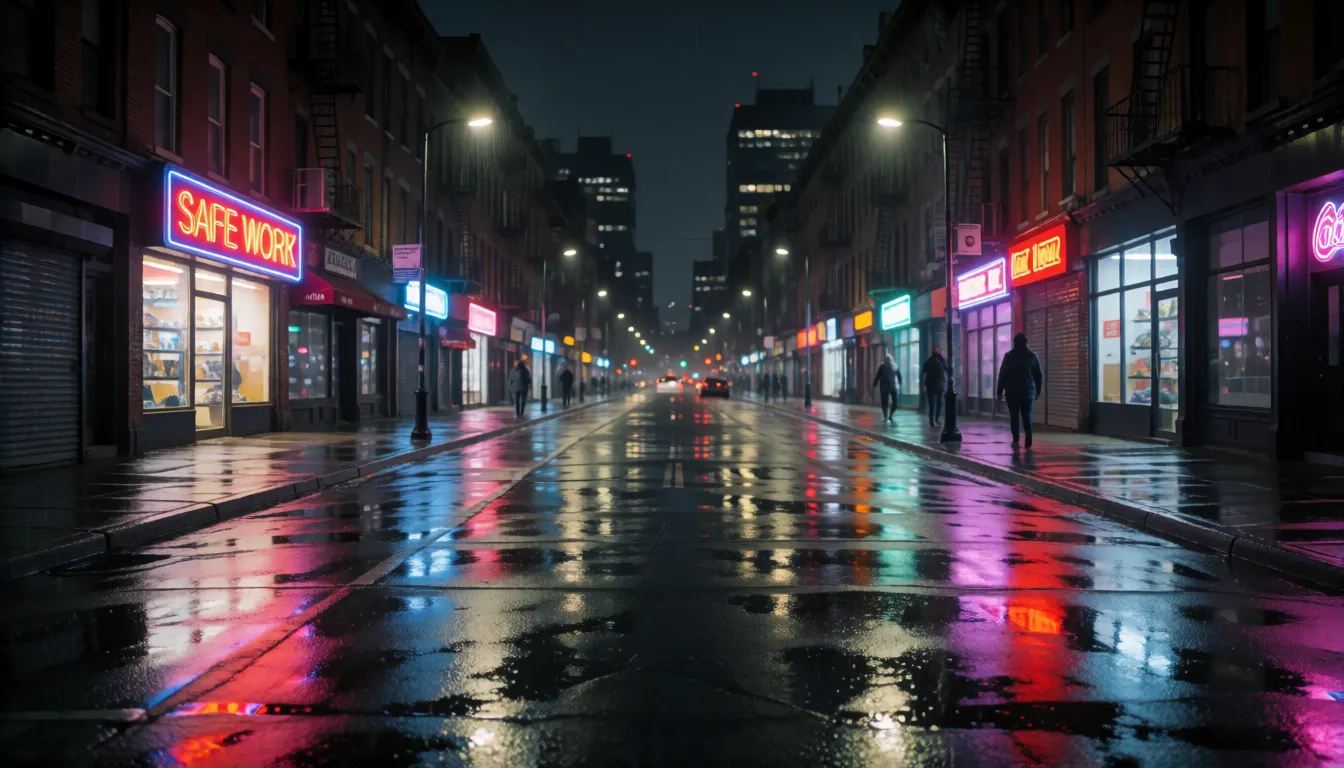
| Night street and neon | Clean dark sky, crisp signs and reflections | Use automatic mode |
| Concerts and parties | Less color blotching in dark crowds | Start with a light strength |
| Video stills for covers | A cleaner frame before you upscale it | Denoise first, then enlarge |
| Product, street and pet photos | Smoother backgrounds, edges kept | Compare before and after at 100% |
| Old photo scans | Softer scanner grain | Not officially tested, so check results |
No sliders needed: automatic noise detection and strength levels
Most denoise tools ask you how strong the noise is. Ivme-Denoise-v1 is a blind denoiser: hand it a photo and it estimates a noise map pixel by pixel, so the dark corners get more cleaning than the bright, already clean areas. That automatic mode is what the authors recommend for real photos. If you do want control, you can pass a fixed strength yourself, and that makes for a fun light, medium and heavy comparison of the same picture. Just do not overdo it: the authors warn that telling it the noise is 35 when it is really 6 wipes away fine detail. The good news is that a wrong setting does not wreck the picture. When the true noise was 5 and the model was told 50, it still scored 35.75dB, while an earlier version fell to 26.02dB, and no checkerboard pattern appears.
- Automatic: best for phone and camera photos where you do not know the noise level.
- Light: keep skin, fabric and hair texture; good for portraits and AI images.
- Medium to heavy: very dark, very grainy night shots where clean shadows matter more than fine texture.
How to use Ivme-Denoise-v1: Hugging Face download and Python
Everything lives in the IvmeLabs repository on Hugging Face, and the download is not gated. Grab the model.safetensors weights (about 12MB) together with the modeling_ivmetron.py code from the repo, install four Python packages, and run a few lines. A graphics card makes it near instant, around 18 milliseconds for a 512-pixel image and about 6.5 seconds for a full 12-megapixel photo, but it is light enough for a CPU too, at a few seconds per megapixel. That makes it a great lightweight denoising model for laptops, or for batch-cleaning a whole album overnight. Prefer to try it before installing anything? Two online demo Spaces on Hugging Face let you upload a photo in the browser.
pip install torch safetensors numpy pillow

import numpy as np
from PIL import Image
from modeling_ivmetron import load_model, denoise_tiled, estimate_sigma_map

model = load_model(".", device="cuda")  # or device="cpu"
img = np.asarray(Image.open("photo.jpg").convert("RGB"), dtype=np.float32) / 255.0
out = denoise_tiled(model, img, estimate_sigma_map(img), device="cuda")
Image.fromarray((np.clip(out, 0, 1) * 255).round().astype(np.uint8)).save("clean.png")
ComfyUI: there is no official node yet, so for now it runs through the Python code that ships with the repository.
Denoise AI-generated images before you upscale or animate them
AI pictures and video stills often carry grain, compression blotches or noisy shadows, and an upscaler happily enlarges that dirt along with everything else. A simple three-step habit fixes it: run Ivme-Denoise-v1, then upscale with a tool such as Real-ESRGAN, then color-grade. The same goes for image-to-video: a clean first frame gives the animation less speckle to wobble around. Keep in mind that AI-generated and rendered images were not part of the training set, so use a light strength and compare. Here is how to put it to work with Spicy AI: create or edit a picture in the online image editor, download it, give it a quick local clean-up pass, then bring it back to edit further or to animate it in image-to-video. Prompts that pair well with a denoise pass include “night city street, neon signs, rain reflections, shot on phone, high ISO, realistic, 35mm” and “cinematic short drama still, dim office, two adults arguing, moody lighting” for a cover frame.
Create or edit a picture, then clean it up and bring it back to animate.
Open the image editor →Private, offline and uncensored photo cleanup
A denoiser has no prompt box and no content filter, so there is no separate uncensored version, and none is needed: run it on your own machine and it simply cleans whatever image you give it, with nothing uploaded to a cloud service. That is the real reason people search for an uncensored or offline photo editor, and it makes this model a natural fit for private adult (18+) creative work. Popular uses are cleaning low-light noise from photoreal adult renders, or making the dark sky of a bikini shoot at dusk look smooth. Skin and faces are outside the training data, so stick to a light strength to avoid a plastic look or color shifts. For the editing part, an online uncensored image editor handles the changes and the model does the final polish.
Dusk swimwear shoots
Smooth out dark skies and shadows in bikini or swimsuit photos of adults taken after sunset.
Photoreal adult renders
Give AI-made adult images a light clean pass before upscaling or animating them.
Private boudoir edits
Clean low-light boudoir photos of consenting adults locally, with nothing uploaded.
- Use the light strength on skin to keep natural texture.
- Denoise before you upscale, never after.
- Everyone shown must be an adult (18+), and never edit real people's photos without their consent.
Edit adult images without filters, then give them a final clean pass.
Try the uncensored editor →
Ivme vs DRUNet, Restormer, DnCNN and BM3D
How does such a small model stack up? On the standard CBSD68 color test with medium noise (σ25), it beats the classic DnCNN and lands a little behind the two heavyweights while being about ten times smaller. Against BM3D, the well-known non-AI method, it is 2.2dB better on heavy noise (σ50) and dramatically faster, about 18 milliseconds against roughly 3.3 seconds. Note that these are the authors' own numbers on synthetic noise.
| Ivme (Margay 1) | DnCNN | DRUNet | Restormer | |
|---|---|---|---|---|
| CBSD68 σ25 (PSNR) | 31.44dB | 31.24dB | 31.69dB | 31.79dB |
| Parameters | 2.97M | 0.56M | 32.6M | 26.1M |
| Best for | Speed, CPU, small devices | A classic baseline | Top quality on a GPU | Top quality on a GPU |
BM3D at σ50 trails by 2.2dB and is around 180 times slower in the authors' test.
Free open-source AI photo denoisers and Topaz alternatives
If you are looking for a free Topaz Denoise alternative, Ivme-Denoise-v1 is one of the lightest options: no subscription, a license that allows commercial use, and offline processing. There is no public head-to-head with Topaz, though, so judge it on your own photos. Other free, open-source tools worth knowing are listed below; each has its own strengths, and they combine nicely in a clean-then-enlarge workflow.
- Real-ESRGAN: the go-to free upscaler; use it after denoising.
- SCUNet: a blind denoiser aimed at real-world noise.
- NAFNet: a strong and simple restoration network for denoising and deblurring.
- Restormer: top-quality restoration if you have a capable GPU.
What it cannot do (yet)
Being honest about the limits helps you get better results. Ivme-Denoise-v1 expects ordinary sRGB images such as JPEGs and PNGs; feeding it RAW or HDR files will not crash, but the output will be wrong. Faces, text-heavy screenshots and rendered or AI-generated images were not in the training data, so results there are untested. Heavily compressed JPEGs below quality 50 are outside its range, and strongly saturated colors can drift slightly. There is also no score yet on real camera sensor benchmarks, so the authors call real-photo results promising rather than proven.
- Great at: grainy night and indoor photos, color speckle in dark areas.
- Untested on: faces, screenshots, AI renders, old film grain.
- Not for: RAW or HDR files, very low quality JPEGs.
Early days: what the community says so far
This is a brand-new release. As of November 20, 2026, the Hugging Face page shows 208 downloads and 8 likes, and there are two Spaces where anyone can try it online. We have not found larger discussions on Reddit or X, or any independent reviews yet, so the best judge right now is your own photo library. Because the weights are tiny and the license is permissive, it is an easy model to test on a batch of your noisiest shots and keep if you like the look.
Self-hosting Ivme vs creating online on Spicy AI
| Local deployment (official weights) | Spicy AI online | |
|---|---|---|
| Content filters | None when run locally | No content filters |
| Open weights | Yes | Not needed — runs in the browser |
| Model | 2.97M-parameter denoiser, sRGB photos | Uncensored image editor and generator, hosted online |
| Price to start | Your own computer | Free tier available |
FAQ
Who made it and when was it released?
IvmeLabs published it on Hugging Face on October 27, 2026, under the Apache-2.0 license.
Is it free, and can I use it commercially?
Yes. The weights are a free download, and Apache-2.0 allows commercial use as long as you keep the license notice. There is no official paid API.
Do I need a graphics card?
No. The file is only about 12MB and runs on a CPU at a few seconds per megapixel. On a GPU a 512-pixel image takes around 18 milliseconds.
Can it handle RAW files or portraits?
RAW and HDR are not supported. Faces were not in the training data, so test portraits yourself and use a light strength.
Do I have to set the noise level?
No. The automatic noise map works out the strength for every pixel. Setting it by hand too high can erase detail.
Can I use it in ComfyUI?
There is no official node yet. For now it runs through the Python code in the repository.
Is Spicy AI affiliated with IvmeLabs?
No. Spicy AI is an independent platform and is not affiliated with or endorsed by IvmeLabs. The model name belongs to its respective owner.
Sources
- IvmeLabs model card (Hugging Face)
- Model metadata via the Hugging Face API
- Online demo: IvmeLabs Models Space
- Online demo: ivme-denoise Space
- DnCNN paper (arXiv 1608.03981)
- DRUNet paper (arXiv 2008.13751)
- Restormer paper (arXiv 2111.09881)
- BM3D Python package
- Real-ESRGAN (GitHub)
- SCUNet (GitHub)
- NAFNet (GitHub)