Uncensored AI Image · Alibaba Tongyi Lab
Uncensored Z-Image Explained: The Model Family, Base Model and LoRAs
Z-Image (also written zimage or Z Image; Chinese name 造相) is a family of open 6B text-to-image models from Alibaba's Tongyi Lab, not a generic term for "Z images". Two of its models can be downloaded today: Turbo, built for speed, and the base model from January 2026, which people call Z-Image Base and which brings back negative prompts, CFG and wider variety. Two more, Edit and Omni-Base, are announced without public weights. Read this as a map of the family: what each model is for, when the base model pays off, how fine-tuning works and what "uncensored" really means here. For adult images without any setup, Spicy AI's image generator is an uncensored alternative.
Spicy AI is not Z-Image — this page currently runs Seedream, Krea 2 and Wan 2.6.
- Free to start
- No filters
- Runs in browser
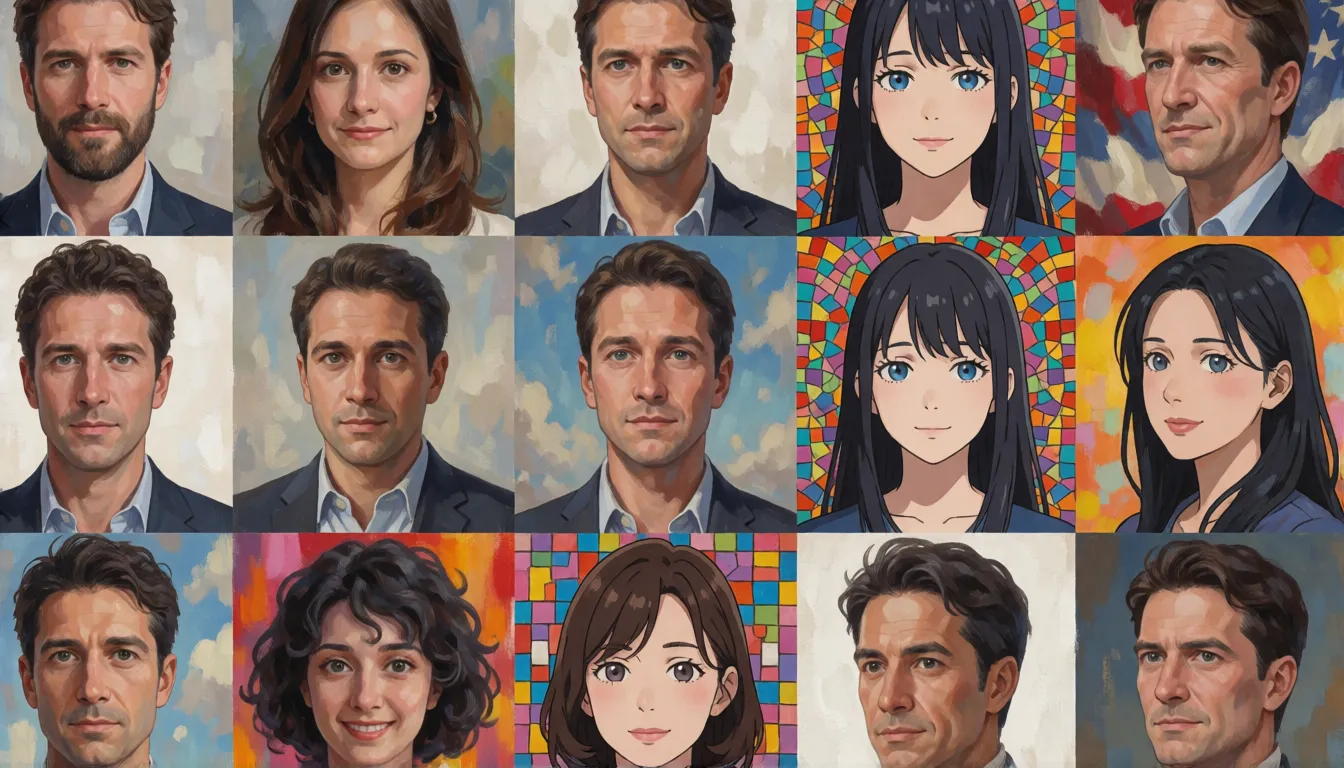
Z-Image family card
- Maker
- Alibaba Tongyi Lab (Tongyi MAI)
- Public models
- Turbo and the base model
- Base model released
- January 2026
- Size
- About 6.15B, S3-DiT
- Base settings
- 28–50 steps, CFG 3–5
- Open weights?
- Yes, Apache-2.0
- Edit / Omni-Base
- Announced, not released
- Uncensored edition?
- None official
Uncensored Image Generator (Z-Image Alternative)
Text to imageDescribe the image you want. Add a reference photo to edit it, or leave it empty for text-to-image.
Try a prompt
Example prompts are in English, which gives the most reliable results.
Who builds Z-Image
Z-Image is an image model series from Alibaba's Tongyi Lab, released by its Tongyi MAI team through GitHub, Hugging Face and ModelScope. The model this page focuses on is the series' non-distilled base model: its Hugging Face repository was created on January 23, 2026, and the official announcement followed on January 27, about two months after Turbo. It shares Turbo's Scalable Single-Stream Diffusion Transformer (S3-DiT) of roughly 6.15 billion parameters and a Qwen3-4B-class text encoder. Recommended settings are 28 to 50 steps, CFG 3 to 5 and a negative prompt, at any aspect ratio between 512×512 and 2048×2048 total pixels. In the official table it trades some finished polish for diversity and easy fine-tuning.
Is there an uncensored Z-Image?
The real question behind the search is whether the open release carries a filter. It depends on how you run it. The only hosted endpoint in the family is Turbo on Alibaba Cloud Model Studio, and it screens prompts and images; the base model has no hosted API at all. The weights themselves are open under Apache-2.0, so a copy on your own GPU has no server-side check, and fine-tuners often choose the base model for adult-oriented LoRAs. Still, Alibaba has never released an uncensored Z-Image, and community builds trained on real people carry legal risk. Spicy AI does not host Z-Image; its generator runs Seedream, Krea 2 and Wan 2.6 without content filters for adults (18+), as a stand-in rather than the same model.
Rather not set up a GPU? Use the browser-based alternative.
Open the generator →Four names, two downloads
The Z-Image family has four model names, but only two come with weights you can download. The official blog already describes Edit, a model for compound editing instructions, yet the GitHub table still says "to be released" and ModelScope has no record of it. Release dates differ by a day or so between Hugging Face and the news posts, so both are shown.
| Model | Built for | Weights | Date | Steps / CFG |
|---|---|---|---|---|
| Turbo | Speed, photoreal drafts | Public | Nov 25–26, 2025 | 8 steps, no CFG |
| Base model | Variety, fine-tuning | Public | Jan 23–27, 2026 | 28–50 steps, CFG 3–5 |
| Edit | Instruction-based editing | Not public | Not released | Unknown |
| Omni-Base | Not detailed | Not public | Not released | Unknown |
"Base" is a community nickname; the official table lists this model under the series name alone.
Inside the 6B single-stream design
Plenty of large image models keep text and image in two parallel streams. Here the team concatenates prompt tokens, visual semantic tokens and VAE image tokens into a single sequence and runs it through one transformer, arguing that this squeezes more out of fewer parameters. The published config lists 30 layers, hidden size 3840, 30 attention heads, patch size 2 and a 16-channel latent. According to the technical report, the full training pipeline used 314,000 H800 GPU hours, around 630,000 US dollars, which is modest for this class; that is a one-time training figure, not the cost of an image.

When the slower base model pays off
Distillation gave Turbo speed at the cost of range. Gigazine's test found Turbo repeating layouts when only the seed changed and giving several people the same face, while the base model produced more varied casts, stronger illustrations and obeyed negative prompts. You pay in time, since 28 to 50 steps take roughly four to six times longer than 8 on the same card. Use the table to decide per project.
| If you need… | Pick | Reason |
|---|---|---|
| A set of clearly different faces | Base model | More diversity across seeds |
| To suppress a recurring artifact | Base model | Negative prompt and CFG work |
| Anime or painterly illustration | Base model | Better in media tests |
| A custom LoRA | Base model | Rated easy to fine-tune |
| Many photo drafts per minute | Turbo | 8 steps, polished look |
Training a Z-Image LoRA without breaking it
The official table marks the base model as easy to fine-tune and Turbo as not applicable. DiffSynth-Studio explains the gap: Turbo is distilled, and ordinary training quickly wipes out its few-step speed. If you must train on Turbo, its docs suggest either standard fine-tuning and then slower inference (about 30 steps, CFG 2), or a differential LoRA or trajectory distillation that preserves acceleration. For most people the simpler path is training on the base model and sampling at 30 to 50 steps. The scene is busy: one popular LoRA collection had about 241,000 downloads in the 30 days before October 2026.
- Step 1, tooling: DiffSynth-Studio handles full fine-tuning and LoRA; ComfyUI loads the result.
- Step 2, data: collect a consistent, well-captioned set for one style or character.
- Step 3, rights: Apache-2.0 covers the model, not the people in your images; use only material you own or have consent for.
- Step 4, checks: run a few fixed prompts before and after training to spot lost variety or broken lettering.
Waiting for Z-Image Edit? What works today
Z-Image Edit is meant to follow compound instructions, such as swapping clothes and background in one request while keeping the subject recognizable. It is not out yet: there are no official weights on Hugging Face or ModelScope and no announced date or license. Meanwhile you can run image-to-image with the base model or Turbo, add a ControlNet to hold a pose, or switch to another editing model; none of these guarantees identity the way a dedicated editor would. On Spicy AI, upload a photo you own to the image editor and describe the change; it runs other models, not Edit.
Setting up the base model on your own machine
If Turbo already works for you, most of the setup is done, because the base model reuses the same text encoder and VAE. Its official weights are stored in BF16, about half the size of Turbo's original F32 files. There is no hosted API for it, so your own or a rented GPU is the only option.
- Diffusers: load ZImagePipeline in bfloat16, then sample about 50 steps at guidance 4 with a negative prompt.
- ComfyUI: download the Comfy-Org z_image repack and place it in the same folders as Turbo.
- Resolution: any aspect ratio between 512×512 and 2048×2048 total pixels.
- Speed: plan for several times Turbo's render time on the same card.
Steering from both sides: positive and negative prompts
Unlike Turbo, the base model reads a negative prompt and honors CFG, so you shape images from two directions. Describe subject and scene in plain sentences, then lighting, lens and style; keep the negative prompt short and limited to problems you actually see. CFG near 4 is a safe start, higher for strict prompt following and lower for softer, more natural results.
| Setting | Draft | Final |
|---|---|---|
| Steps | 28 | 40–50 |
| CFG | 3–4 | 4–5 |
| Negative prompt | 2–3 terms | Only artifacts you saw |
| Seeds | Change freely | Lock the best one |
Copy-ready prompt pairs
Each row pairs a prompt with a matching negative prompt. Replace the brackets; every subject is an adult.
| Goal | Prompt | Negative prompt |
|---|---|---|
| Varied portraits | Portrait of an adult [person], [hair, outfit], [setting], [light], 50mm photo, natural skin. | blurry, plastic skin, duplicate faces |
| Anime illustration | Anime illustration of an adult [character] in [outfit], [pose], [background], clean line art, soft cel shading. | extra limbs, messy lines, text |
| Bilingual poster | [Style] poster, headline "[Chinese text]" above "[English text]", [main image], balanced layout. | misspelled text, clutter, watermark |
| Group photo | Candid photo of [number] adults at [place], each with different hair and clothing, [light]. | identical faces, cropped heads |
What creators use the base model for
Since the base model keeps more variety, people reach for it when exploring, not when racing. These uses show up repeatedly on model cards and LoRA pages.
- Look development: one prompt across many seeds to find a direction, then a LoRA to lock it.
- Illustration and anime: character sheets and painterly scenes where it beats Turbo in media tests.
- Casting variety: lookbooks and group shots where each adult needs a distinct face.
- Two-language design: posters with Chinese and English text, the pair the team showcases.
- Synthetic references: varied images used to train a custom style model.
Can you download, modify and ship it?
Yes. Both public models come with open weights under Apache-2.0, as stated in the GitHub repository and the Hugging Face model cards, and the inference code is open too. You may use, change and redistribute the model. That does not hand you rights to the Z-Image name, to the likeness of people in your images or to copyrighted characters, and the team has not published a complete training-data list.
Where the base model fits
Exploring looks
Truly different takes on one idea before you commit to a style.
Illustration
Anime and painterly adult characters with clean line work.
Your own LoRA
A trainable base for a style, product or character.
Checklist before you generate
- Use 28–50 steps and CFG 3–5; Turbo's settings leave the base model underbaked.
- Keep negative prompts short and tied to problems you can see.
- Train LoRAs on the base model rather than Turbo.
- Do not wait for Edit; image-to-image or another editor works now.
- Describe every character as an adult (18+) and train only on images you have rights to.
Self-hosting Z-Image vs generating online on Spicy AI
| Local deployment (official weights) | Spicy AI online | |
|---|---|---|
| Content filters | Set by Alibaba Tongyi Lab | No content filters |
| Open weights | Yes | Not needed — runs in the browser |
| Model | Z-Image | Seedream, Krea 2 and Wan 2.6 |
| Price to start | Varies by plan | Free tier available |
- Text-to-image from a prompt
- Image-to-image edits from a reference photo
- Up to 4 images per run in multiple aspect ratios
FAQ
What is Z-Image?
A family of open 6B text-to-image models from Alibaba's Tongyi Lab. Turbo is the fast 8-step model; the base model is slower, more varied and meant for fine-tuning.
Is Z-Image Base a separate product?
No. "Base" is the community name for the base model in the official table, released in January 2026.
Is Z-Image Edit available?
Not yet. The official blog describes it, but it is listed as to be released and has no public weights.
Is there an official uncensored version?
No. Local runs of the open weights have no hosted filter, and community LoRAs are unofficial.
Is Spicy AI affiliated with Alibaba Tongyi Lab?
No. Spicy AI is an independent platform and is not affiliated with or endorsed by Alibaba Tongyi Lab. Z-Image is a trademark of its respective owner.
Is it free?
You can start free with daily generations, and buy credits when you need more.
Sources
Spicy AI is not affiliated with Alibaba Tongyi Lab. Z-Image and other product names are trademarks of their respective owners and are used here for identification only. All content must depict adults (18+).