AI Video · Google DeepMind
Veo 3.1: Cinematic AI Videos That Talk, Move and Stay in Character
Veo 3.1 is Google DeepMind's video model that turns a sentence or a few photos into a short, cinematic clip with its own soundtrack: spoken lines, sound effects and background ambience are generated together with the picture. Released in mid-October 2025 alongside an upgraded Flow editor, it gave creators three new ways to steer a shot: reference images that keep a character or product consistent, a first and last frame that define where a clip begins and ends, and Extend for stories longer than one take. This guide walks through what each feature is good for, where it is catching on, and prompt templates you can copy straight away.
- Native dialogue and sound
- Up to 3 reference images
- First and last frame
Sound, Story and Control: Why Creators Talk About This Model
Most AI video tools give you a silent clip and leave the audio to you. This model generates the picture and the soundtrack in one pass, so a character can say a line with matching lip movement while rain, traffic or music plays underneath. That single change is why short-drama makers, advertisers and meme accounts picked it up so quickly: a finished-looking eight-second moment comes out of one prompt.
Google released the model in October 2025 and made it available in the Gemini app, in Flow (Google's filmmaking tool), and to developers through the Gemini API and Vertex AI. Each generation produces a clip of up to eight seconds at 720p or 1080p, and later updates brought native vertical 9:16 output for phone-first formats and 4K for big-screen delivery. It is a closed model: there are no downloadable weights, and outputs carry Google's invisible SynthID watermark.
From Veo 3 to Veo 3.1: The Upgrades You Will Notice
Veo 3 made headlines in 2025 for being the first widely used model to generate talking, sound-matched video. The 3.1 update keeps that strength and focuses on control: launch coverage highlighted better prompt adherence and visual quality when you start from an image, richer audio, and new editing tools inside Flow. Google also kept pricing the same as Veo 3 at launch.
| Veo 3 | Version 3.1 | |
|---|---|---|
| Native audio | Dialogue, effects, ambience | Richer audio, also in Flow's editing tools |
| Reference images | Not available | Up to 3 images for characters, objects or style |
| Start and end frame | Not available | First and last frame with a generated transition |
| Longer stories | Single clips | Extend continues a clip, with sound |
| Image-to-video | Good | Closer to the prompt, sharper detail |
| Formats | Landscape | Landscape, native vertical 9:16, 4K added later |
Ingredients to Video: Keep Your Cast and Products Consistent
Ingredients to Video lets you hand the model up to three reference images, for example a character portrait, a product photo and a location, and get one clip that combines them. Instead of hoping the same face appears twice, you show it. This is the feature behind most series content: a virtual host who looks identical every episode, a brand mascot that keeps its colors, or a short-drama lead whose outfit does not change between scenes.
For the best results, use references shot in similar lighting, keep the subject clearly visible, and name each ingredient in the prompt ("the woman from the first image holds the bottle from the second image"). Consistency is strong inside a clip; across many separate clips small drifts can still happen, so reuse the same references every time.
First and Last Frame: Reveals, Makeovers and Transitions
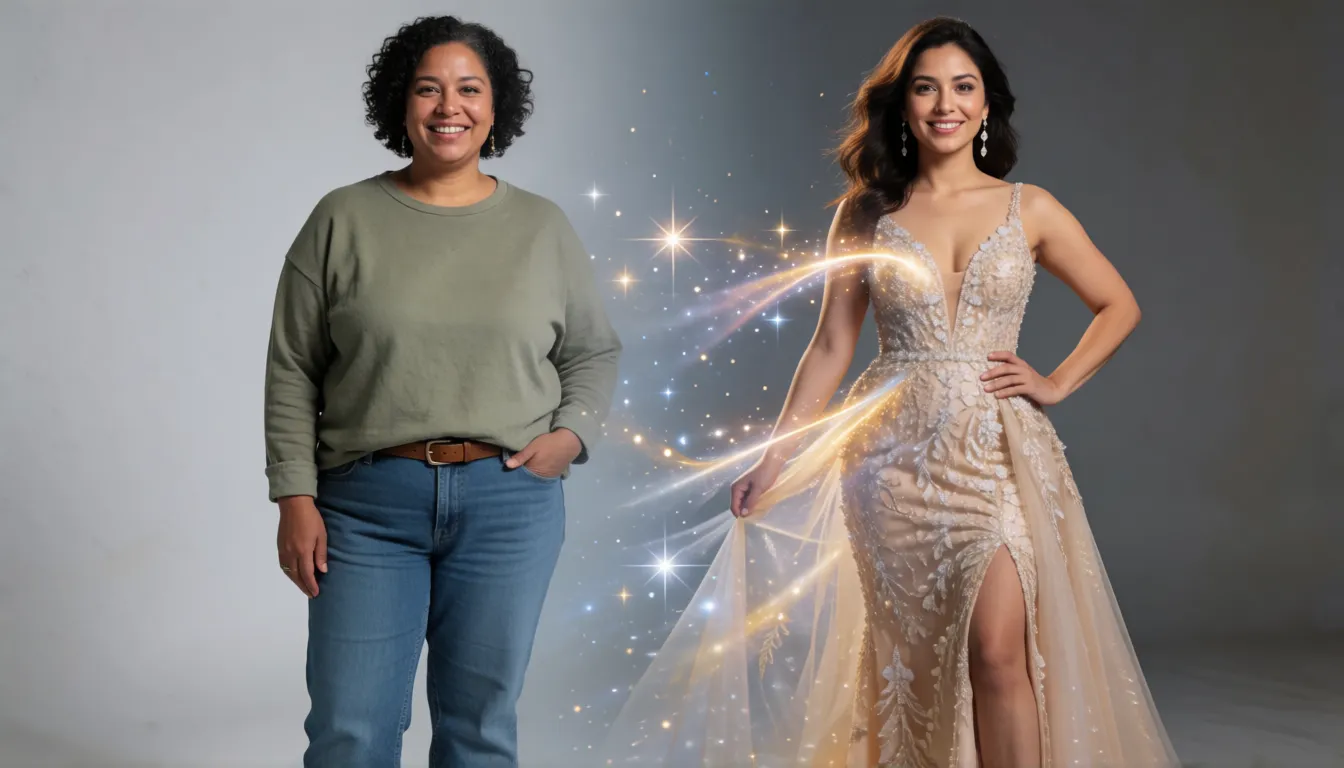
Frames to Video takes a starting image and an ending image and invents the motion in between, complete with sound. It is the easiest way to build satisfying before-and-after content: an everyday outfit that becomes an evening gown, an empty room that fills with furniture, a closed box that opens to reveal a product, or a daytime street that fades into night.
Keep both frames in the same framing and lighting so the transition feels natural, and describe the in-between in the prompt, such as "camera static, sparkle transition, upbeat music". Fashion creators use it for outfit reveals, real-estate and interior accounts for room makeovers, and e-commerce teams for unboxing shots.
Going Beyond 8 Seconds With Extend
One generation tops out at eight seconds, which is enough for a single beat but not a whole scene. Extend solves this by continuing from the last moment of an existing clip, carrying the action and the audio forward. Chain several extensions and you get a 30-second or longer sequence, enough for one episode of a vertical drama, a story-style ad or a storyboard preview.
Plan each extension as one action: the first clip sets up, the next one reacts, the third pays off. Short spoken lines that fit comfortably within eight seconds sound far more natural than long speeches cut mid-sentence.
Standard, Fast or Lite, Plus Vertical and 4K
The model comes in several tiers. Standard is the quality choice for final shots. Fast trades a little polish for speed and is popular for drafts and batch testing of many prompt variations. Lite is the lightest and most affordable tier, aimed at high-volume work, and it does not offer 4K.
Pick the format before you generate. Native vertical 9:16 fits TikTok, Reels and Shorts without cropping heads off, while 16:9 suits YouTube and trailers. Use 4K only for the final version of a clip you already like; drafting at lower resolution keeps iterations quick.
- Standard: hero shots, ads and anything that will be seen up close.
- Fast: quick drafts, A/B testing hooks, social clips at volume.
- Lite: the largest batches where speed and cost matter most; no 4K.
Where Veo 3.1 Is Taking Off
Because sound and picture arrive together, the model fits formats where a few seconds have to feel complete. These are the scenes creators return to most:
- Vertical short dramas: a fixed cast from reference images, one emotional line per clip, chained with Extend into episodes.
- E-commerce product ads: slow orbits, macro close-ups and unboxing reveals with a matching chime or whoosh.
- UGC-style talking clips: selfie framing, a casual review line and natural daylight for social ads.
- ASMR and food close-ups: sizzling pans, pouring drinks and crunchy textures where the audio sells the shot.
- Cinematic trailers and music video snippets: moody lighting, dramatic camera moves and a soundtrack that fits.
- Memes and skits: quick comedic beats with spoken punchlines that land in under eight seconds.
Veo 3.1 Prompt Guide: Templates You Can Copy
A reliable structure is: camera and movement, then subject and action, then setting and light, then style, then audio. Put spoken lines in quotation marks, keep one main action per clip, and if you do not want captions, add "no subtitles" so the model does not draw garbled text on screen. Replace the details with your own scene.
Short drama
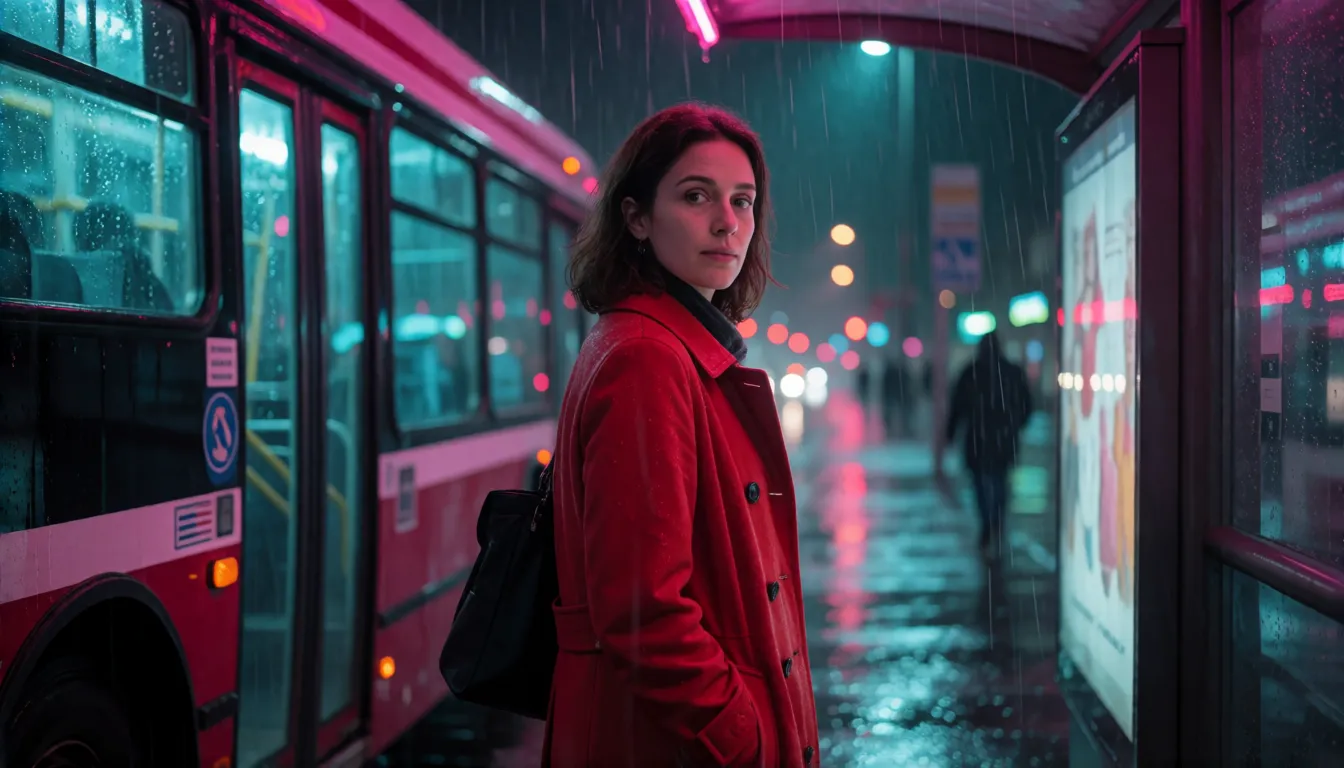
Medium close-up, handheld. A young woman in a red coat turns to the man at the rainy bus stop and says, "You knew all along." Neon reflections, cinematic, sound of rain and distant traffic. No subtitles.
Product ad
Slow 360 orbit around a glass perfume bottle on wet black stone, macro, soft rim light, water droplets, subtle chime sound, luxury commercial.
First and last frame
Start: woman in casual everyday clothes. End: the same woman in an evening gown. Camera static, sparkle transition, upbeat music.
UGC review
Selfie-style vertical video, creator in a kitchen excitedly reviews a blender, natural daylight, casual voice: "Okay, this actually changed my mornings."
How to Try It, and Whether It Is Free
There are three main ways in, depending on who you are:
- Everyday creators: generate clips in the Gemini app or in Flow with a Google AI subscription; monthly allowances depend on your plan.
- Developers: call the model through the Gemini API or Vertex AI. The API has no free tier, and according to a third-party notice the preview model IDs on the Gemini API were retired on October 22, 2026, with Google pointing developers to its newer Gemini Omni models.
- Testing for free: some third-party platforms hand out trial credits, which is the usual route for people searching for free access.
Before building a product on it, check Google's video and deprecation documentation for which model names are still served on your platform.
What Creators Love, and What They Wish Were Better
Reviews since launch tend to agree on the strengths: tight sync between lips, effects and picture, realistic lighting, and camera work that feels directed rather than random. Reference images and first-last frame control are the features creators mention when they explain why they moved from Veo 3.
The complaints are just as consistent. Eight seconds per generation feels short, strict content filters sometimes reject harmless prompts, characters can still drift across many separate clips, and heavy use gets expensive. Planning shots carefully and drafting on the faster tiers are the usual workarounds.
Veo 3.1 vs Sora 2, Kling and Uncensored Options
Against OpenAI's Sora 2, the main differences people weigh are reference control and audio quality; against Kling, it is clip length, since Kling 3.0 reaches 15 seconds and Kling 4.0 up to 30 seconds in one generation, while this model relies on Extend. A fair comparison is to run the same prompt and reference images through each tool and judge consistency and sound.
There is no uncensored or NSFW version of the model. It is closed, has no open weights, and Google filters both prompts and outputs under its generative AI prohibited use policy. People who want unrestricted video usually turn to open-weight models such as Wan 2.2 or HunyuanVideo that can be run on their own hardware.
Uncensored Alternative Video Generator
The official model is moderated and has no uncensored edition. For fictional adult (18+) scenes, such as a bikini beach clip or a slow dance in a candlelit loft, upload a starting photo on Spicy AI's image-to-video page and describe the motion you want.
 Open image to video
Using the Official Model vs Generating on Spicy AI
| Official service | Spicy AI online | |
|---|---|---|
| Content filtering | Prompts and outputs filtered by Google | Adult (18+) content allowed |
| Open weights | No, closed model | Not applicable, runs online |
| Model actually used | Standard, Fast or Lite tier | Spicy AI's own video models |
| Price | Google AI subscription or pay-per-second API | Free to start, credits for more |
- Official: native audio, reference images, first-last frame and Extend in Gemini, Flow and the API.
- Spicy AI: start from your own photo and animate it in the browser.
Frequently Asked Questions
Who made Veo 3.1 and when was it released?
Google DeepMind released it in mid-October 2025, together with an update to the Flow filmmaking tool.
How long can one clip be?
A single generation runs up to eight seconds. Extend continues a clip from its last moment, so several extensions can be chained into a longer video.
Does it generate sound?
Yes. Dialogue, sound effects and ambient audio are generated together with the video, with lip movement matched to spoken lines.
What changed compared with Veo 3?
It adds up to three reference images, first and last frame control and Extend with audio, and it follows prompts more closely when starting from an image. Launch pricing stayed the same.
Can I use it for free?
The Gemini API has no free tier. In the Gemini app and Flow it comes with Google AI subscription plans, and some third-party platforms offer trial credits.
Is there an uncensored Veo 3.1?
No. It is a closed model with no open weights, and Google filters prompts and outputs. Open-weight video models such as Wan 2.2 are what people run when they want fewer restrictions.
Is the API still available?
According to a third-party notice, the preview model IDs on the Gemini API were retired on October 22, 2026, with Gemini Omni as the suggested successor. Check Google's documentation for current availability on Vertex AI.
Sources
- Gemini API documentation: video generation with Veo
- Gemini API deprecations
- Engadget: Veo 3.1 is better at generating videos from images
- Android Authority: Google rolls out Veo 3.1
- BGR: Veo 3.1 and the Flow update
- APIYI notice: Veo 3.1 preview models retired (third party)
- Wan 2.2 open-weight video model (GitHub)
More AI Video Models
- Uncensored Veo
- Uncensored Kling
- Uncensored Kling 2.6
- Uncensored Kling O1
- Uncensored Sora
- Uncensored Hailuo AI
- Uncensored MiniMax H3 Max
- Uncensored Wan
- Uncensored Wan 3.0
- Uncensored Seedance
- Uncensored Seedance 2.5
- Uncensored Seedance 2.0
- Uncensored Seedance 2.0 Mini
- Uncensored HunyuanVideo
- Uncensored LTX Video
- Uncensored Runway
- Uncensored Pika
- Uncensored Luma Dream Machine
- Uncensored Vidu
- Uncensored PixVerse
- Uncensored EdenLive
- Uncensored UniAVC
- Uncensored Grok Imagine
- Uncensored AI Avatars
- Uncensored HappyHorse 1.0
- Uncensored MiniMax H3 FL2VA Ref2VA
- Uncensored Kling 4.0
- Uncensored Kling 3.0
- Uncensored MiniMax H3 RefMods
- Uncensored Kandinsky 6.0
- Uncensored Looking Ahead
- Uncensored Kandinsky S2V 1.0 Pro
- Uncensored TaoMate-H3
- Uncensored SANA-Video 2.0
- Uncensored MiniMax H3 Remix
- Uncensored Sora 2
- Uncensored Wan 2.6
- Uncensored LTX-2.5 Slow Motion
- Uncensored LTX-2.5 Cinemagraph
- Uncensored VDN MiniMax H3
- Uncensored Hy-Nomas
- Uncensored Seedance 1.5 Pro
- Uncensored Pika H3 Flex
- Uncensored LongCat-Video-Avatar 1.6
- Uncensored MiniMax H3 x Z-Image
- Uncensored Origami-H3
- Uncensored Wan 2.6 Flash
Veo, Gemini and Google are trademarks of their respective owners. All content must depict adults (18+).