MiniMax H3 · community reference adapters
MiniMax H3 RefMods: Keep the Same Star in Every Shot, No Training Needed
Every AI video creator knows the pain: the heroine looks perfect in shot one, then her face drifts by shot three. Reference adapters fix that with a trick borrowed from LoRA culture. You feed a handful of photos, a short clip or an audio sample into ComfyUI once, and out comes a tiny file of roughly 1 to 1.6 MB that remembers who your character is. Plug it into any MiniMax H3 video workflow and the same face, outfit or art style returns on demand, with no model training at all. Below you will find what they do, where creators use them, a step-by-step setup, prompt templates and an honest list of what still breaks.
- No training
- ~1–1.6 MB files
- Up to 8 slots
- ComfyUI + Fizgig
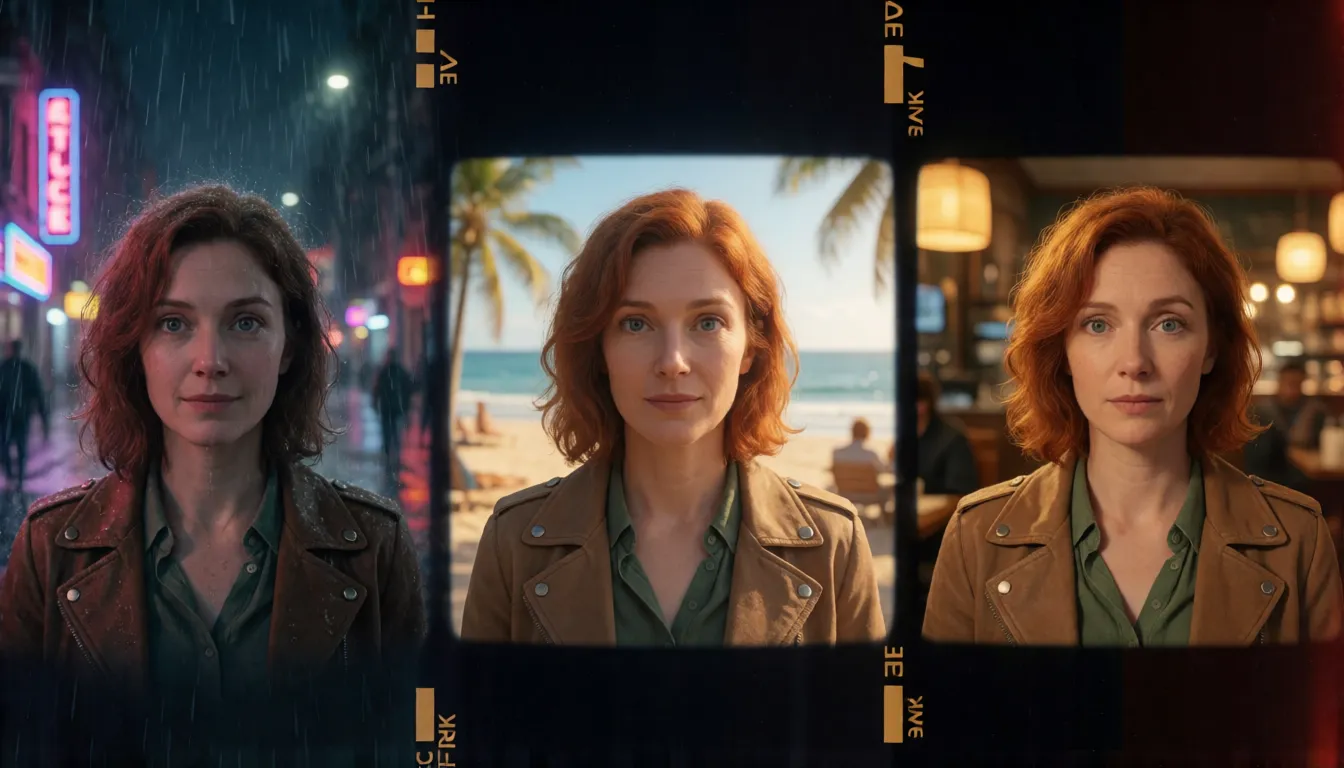
A whole character packed into one tiny file
MiniMax H3 RefMods, short for Reference Latent Adapters, are a community format built for the open-weight H3 audio-video model. Think of one as a saved casting call: instead of uploading the same reference pictures and juggling <Picture 1> position tags every single time, you encode them through the VAE once and store the result as a .safetensors file. Later you load it exactly like a LoRA, and it is injected into H3's reference conditioning stream while the video is generated. Nothing in H3's own weights is retrained, so making one takes minutes rather than hours.
The format and its nodes come from the ComfyUI-MiniMaxH3Mod pack by developer @Luisacaotica, released under the MIT license. It is a community project, not a MiniMax product, and its README still flags it as under construction, so node names and inputs may change between releases. That has not slowed anyone down: the repository climbed past 500 GitHub stars within weeks of launch.
| Setting | What it does | Best for |
|---|---|---|
| Full Reference (encode) | Keeps every encoded detail, uses more tokens | Faces and outfits you want razor sharp |
| Compressed Reference | Pools the reference to save tokens, loses some detail and motion | Long clips or many stacked files |
| identity_encode preset | Captures who a person or character is | Recurring heroes, hosts and mascots |
| style_experimental preset | Packs a look into an 8×8 grid | Series with one color grade or art style |
| motion_sequence preset | Stores the movement of a short clip | Reusing a dance, walk or gesture |
Where creators put reference adapters to work
The appeal of MiniMax H3 RefMods is simple: one file, endless episodes. Creators who used to train a LoRA for every recurring face now build a small library of characters, styles and moves, then mix them per shot. These are the uses that come up most often in community threads and shared workflows.
Short dramas and AI comics
Reuse one original lead across dozens of shots. Change the location, the camera move and the action while the face stays put from episode to episode.
Virtual hosts and original IP
Lock a mascot or virtual presenter into a single file and publish weekly clips without the look slowly wandering away from the brand.
Fashion and product showcases
Keep one adult model steady while the prompt swaps outfits. Clothing from the reference can leak in, so describe the new look clearly.
Transformation shots
The Axis loader slides between two characters from A to B, ideal for morphs, before-and-after reveals and dream sequences.
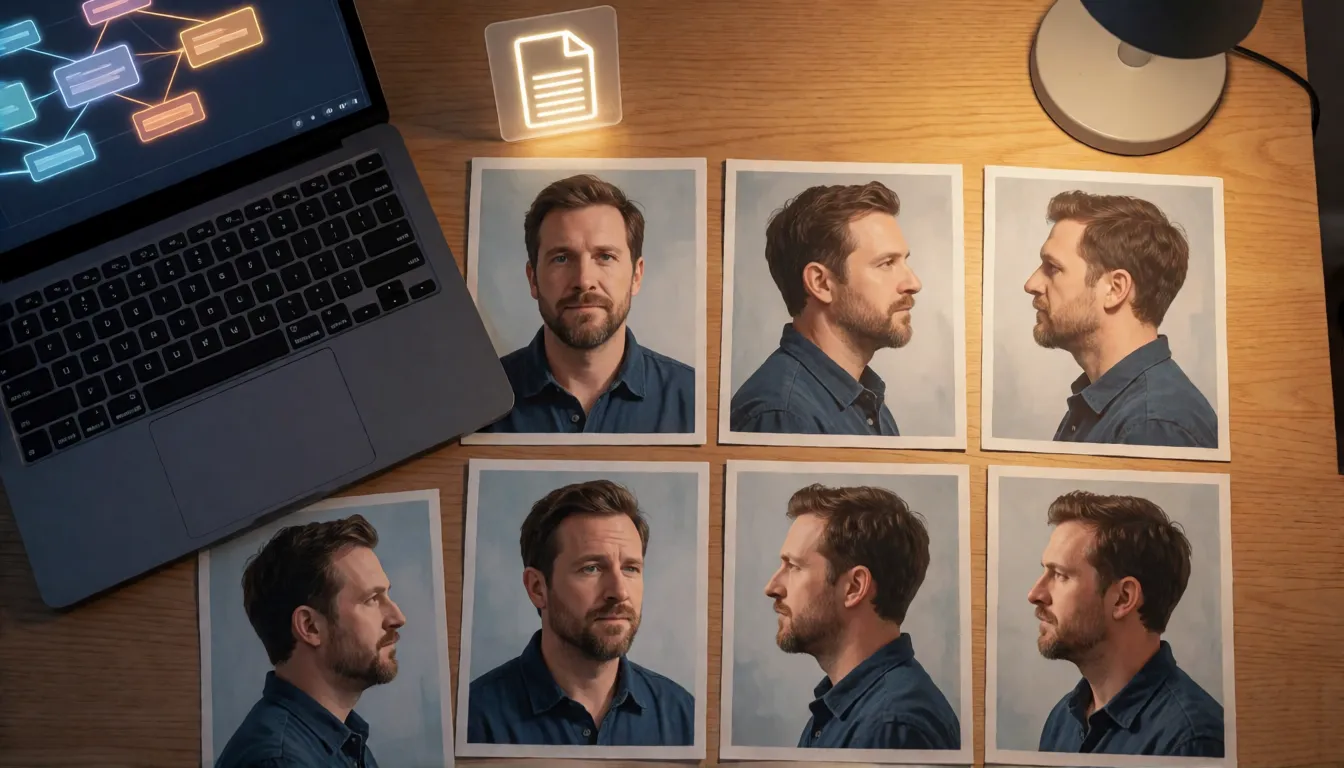
From eight photos to a reusable character in ComfyUI
Building one in ComfyUI follows the node pack's README. Start with good input: 5 to 10 sharp, single-person images from different angles, or one short clip. For audio, 5 to 15 seconds of clean sound is the usual range. Avoid busy backgrounds, because whatever is in the frame can travel into the file along with the face.
- 1Install ComfyUI-MiniMaxH3Mod through ComfyUI Manager or by cloning the GitHub repository into custom_nodes, then restart ComfyUI.
- 2Load your reference images into the Extract H3 RefMod node and pick the identity_encode preset with Full Reference for maximum detail.
- 3Save the output into ComfyUI/models/refmods/ so the loader nodes can find it.
- 4Add Load H3 RefMods (up to eight slots, each with its own strength and copies) and set a starting strength.
- 5Connect Apply H3 RefMod to the conditioning of your MiniMax H3 ImageToVideo or ReferenceToVideo node, then sample as usual.
- 6Render the same seed once without the file as a baseline, so you can see exactly what the reference adds.
- Step Curve node: choose concept_at_start, concept_at_middle or concept_at_ends to decide when the reference acts during denoising, for example look-alike first, free motion later.
- Load H3 RefMod Folder: point at a directory to swap whole character sets in one go.
Prefer buttons to nodes? Build them in Fizgig v6
Fizgig, the creator tool by shootthesound, added MiniMax H3 RefMods creation in version 6 in mid-September 2026. It wraps the extraction in a friendlier interface with ready-made recipes: the community recipe uses 8 images at 1 megapixel, Fizgig lite uses 16 images at 0.5 megapixel, and a Fizgig 1MP option sits in between. There are also style presets, motion and audio references, and a RefMod Studio that renders A/B comparisons side by side so you can judge strength settings without guessing. Fizgig's own documentation includes a how-do-I guide that walks through each recipe.
Two characters, one scene: stacking files
Group shots are where stacked reference files quietly beat single-image referencing. Give each character its own file, load them into separate slots, and address them in the prompt as <Subject 1>, <Subject 2> and so on. Keep each file to one person: a single file that mixes two faces tends to blend them. Lower the strength of the supporting character first if the lead starts to lose detail, and keep descriptions of hair, clothing and build in the prompt so the model knows who is who.
Beyond faces: style, motion and voice references
Characters are only half the story for reference files. A style file built with style_experimental compresses a set of frames into a look you can apply to an entire series, handy for keeping one color grade across a channel. A motion file built with motion_sequence turns a short clip into a movement template, so a signature walk or dance can be reused with a different character.
Audio files exist too, at roughly 80 tokens per second of sound. Treat them as experimental: in current tests speaker identity does not transfer reliably, the audio is encoded from the start of the clip by default and there is no lip-sync alignment. Never use them to imitate a real person's voice without permission.
Prompt templates that keep the face steady
When prompting with a reference file, remember that a reference file is not a trigger word, and its filename does nothing in the prompt. What works is describing the character as if the file did not exist, then letting the reference pull the details into line. These templates are written for original adult characters; swap in your own details.
- Always anchor appearance and action in words: age, hair, eyes, clothing, then movement and camera.
- One character per file, one <Subject N> tag per character.
- Start around medium strength, raise it only if the face drifts, and lower it if the background starts copying the reference photos.
- For outfit swaps, name the new garment explicitly and add same face so clothing from the reference does not win.
Single character
<Subject 1>, a woman in her late 20s with shoulder-length auburn hair and green eyes, wearing a white linen shirt, walks along a rainy neon street at night, handheld tracking shot, cinematic lighting.
Two characters
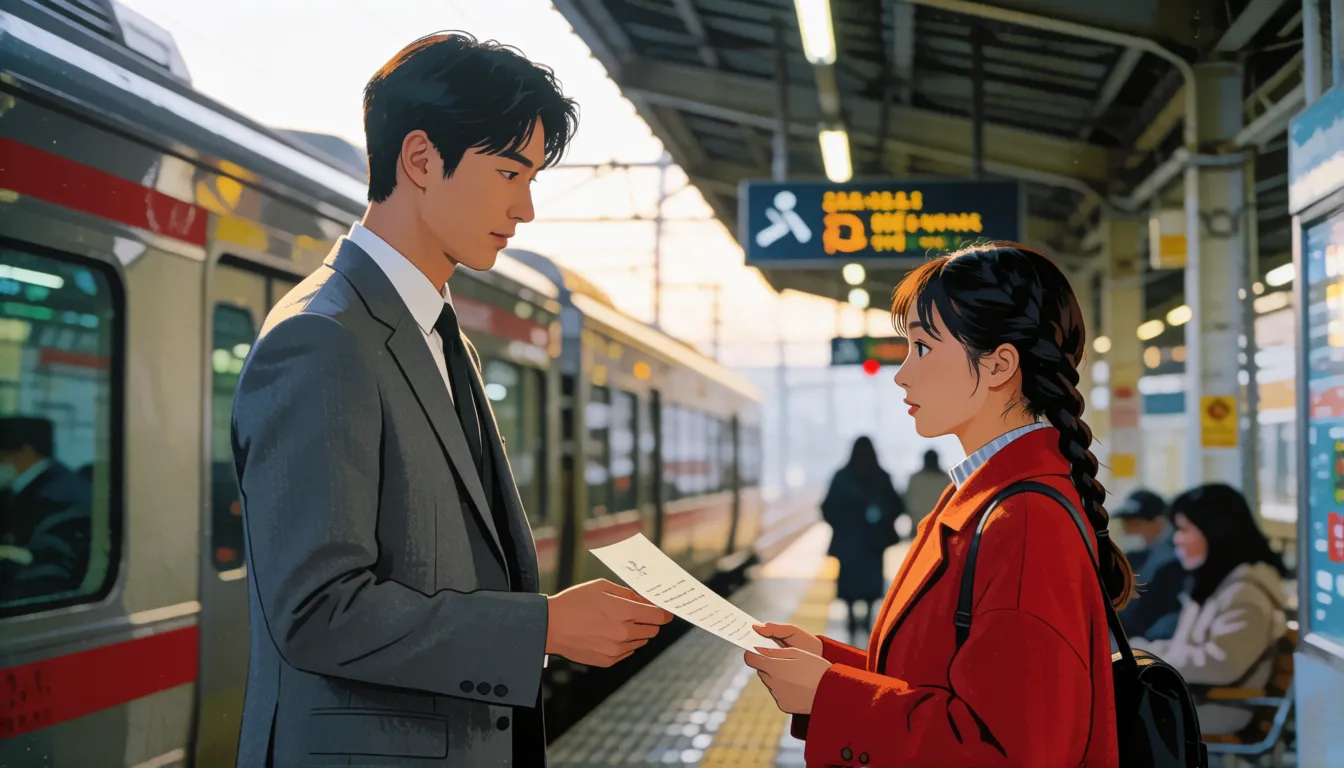
<Subject 1> (tall man, short black hair, grey suit) hands a letter to <Subject 2> (young woman, red coat, braided hair) in a train station, medium shot, soft morning light.
Outfit change (18+ original character)
<Subject 1>, adult woman, same face, now wearing a navy one-piece swimsuit, standing by a sunlit pool, slow dolly-in.
RefMod vs LoRA vs dropping in a reference image
Each method has a place. Fizgig's author notes that a trained LoRA still generalizes better and reaches higher likeness, while the gap is small for shots close to the reference material. Plain reference images need no preparation, but they are re-encoded on every run and position tags get fiddly when several pictures are involved.
| RefMod | LoRA | Direct reference image | |
|---|---|---|---|
| Training | None, one extraction | Yes, dataset and training run | None |
| Time to first use | Minutes | Hours | Instant |
| File size | About 1–1.6 MB | Usually much larger | No file |
| Likeness in new angles | Good near the reference | Strongest | Varies per run |
| Stacking characters | Up to 8 slots | Possible, can clash | Position tags per image |
What still breaks: honest limitations
MiniMax H3 RefMods are young and the node pack's README is candid about the rough edges. Knowing them up front saves hours of rerolls, and most have simple workarounds such as cleaner references or a lower strength.
- Fast motion can smear the face; slower camera moves hold identity better.
- Compressed Reference loses facial detail, so use Full Reference for close-ups.
- Identity, clothing, background and composition can travel together; selective transfer is not guaranteed.
- Voice cloning from audio files is unreliable today, and audio carries no lip sync.
- Some workflows have not been fully validated on every GPU, and there are no official benchmarks.
Ready-made files: where the community shares them
You do not have to build all your MiniMax H3 RefMods from zero. Creator malcolmrey publishes a large library of hundreds of ready-made files on Hugging Face under Apache-2.0, alongside datasets of guides, samples and example workflows. Download a file, drop it into ComfyUI/models/refmods/ and it appears in the loader. Smaller personal uploads also exist, but many have little activity and some contain likenesses of real or copyrighted characters, so check what is inside before use and stick to original or properly licensed characters.
Uncensored use: what reference files can and cannot change
People searching for uncensored MiniMax H3 RefMods are usually hoping for an unfiltered edition. There is none: a reference file only tells the model who or what to show, it does not change what the model is willing to produce. Because H3 is an open-weight model, local users already decide their own setup, and adult creators typically pair a file of an original 18+ character with community H3 LoRAs for beachwear, lingerie or boudoir series. If you would rather skip the local install, Spicy AI offers online H3 image-to-video with relaxed filters for adult, fictional or consenting characters.
Upload a still of your original adult character and animate it without a GPU.
Open image to videoTry a consistent-character prompt online
Start from one still of your character, paste a prompt, and let the video model do the rest. These starters were written for original adult characters and work as written.
- <Subject 1>, a woman in her late 20s with shoulder-length auburn hair and green eyes, white linen shirt, walks along a rainy neon street at night, handheld tracking shot, cinematic lighting
- <Subject 1> (tall man, short black hair, grey suit) hands a letter to <Subject 2> (young woman, red coat, braided hair) in a train station, medium shot, soft morning light
- <Subject 1>, adult woman, same face, now wearing a navy one-piece swimsuit, stands by a sunlit pool and turns toward the camera, slow dolly-in
- <Subject 1>, adult man with a trimmed beard, open white shirt, laughs on a yacht deck at golden hour, wind in his hair, camera orbits slowly
Self-hosting H3 with reference files vs generating online on Spicy AI
Local ComfyUI gives you the full node toolkit; the online route trades that control for zero setup.
| Local deployment (official weights) | Spicy AI online | |
|---|---|---|
| Content filters | You configure your own setup | Relaxed filters for adult content (18+) |
| Open weights | Yes | Not needed — runs in the browser |
| Character consistency | RefMod files, LoRAs and node controls | Start from a still image of your character |
| Price to start | Your own GPU | Free tier available |
FAQ
Are MiniMax H3 RefMods made by MiniMax?
No. They are a community format created with the ComfyUI-MiniMaxH3Mod node pack by @Luisacaotica under the MIT license. MiniMax has not published a position on it.
Do I need to train anything?
No. Your references pass through the VAE once and are saved as a file of roughly 1 to 1.6 MB. The H3 weights are never retrained.
How many images should I use?
The README suggests 5 to 10 sharp single-person images or one short clip. Fizgig recipes use 8 images at 1 megapixel or 16 at 0.5 megapixel.
Is a RefMod better than a LoRA?
It is faster and smaller. A trained LoRA still wins on likeness and on unusual angles, but for shots close to your references the difference is small.
How many can I load at once?
The Load H3 RefMods node has up to eight slots, each with its own strength. For group scenes, use one file per character.
Where do the files go?
Place them in ComfyUI/models/refmods/, then pick them in the loader node or point the folder loader at a subdirectory.
Can they clone a voice?
Not reliably yet. Speaker identity transfer is inconsistent in current tests, and you should never use someone's voice without their consent.