AI Video · Lightricks LoRA
LTX-2.5 Slow Motion: Turn One Photo into a Jaw-Dropping Slow-Mo Shot
Slow motion is the oldest trick in advertising for a reason: a soda splash, a hair flip or a boxer's punch looks ten times more dramatic when time stretches out. LTX-2.5 Slow Motion brings that look to AI video. It is a LoRA adapter Lightricks published on Hugging Face in September 2026 for its open-weight LTX-2.5 video model, and it adds one simple control: a speed value. Give it a still image and a short description, then choose anything from real time down to roughly 40 times slower, while the clip still plays back at a normal 24 frames per second. Below you will find what each speed setting looks like, where slow-mo clips earn their keep, prompt templates, and fixes for when the effect does not show up.
Lightricks has not released an uncensored edition of this LoRA. For adult (18+) slow-motion clips without filters, you can use Spicy AI's uncensored video generator instead. Open the uncensored video generator →
- Real time to 40× slower
- Plays at 24 fps
- Image-to-video LoRA
One Speed Dial, From Real Time to 40× Slower
Most AI video tools give you whatever pace the model happens to choose. LTX-2.5 Slow Motion turns pace into a setting. Under the hood it separates two things that normally move together: how fast the action happens and how fast the video plays. The clip always plays at 24 frames per second, but the motion inside it is generated as if the camera had been shooting much faster. Lightricks sums it up as motion fps = frame rate ÷ speed, so a speed of 0.1 gives you the feel of footage shot at 240 fps and played back at 24.
That is why people search for terms like 240fps or 960fps AI slow motion: those are the numbers high-speed cameras are sold on, and here they come from a single number in your workflow. With this LoRA it is the same picture, the same prompt and a different speed, and you get a whole family of shots to choose from.
| Speed value | How much slower | Looks like footage shot at |
|---|---|---|
| 1.0 | Real time | 24 fps |
| 0.5 | 2× slower | 48 fps |
| 0.2 | 5× slower | about 120 fps |
| 0.1 | 10× slower | 240 fps |
| 0.05 | 20× slower | 480 fps |
| 0.025 | 40× slower | 960 fps |
Speed values and frame-rate equivalents come from the official model card.
Real Slow Motion vs Frame Interpolation
The classic way to fake slow motion is frame interpolation: software such as RIFE guesses the in-between frames of a normal clip and stretches it out. It works for gentle movement, but it can only blend what is already there. A splash shot at normal speed simply does not contain the shape of every droplet, so interpolated clips tend to look smeared or rubbery when you push them hard.
The LoRA takes a different route. The slowness is part of the generation itself, so the model draws the slowed-down physics directly: liquid stretching into strands, fabric folding wave by wave, single hairs tracing their own path. The output is a native 24 fps clip that needs no resampling afterwards. (This comparison is a general technical difference, not an official benchmark.) For anyone shopping for an AI slow motion video generator, that is the key question to ask: is the tool stretching frames, or creating the motion slowly to begin with?
Where Slow-Mo Shots Sell: Ads, Beauty, Sports and Drama
Lightricks lists the motions this adapter handles best: splashes, punches, body jiggle, spinning, cloth and hair movement, and falling liquids. Those happen to be the exact moments that brands and creators already pay high-speed camera crews to capture. Turning one image into slow motion opens up a lot of everyday work:
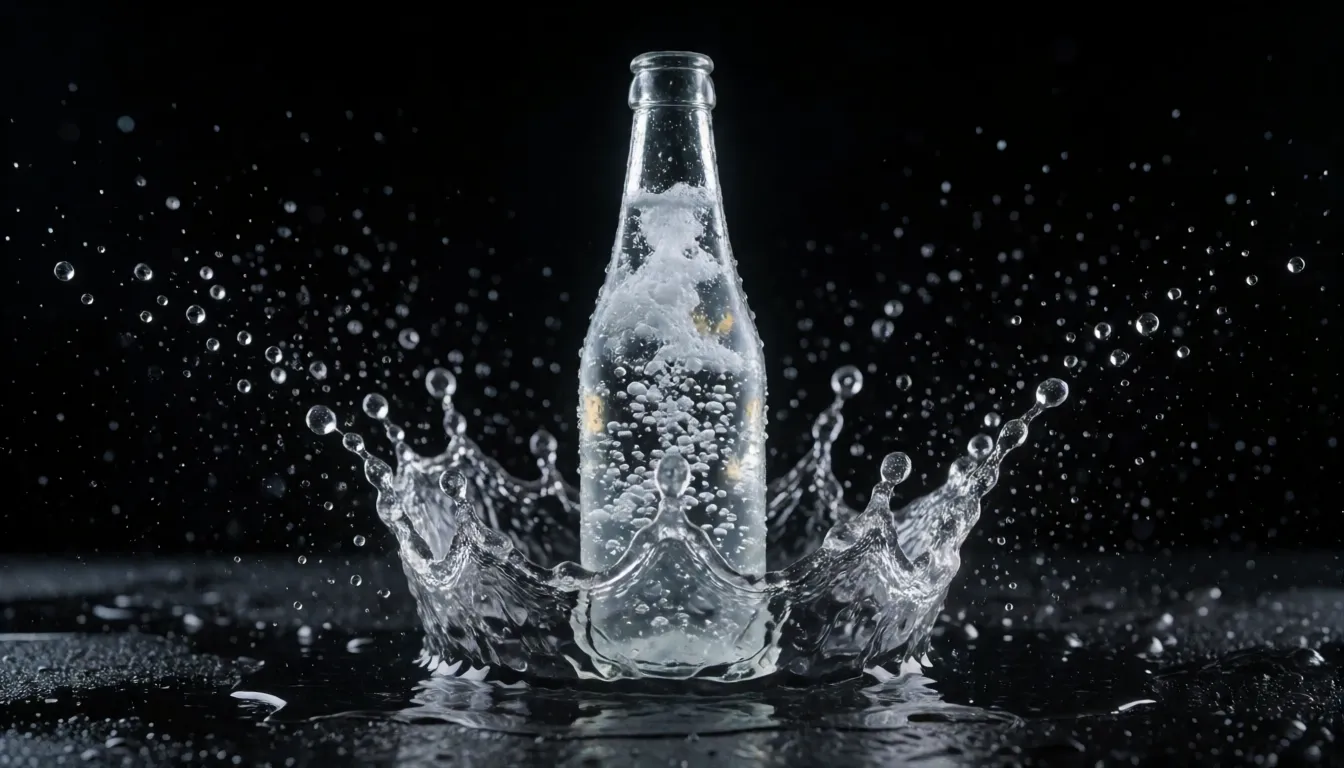
- Drink and beer ads: a bottle on a wet counter while a wave of liquid curls around it and droplets hang in the air.
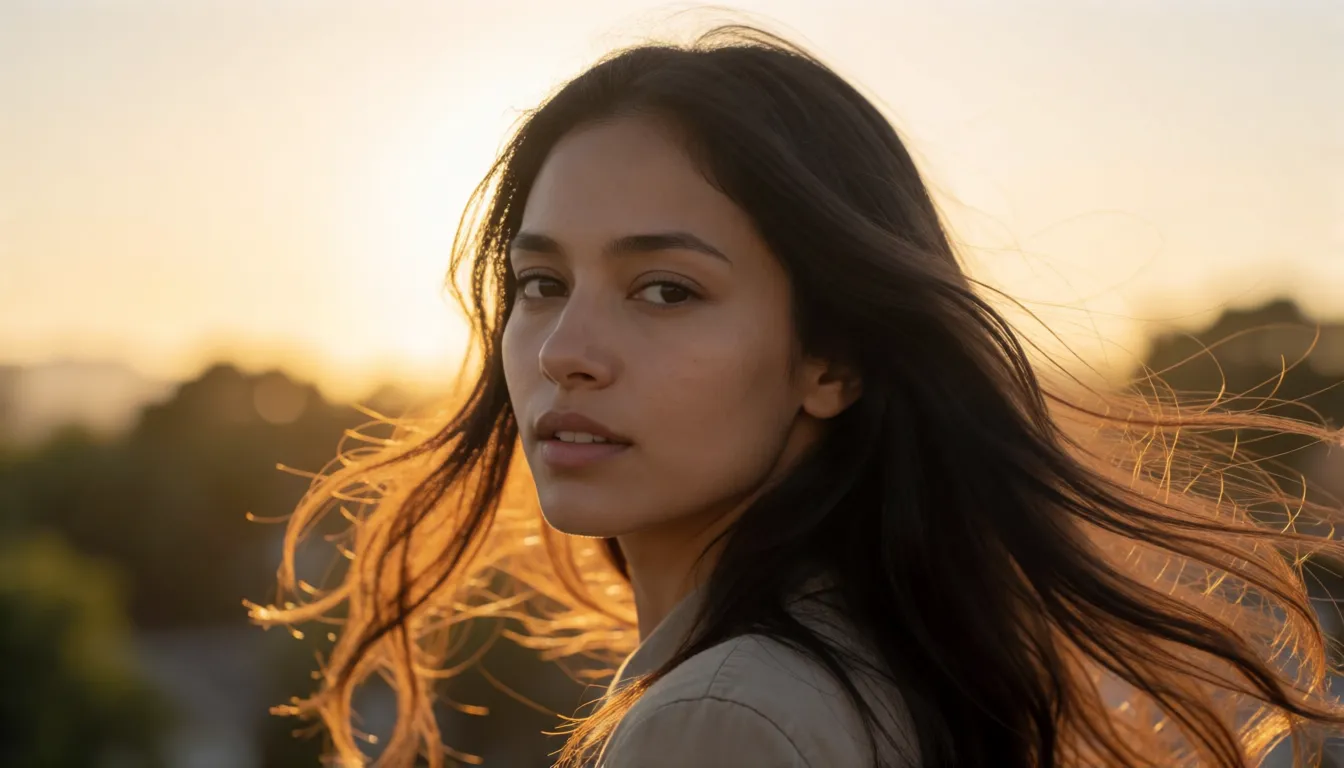
- Beauty and haircare: a hair flip, a puff of powder, a spritz of perfume mist catching the light.
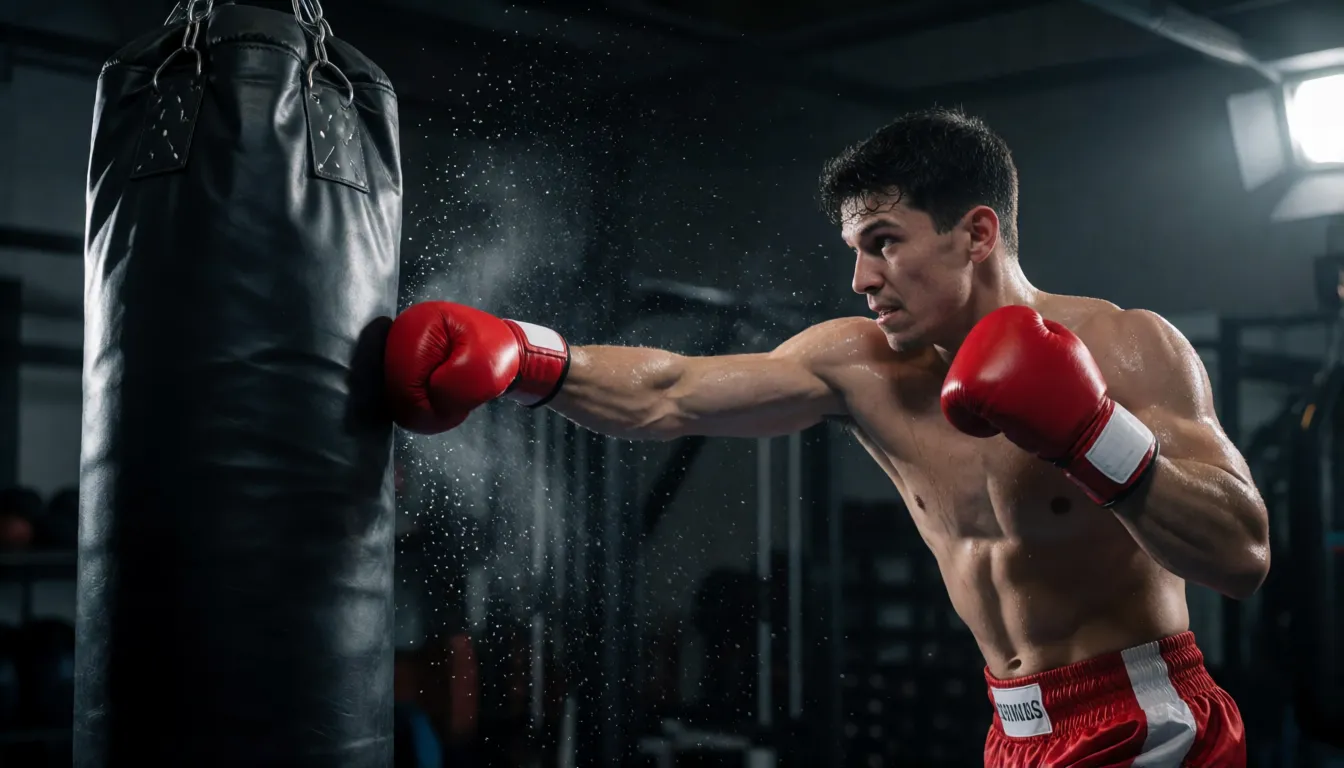
- Sports brands: a punch landing, a sprinter's first step, sweat flying off a boxer under one hard spotlight.
- Fashion and runway: a silk dress flaring out during a spin, a veil lifting in the wind at a wedding shoot.
- Food content: honey folding onto pancakes, cheese stretching, sauce pouring over a steak.
- Short dramas and music videos: the thrown glass, the slap, the emotional turn of the head, stretched for maximum impact.
Five Slow-Mo Tricks Creators Love
Because only the speed number changes between versions, this LoRA is perfect for formats that compare or exaggerate time. These are the setups worth trying first:
- The speed ladder: render the same photo at 1.0, 0.2 and 0.025 and cut them back to back; real time, then 5×, then 40× makes an instant scroll-stopper.
- Frozen moment: at 0.025 the scene almost stands still while hair and droplets keep drifting, the bullet-time look in a single image.
- Product hero shot: start from a clean product photo and describe liquid splashing around it for a premium commercial feel.
- Portrait glow: wind through long hair or a turning skirt at golden hour; 0.2 to 0.1 usually feels dreamy without freezing.
- Drama highlight: a punch, a slammed door or a falling glass at 0.1, cut in after the real-time version of the same beat.
Lightricks shows a similar trick in its own demo: a busy street crossing rendered at speed 1.0 next to the same scene at 0.2, so you can see the pedestrians slow down while everything else stays identical.
Slow-Mo LoRA Download and ComfyUI Workflow
The official repository is Lightricks/LTX-2.5-22b-LoRA-Slow-Motion-Control on Hugging Face. Downloads are gated: you agree to share your Hugging Face contact details, then fetch the file ltx-2.5-22b-lora-slow-motion-control-1.0.safetensors. The repo also ships a ready-made ComfyUI workflow, a command-line demo script and sample videos. You need the LTX-2.5 base model (22B) installed, and the ComfyUI-LTXVideo project recommends a GPU with 32 GB or more of VRAM.
- Put the .safetensors file into ComfyUI's models/loras folder.
- Load the official LTX-2.5_I2V_Speed_Control_flow.json workflow instead of building your own.
- Pick your start image and write a plain description of the action.
- Set the speed node (the default is 0.2) and leave the frame rate at 24.
- Keep LoRA strength at 1.0 and use the recommended 1920×1088, 121 frames.
Prefer the command line? The distilled_speed_demo.py script takes a --speed argument. Width and height must be divisible by 64, and if your card runs out of memory, add --offload cpu or render at 544×960 first and upscale with the official spatial upsampler.
Slow-Mo Prompt Templates That Work
The surprising rule here: do not write slow motion in your prompt. The adapter has no trigger word, and speed words such as slow motion or high fps can fight the speed setting. Describe the physical action instead, and reuse exactly the same text for every speed. Motion that can be slowed down (liquid, fabric, hair, debris) works best, a static camera makes the effect read clearly, and a fixed seed keeps your speed comparisons fair.
Product splash
Close-up of a glass bottle of sparkling soda on a wet black surface, a wave of liquid splashes around it, droplets suspended in the air, studio rim lighting, static camera.
Hair turn portrait
A woman with long hair turns her head toward the camera, hair sweeping through the air, golden hour backlight, shallow depth of field, static camera.
Boxing
A boxer throws a punch at a heavy bag in a dark gym, sweat flying off, single hard spotlight, side view, static camera.
Fashion spin
A model in a flowing red silk dress spins on a rooftop, fabric billowing outward, overcast soft light, wide shot.
Food pour
Honey poured onto a stack of pancakes, thick golden stream folding as it lands, warm kitchen light, macro shot.
Street scene
A wide shot of a busy city crosswalk, pedestrians crossing left to right, static camera.
Slow Motion LoRA Not Working? Quick Fixes
Nearly every complaint about the LoRA comes down to the speed value never reaching the model. These are the symptoms and their fixes, based on the troubleshooting notes on the model card:
- No slow motion at all: you probably loaded the file with a generic LoRA loader or the sample code in the Hugging Face sidebar. Those do not pass the speed value, so use the official ComfyUI workflow or the demo script.
- Blurry or smeared instead of slow: lower the speed step by step (0.5, then 0.2, then 0.1) and confirm the LoRA strength is 1.0.
- Frame count error: the number of frames must be a multiple of 8 plus 1, such as 97 or 121.
- Trying to slow things down by changing the frame rate: do not. Keep 24 fps and change only the speed.
- Out of memory: offload to CPU or render at 544×960 and upscale afterwards.
Other Official LTX-2.5 LoRAs
The slow-motion adapter is one piece of a growing toolkit around LTX-2.5. The base model card also lists a distilled LoRA for fast generation and a Pixel Spatial Upscaler IC-LoRA for sharper output, alongside spatial and temporal upsamplers. Lightricks says most LoRAs trained for LTX-2.3 also run on 2.5, with some exceptions, while the LTX-2 GitHub notes that a LoRA is meant for the base it was trained on, so test older add-ons before relying on them.
The speed adapter itself was trained as a standard LoRA (rank 64) on a dataset called SloMo-44K, and the released checkpoint comes from step 45,000. Because most source footage was 30 fps, its speed labels lean slow, which helps explain why it handles extreme slow-down so well.
Is There an Uncensored LTX 2.5?
LTX-2.5 and this adapter are open-weight models that run on your own hardware, so there is no online prompt filter between you and the output. Even so, Lightricks has not published any uncensored or NSFW edition, and at the time of writing there is no well-known community uncensored version of this LoRA either. If you want adult slow-mo clips in the browser instead, the generator below is the simple route.
Uncensored Alternative Video Generator
Want the slow-mo mood without a GPU or any filters? Upload a photo on Spicy AI's image-to-video page and describe the motion: wind through long hair, a bikini model splashing through pool water, a silk robe swirling as she turns. Every character must be an adult (18+) and fictional or someone who has given consent.
Open image to videoSelf-Hosting the LoRA vs Generating on Spicy AI
| Local deployment (official weights) | Spicy AI online | |
|---|---|---|
| Content filtering | No online filter when run locally | Adult (18+) content allowed |
| Open weights | Yes, gated download on Hugging Face | Not needed, runs in the browser |
| Model actually used | LTX-2.5 22B with the speed LoRA | Spicy AI's own video models |
| Price | Free weights, but a 32 GB+ GPU is recommended | Free to start, credits for more |
- Local: exact speed control from real time to 40× slower inside ComfyUI.
- Spicy AI: upload a photo and animate it without installing anything.
Frequently Asked Questions
What is LTX-2.5 Slow Motion?
It is an official Lightricks LoRA for the LTX-2.5 22B image-to-video model. A speed value controls how fast the motion is, from real time down to about 40 times slower, while the video still plays at 24 fps.
Should I write slow motion in my prompt?
No. There is no trigger word, and speed words can work against the setting. Describe the action and use the speed value to control pace.
Why do I get no slow-motion effect?
Generic LoRA loaders and the Hugging Face sidebar code do not pass the speed value. Use the official ComfyUI workflow or the distilled_speed_demo.py script.
What settings are recommended?
LoRA strength 1.0, 1920×1088, 121 frames at 24 fps. Try speed values of 1.0, 0.5, 0.2, 0.1, 0.05 and 0.025, and keep the frame count at a multiple of 8 plus 1.
What if my GPU does not have enough memory?
Add --offload cpu, or generate at 544×960 first and upscale. The ComfyUI-LTXVideo project recommends 32 GB or more of VRAM.
How is it different from frame interpolation?
Interpolation blends new frames between existing ones. This adapter generates the slowed-down motion from the start, so details such as droplets and hair strands are drawn rather than guessed.
Sources
More AI Video Models
- Uncensored LTX Video
- Uncensored Kling
- Uncensored Kling 2.6
- Uncensored Kling O1
- Uncensored Sora
- Uncensored Veo
- Uncensored Hailuo AI
- Uncensored MiniMax H3 Max
- Uncensored Wan
- Uncensored Wan 3.0
- Uncensored Seedance
- Uncensored Seedance 2.5
- Uncensored Seedance 2.0
- Uncensored Seedance 2.0 Mini
- Uncensored HunyuanVideo
- Uncensored Runway
- Uncensored Pika
- Uncensored Luma Dream Machine
- Uncensored Vidu
- Uncensored PixVerse
- Uncensored EdenLive
- Uncensored Grok Imagine
- Uncensored AI Avatars
- Uncensored HappyHorse 1.0
- Uncensored MiniMax H3 FL2VA Ref2VA
- Uncensored Kling 4.0
- Uncensored Kling 3.0
- Uncensored MiniMax H3 RefMods
- Uncensored Kandinsky 6.0
- Uncensored Looking Ahead
- Uncensored Kandinsky S2V 1.0 Pro
- Uncensored TaoMate-H3
- Uncensored SANA-Video 2.0
- Uncensored MiniMax H3 Remix
- Uncensored Sora 2
- Uncensored Wan 2.6
- Uncensored VDN MiniMax H3
LTX and Lightricks are trademarks of their respective owners. All content must depict adults (18+).