Community checkpoint · built on open-weight H3
Uncensored MiniMax H3 Remix: Sharper Detail, Wilder Motion, Zero Extra LoRAs
Spinning dancers, rain-soaked fistfights, motorbike chases: these are exactly the shots where ordinary AI video turns to mush. MiniMax H3 Remix was made for them. Community creator FX-FeiHou fused two branches of the open-weight H3 video model into a single ComfyUI checkpoint that aims for crisper faces, livelier movement and stronger style response, with its LoRAs already baked in. Here is what the merge does, which file suits your graphics card, how to set it up, and copy-ready prompts for dance, action and fashion clips.
- Dual-H3 merge
- LoRAs pre-fused
- 8–12 steps
- INT8 from ~14 GB VRAM
Two H3 branches, one sharper checkpoint
MiniMax H3 Remix is a fan-made checkpoint, not a new release from MiniMax; its model card plainly calls it a remixed checkpoint rather than an officially trained H3 base. Instead of simply averaging two models, the author recombines two H3 branches at selected response layers and treats the AdaLN modulation layers separately. The goal is to keep generation stable while pushing three things further: fine detail, dynamic motion and how strongly the picture reacts to style words in your prompt.
The second selling point is convenience. The LoRAs used during the merge are statically fused into the weights, so you download one file and start generating without stacking separate style LoRAs. The project lives on Hugging Face and Civitai, the first files appeared in late August 2026, and the newest build arrived on October 23, 2026.
Pick the right download for your graphics card
There are three builds, and the right one depends mostly on your VRAM. The author recommends at least 24 GB for the full-precision BF16 file and about 14 GB for INT8, helped along by the offloading options in the companion node. Both channels host the files: Hugging Face for direct downloads, Civitai for the version history, sample clips and an 8-step Turbo LoRA. If you were searching for a GGUF build, there is none yet; two Hugging Face discussions ask for one, so smaller quantizations remain the most-wanted feature.
| Build | File size | Suggested VRAM | Best for |
|---|---|---|---|
| v0.6 BF16 | 66.2 GB | 24 GB or more | Highest-quality tests and side-by-side comparisons |
| v0.6 INT8 ConvRot v2 | 34 GB | About 14 GB | Everyday generation on consumer cards |
| v0.8 HSA Turbo INT8 ConvRotHQ | 49.3 GB | Not stated | Fast action at low step counts |
| v0.8 HSA Turbo pruned | 23.3 GB | Not stated | The same action focus in a lighter file |
An early v0.6 INT8 upload was replaced by a fixed file in August 2026, so anyone with the first INT8 download should fetch it again. There is no BF16 edition of v0.8.
v0.8 HSA Turbo: made for fights, chases and dance
Low step counts are great for speed but usually blur anything that moves fast. Version 0.8, labelled HSA Turbo, was built to fix exactly that. According to the author it is tuned for fights, chases, explosions and dance, keeping limbs readable, motion continuous and detail intact even with few sampling steps. The author has not explained what HSA stands for, and there are no public benchmarks yet, so treat it as a creator's claim worth testing on your own scenes.
For best results the author pairs v0.8 with a two-stage sampling workflow called Remix Easy H3 Two-Stage Sampling v8, in which a second pass cleans up the frames produced by the first. If your project is mostly calm portraits or slow product spins, v0.6 is still a sensible default; once kicks, spins or debris enter the frame, Remix v0.8 is the build to try first.
What creators are making with it
Because the companion node accepts up to nine reference images, three reference videos and three audio clips, the merge suits far more than single animated photos. These are the uses that fit its strengths best.
Dance shorts
Combine one character image with a dance reference clip and the character performs the routine; v0.8 is tuned for fast spins and arm waves.
Action beats for short dramas
Punches, chases and explosions become storyboard-ready clips, ideal for vertical drama series that need a dramatic cliffhanger shot.
First-to-last-frame transformations
Give two stills as start and end frames to create outfit changes, scene transitions and before-and-after reveals in one smooth move.
One character across many shots
Fill the 3×3 image grid with angles of the same original character, optionally adding a RefMod pack, to keep the face steady from shot to shot.
Fashion lookbooks and adult glamour
Swimwear walks on a sunny beach, lingerie lookbooks and boudoir-style turns work well for 18+ fictional or consenting adult models.
Clips with sound references
Audio slots let you feed H3's audio-visual generation with a sound reference; results vary, so test before relying on it.
Running the Remix in ComfyUI, step by step
Setup follows the author's own notes on Hugging Face and Civitai and the README of the ComfyUI-FeiHou-Easy-H3 node, a GPL-3.0 project derived from an earlier Easy H3 node pack. The node bundles reference slots, image-to-video and first-and-last-frame modes, prompt expansion and memory-saving switches into one place.
- 1Download the build that fits your card and place it in ComfyUI/models/diffusion_models/.
- 2Install ComfyUI-FeiHou-Easy-H3 and its required companion pack ComfyUI-FeiHou-Toolbox, then restart ComfyUI.
- 3Load the checkpoint with the Easy H3 Loader node and add your reference images, videos or audio to the main node.
- 4Start with the res_multistep sampler, the simple scheduler and 8 to 12 steps; the Turbo LoRA at strength 0.75 is optional.
- 5Keep the node defaults of 24 fps and 10 seconds for a first run, choosing a reference short side between 480 and 1088 pixels.
- 6For v0.8, load the author's Two-Stage Sampling v8 workflow instead of a single sampling pass.
- Short on VRAM? Pick INT8 or the pruned file and switch on forced unloading plus the experimental tiled low-VRAM option.
- RefMod packs add memory overhead, so leave headroom when you combine them with many reference slots.
- Do not load the same style LoRAs again on top: they are already fused and doubling them can oversaturate colors, shake motion and twist details.
- The node can expand a short idea into a full prompt or describe an image for you, using an API or a local model.
- CFG, resolution and frame count have not been published by the author, so keep the defaults and adjust one setting at a time.
Prompt templates for dance, action and fashion
Strong prompts for this checkpoint follow one pattern: an adult subject with clear details, a precise action verb, a camera move, lighting or style, and a stability phrase such as stable face or coherent motion. Swap the bracketed parts for your own ideas; use v0.8 when the scene is fast.
- State the subject's adult age and key look: hair, outfit, build.
- Use specific action verbs such as spins, dives or exchanges kicks rather than vague words like moves.
- Add one camera move and one lighting cue per prompt.
- Finish with stability phrases like stable face, sharp faces or coherent motion.
Dance
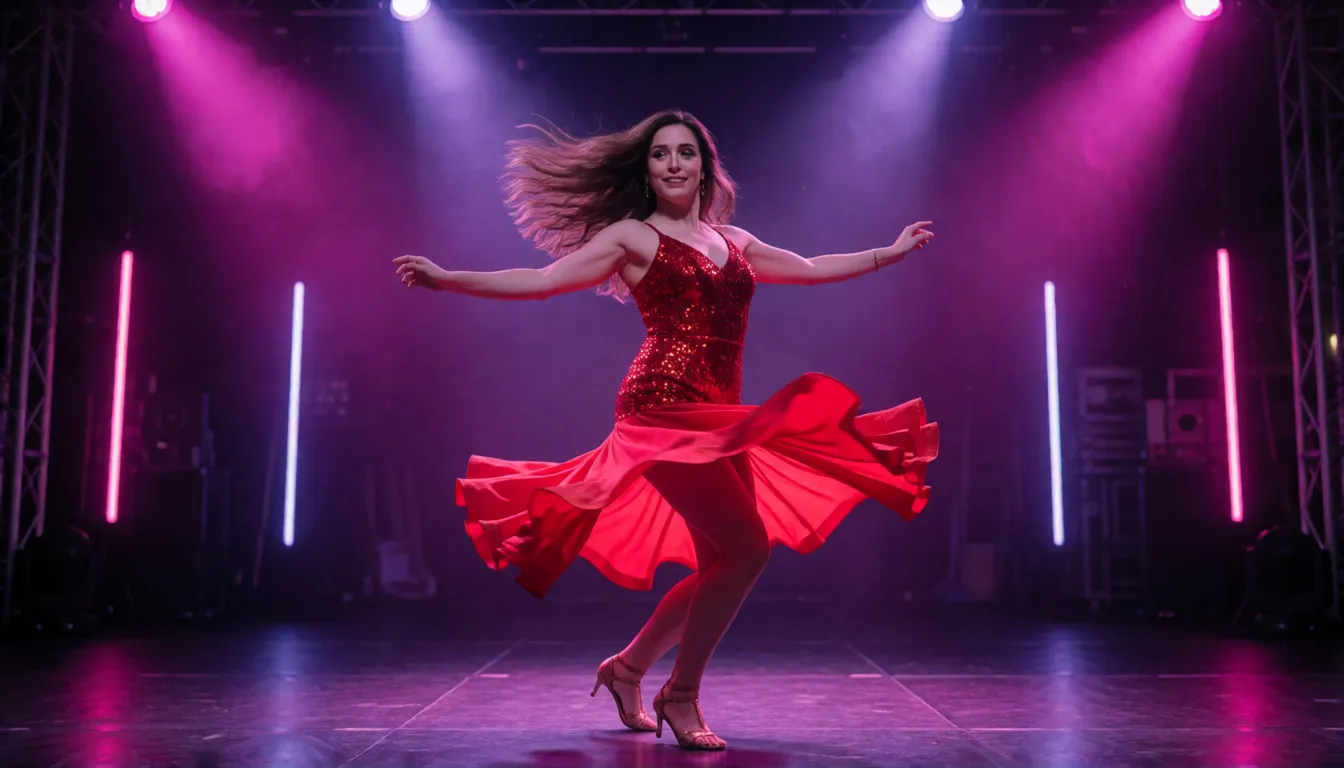
A [young adult woman, 25, long black hair] in a [red sequin dress] performs an energetic K-pop dance routine on a neon-lit stage, fast spins and arm waves, hair and fabric flowing, handheld camera slowly orbiting, crisp detail, stable face, 24fps.
Fight
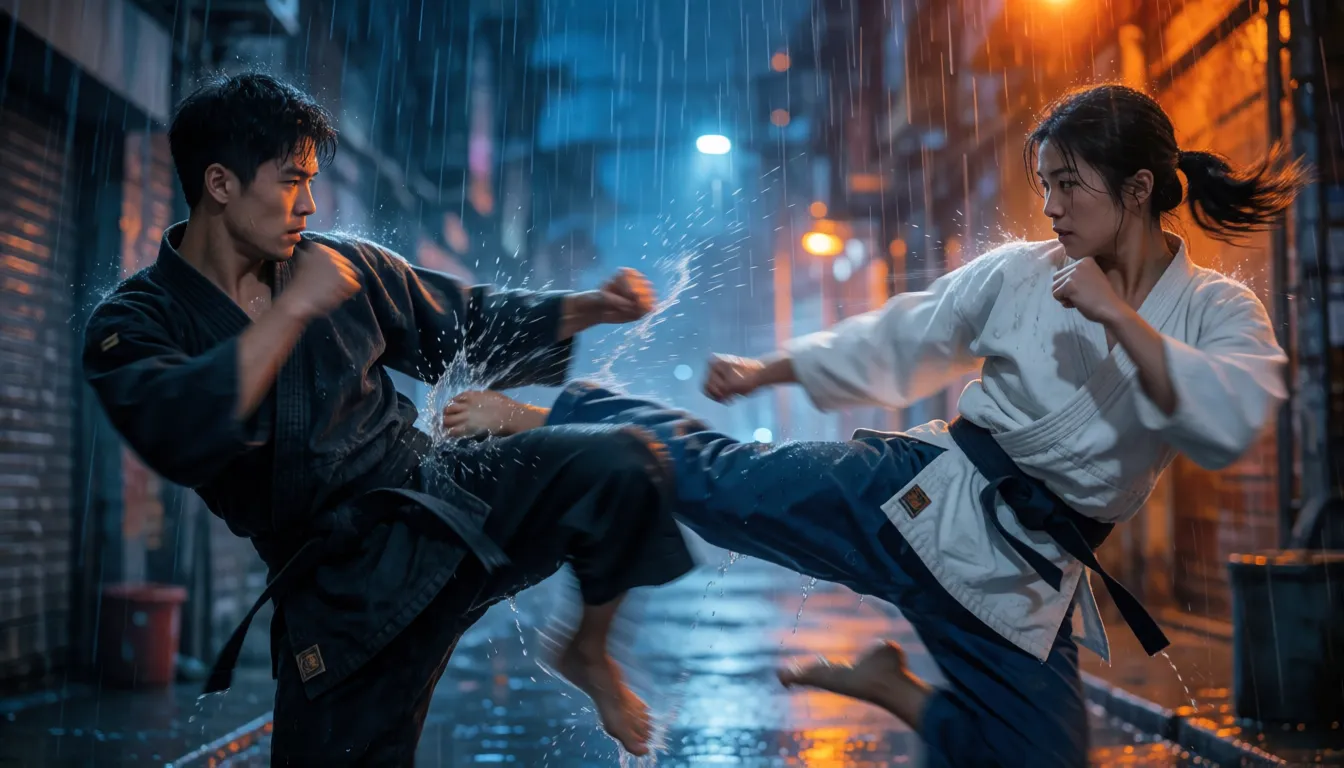
Two martial artists exchange rapid kicks and punches in a rain-soaked alley at night, water splashing on impact, dynamic tracking shot, motion blur on limbs only, sharp faces, cinematic lighting.
Chase
A motorcyclist chases a black car through a crowded market street, camera follows low behind the bike, stalls and fruit flying, dust and debris, high speed, coherent motion.
Explosion
A soldier dives away as a fuel truck explodes behind him, fireball expanding, shockwave lifting debris, slow push-in camera, detailed fire and smoke.
First-to-last-frame outfit change
From the first frame to the last frame, the same woman spins once and her casual hoodie transforms into an elegant evening gown, smooth continuous motion, same face and background.
Drama close-up
Close-up of a man in a business suit reading a letter, hands trembling, eyes filling with tears, soft window light, subtle camera push-in, realistic skin texture.
Beach walk (18+ fictional adult)
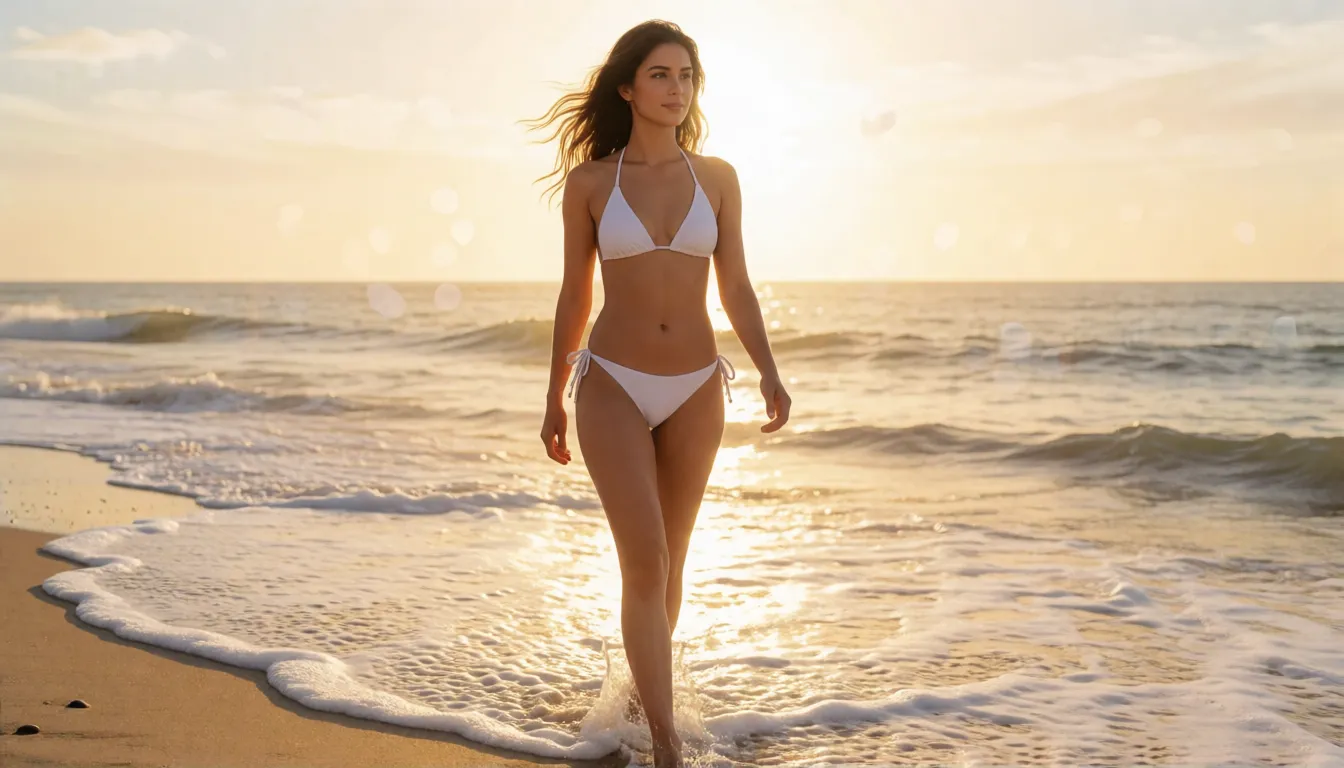
An adult swimsuit model (25 years old, fictional) in a white bikini walks along a sunny beach at golden hour, waves washing over her feet, hair blowing in the wind, slow tracking shot, fashion-editorial look.
Lingerie lookbook (18+ fictional adult)
An adult fictional model in black lace lingerie poses in a softly lit loft, turns slowly toward camera, elegant boudoir photography style, smooth motion, detailed fabric.
MiniMax H3 Remix vs the original H3
Everything in this comparison comes from the author's own descriptions; no independent benchmark or quantitative test has been published yet. In short, the remix trades a bit of purity for convenience and punch: you get the merged look straight away and the action-focused v0.8, while the base model remains the reference point for clean, predictable results.
| Original H3 | Remix (per the author) | |
|---|---|---|
| Origin | MiniMax open-weight release | Community merge of two H3 branches |
| Detail and motion | Baseline | Aims for more detail and stronger motion |
| Style LoRAs | Added separately as needed | Pre-fused, nothing extra to load |
| Fast action at few steps | Tends to blur | v0.8 HSA Turbo targets it |
| Smallest common file | Depends on the build you choose | Pruned v0.8 at 23.3 GB |
How the community is receiving it
Numbers so far are encouraging for a one-person project. By early November 2026 the Civitai page had passed 10,000 downloads with 348 likes against just 2 dislikes. The INT8 v0.6 file leads with about 5,400 downloads, ahead of BF16 at roughly 3,900 and the new v0.8 at around 950, a clear sign that most people run it on mid-range cards. On Hugging Face it has collected 33 likes, and both open discussions ask for an even lighter build around 20 GB or a GGUF version. Written reviews are still scarce, so the best verdict is the one you form from your own test clips.
Is there an uncensored MiniMax H3 Remix?
There is no officially uncensored edition. The model card makes no claim either way and lists no content restrictions, and because the H3 base has open weights, local users control their own setup. The INT8 v0.6 package on Civitai also ships a community Qwen3-VL 32B text encoder whose filename includes the word uncensored; its real effect has not been verified. Anything you make must involve adults only. If you would rather skip the 34 GB download, Spicy AI offers online H3 image-to-video with relaxed filters for adult, fictional or consenting characters.
Turn a still of your original adult character into a moving clip, no GPU needed.
Open image to videoUncensored Alternative Video Generator
Upload one still, describe the motion, camera and mood, and get a short clip in your browser. The prompt templates above work as a starting point.
Start generatingSelf-hosting the Remix vs generating online on Spicy AI
Local ComfyUI gives you every node and version; the online route trades that control for zero setup.
| Local deployment (official weights) | Spicy AI online | |
|---|---|---|
| Content filters | You configure your own setup | Relaxed filters for adult content (18+) |
| Open weights | Yes, community checkpoint on H3 base | Not needed, runs in the browser |
| Hardware | About 14 GB VRAM or more | Any device with a browser |
| Price to start | Your own GPU | Free tier available |
FAQ
Is this Remix an official MiniMax release?
No. It is a community checkpoint by FX-FeiHou that recombines two H3 branches layer by layer and fuses LoRAs into the weights. The model card says it is not an officially trained H3 base release.
How much VRAM do I need?
The author suggests 24 GB or more for BF16 and about 14 GB for INT8. The pruned v0.8 file is 23.3 GB, and the node's forced unloading and tiled low-VRAM options save more memory. There is no GGUF version yet.
What is the difference between v0.6 and v0.8?
v0.6 comes in BF16 and INT8 and improves overall quality. v0.8 HSA Turbo is INT8 only and targets fast action such as fights, chases, explosions and dance at low step counts, ideally with the two-stage sampling workflow.
What settings should I start with?
Use the res_multistep sampler, the simple scheduler and 8 to 12 steps, with the optional Turbo LoRA at 0.75. CFG, resolution and frame count are not published; the node defaults to 24 fps and 10 seconds.
Do I need extra LoRAs?
Not for style, since those are already fused in. Loading the same LoRAs again can oversaturate colors or make motion unstable. The Turbo speed LoRA is optional.
Which generation modes does it support?
With the Easy H3 node you get reference-to-video with up to nine images, three videos and three audio clips, plus image-to-video and first-and-last-frame. Hugging Face also tags text-to-video, though the node notes do not cover it specifically.
Is it uncensored?
The author does not describe it that way and lists no content restrictions. The INT8 package includes a community text encoder labelled uncensored whose effect is unverified. All content must feature adults only and follow the law.