Audio-driven avatar · Open weights
Uncensored LongCat-Video-Avatar 1.6: One Photo, One Voice, Ten Minutes of Talking Video
Give it a portrait and a recording, and LongCat-Video-Avatar 1.6 returns a video of that person speaking: lips land on every syllable, the face reacts to the tone of voice, and the head and shoulders move the way people really move when they talk. Released by the Meituan LongCat team on November 15, 2026, this update is all about staying believable for a long time, with the team reporting clips of more than ten minutes that keep the same face and sharp image quality. Below you will find what changed, where creators are using it, two-person dialogue tricks, copy-ready prompts and the quickest ways to try it.
- Photo + voice → video
- 10+ minute takes
- Natural lip sync
- Two-person dialogue

Uncensored Alternative Video Generator
Image to videoStart from one portrait, describe how the character talks, smiles and moves, and we open the image-to-video studio with everything filled in. Adult themes are welcome when everyone shown is 18+ and fictional or consenting.
Ten-Minute Talking Videos That Do Not Fall Apart
Anyone who has tried AI talking heads knows the usual problem: the first few seconds look great, then the face slowly melts, the mouth starts to flicker and the person no longer looks like the photo you started with. LongCat-Video-Avatar 1.6 was built to fix exactly that. The model keeps extending the video piece by piece, and the team trained it on long rollouts so small errors stop piling up. Their claim is simple and bold: more than ten minutes of footage with the same identity, steady image quality and smooth motion.
For creators that changes the workflow. A full lesson, a long product walk-through, a podcast episode or a chapter of an audiobook can be one continuous take instead of a stack of fifteen-second clips glued together in an editor. You can also keep one character across a whole series: feed new audio each week and the same face keeps talking, which is what virtual hosts and story channels need most.
- Audio + photo: animate an existing portrait, the most popular mode.
- Audio + text: no photo yet? Describe the person and let the model invent them.
- Continuation: extend an existing clip with the next part of the audio, keeping the look.
- Multi-person: give each speaker their own audio track for conversations.
LongCat Avatar 1.6 vs 1.5: Calmer Lips, Steadier Faces
Version 1.5 arrived in May 2026 and was already a favorite among open-source fans. The new release keeps the same base and the same Whisper-Large audio encoder, so the improvements come from training rather than a new architecture. What you will actually see on screen: mouths that no longer over-articulate every word, lips that are not unnaturally red, less flicker around the mouth, and facial expressions that move together with head and body. In the team's own blind test with 33,051 valid votes, 1.6 ranked second of six systems, behind only the closed OmniHuman-2.0 and ahead of 1.5, HeyGen, OmniHuman-1.5 and Kling Avatar 2.0. That ranking is the vendor's own evaluation, not an independent benchmark.
| Version 1.5 | Version 1.6 | |
|---|---|---|
| Released | May 21, 2026 | November 15, 2026 |
| Mouth movement | Sometimes exaggerated, reddish lips | Softer, more natural, less flicker |
| Long videos | Drift builds up over time | Over 10 minutes with stable identity (team claim) |
| Speed | 8-step distilled sampling | 8 steps: DMD + OPSD mix first, then OPSD only |
| Human preference (Elo) | Lower | 1068.1, second of six systems |
A community tester who converted the model for Mac reported SyncNet lip-sync scores of roughly 6.8–7.4 for 1.6 versus about 6.5 for 1.5 (real footage: 7.05). Unofficial numbers.
Photo to Talking Video: Where Creators Put It to Work
Audio-driven talking heads used to be a toy for demos. With longer takes and more natural faces they have become a practical tool for anyone who needs a person on screen saying a script, without hiring a presenter, renting a studio or recording themselves. Pair a portrait with a recorded voice or a text-to-speech track and you have a presenter, a teacher, a narrator or a fictional character in minutes. The scenes below are the ones short-video makers, educators and character creators are trying first.
- Short dramas and AI comics: line-by-line dialogue shots for each character, batch-made from TTS scripts.
- Product and shop videos: a friendly host explains a product or introduces a store in a natural, chatty tone.
- Courses and explainers: a ten-minute lecturer who keeps gesturing and nodding, or dubbed versions in other languages (quality may vary by language).
- Virtual hosts and AI companions: a character that answers fans or chat messages with a video reply.
- Old photos and paintings that speak: give a family portrait or an artwork a voice for a memorable post.
- Singing and lip-sync fun: since it follows audio, music clips are worth a try, though results are not officially tested.
Long lessons and talks
Turn a full narration into one continuous presenter video instead of dozens of short clips.
Drama dialogue
Give two characters their own voice tracks and get a back-and-forth scene with natural reactions.
Virtual hosts
Keep one face across a whole series of episodes, product videos or fan replies.
Two-Person Conversations, Interviews and Duets
One of the most fun modes in LongCat-Video-Avatar 1.6 is multi-person video. Give the model an image with two people and a separate audio track for each, and it animates whoever is speaking while the other listens and reacts. That opens up formats that used to require two actors: a podcast-style interview, a couple arguing in a short drama, a comedy double act, a teacher and student role-play or a host chatting with a guest. Because the long-video stability carries over, these dialogues can run for minutes rather than a single exchange.
A good trick is to keep the scene simple: two people facing each other or sitting side by side, both faces clearly visible, and a prompt that says who talks first. Then record or generate the two voices separately and line them up as a natural back-and-forth with small pauses between lines.

Prompt Templates for Natural Talking Videos
Here is the key thing to remember when prompting LongCat-Video-Avatar 1.6: the audio decides what the person says, the text prompt decides how the shot looks. Describe camera distance, mood, gestures and lighting, never the dialogue itself. For long videos, keep the person's description the same in every segment so the character does not drift. These templates cover the favorite formats; swap the details and keep the structure.
- Presenter: A young woman in a bright studio, medium shot, speaking warmly to the camera, natural hand gestures, soft daylight, stable camera.
- Product talk: A man holding a coffee cup at a café counter, smiling, explaining the product with lively expressions, shallow depth of field.
- Lecture: A professor standing before a whiteboard, calm tone, occasional nods and pointing gestures, static tripod shot.
- Dialogue: Two friends sitting on a sofa facing each other, the left person speaks first then the right person replies, casual living-room lighting.
- Singer: A singer on a small stage, expressive face, swaying gently with the rhythm, warm spotlight.
- Flirty monologue (18+): An adult fictional woman in a bikini on a sunset beach, flirty smile, speaking softly to the camera, gentle breeze in her hair.
Hugging Face Download, ComfyUI, INT8, GGUF and Mac MLX
If you like to run things yourself, the weights are free to download from Hugging Face and ModelScope, and the code lives in the LongCat-Video GitHub repository. The team has not published an official memory requirement, but it does ship a weight-only INT8 option for lighter setups, and the community has moved fast: there are ComfyUI packages (including one from Comfy-Org), a 1.6 ComfyUI build, INT8 conversions and GGUF files from the 1.5 line for low-VRAM cards.
Mac owners have an Apple MLX conversion too. Its author reports that on an M5 Max with 64 GB of memory, each 3.7-second segment at 480p takes about eight minutes and peaks near 47 GB, so a ten-minute video is an overnight job. That is why many creators prefer a browser tool for quick ideas and save local runs for final, long takes.
Open-Source Talking Avatar Models in 2026: A HeyGen and OmniHuman Alternative?
Subscription avatar services like HeyGen, OmniHuman and Kling Avatar are polished, but they cap clip length, charge by the minute and moderate what you upload. The Meituan model is the open alternative many people were waiting for: free weights under the MIT license, takes that run past ten minutes, and a human-preference score that, in its makers' test, beats HeyGen and Kling Avatar 2.0. Other open options include Kandinsky S2V, which animates the full body from text-steered prompts, and MultiTalk for multi-person scenes. The catch with any open model is hardware: long videos need a strong GPU or a lot of patience.
Make an 18+ Talking Character Video on Spicy AI
The official release has no built-in content filter described on its model card, and no community uncensored fine-tune exists yet; running it locally with your own adult character art is how people use it today. For a quicker route in the browser, Spicy AI's image-to-video studio animates any portrait of an 18+ fictional character, from a playful bikini monologue to a whispered ASMR-style greeting or a virtual girlfriend reply.
- 1Create or upload a portrait of an adult fictional character; try a swimsuit or lingerie look made with the image editor first.
- 2Describe how they talk and move: a smile, a lean toward the camera, a wink, soft lighting.
- 3Generate the clip, then add your own voice-over or TTS track when editing.
For the cleanest results, keep these input tips in mind:
- Use a sharp, front-facing portrait with the face well lit and not covered by hands or hair.
- Use clean speech without background music; the official 1.5 guide suggests an audio CFG of 3–5 when running locally.
- Keep the character description identical across segments so long videos stay consistent.
Bring an 18+ character portrait to life in your browser, no GPU needed.
Start image to video →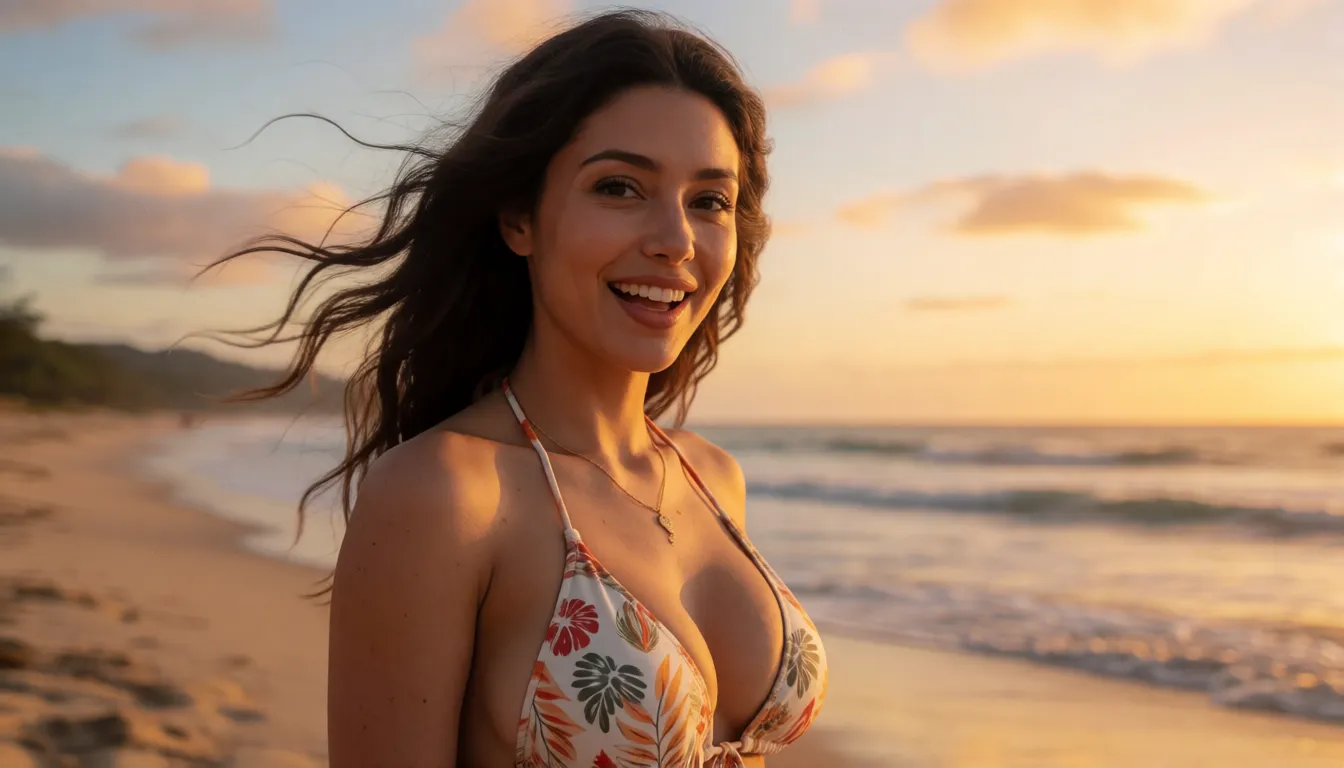
Self-Hosting LongCat Avatar 1.6 vs Generating Online at Spicy AI
| Local deployment (official weights) | Spicy AI online | |
|---|---|---|
| Content filtering | No online filter when you run it yourself | Adult (18+) content allowed |
| Open weights | Yes, MIT license on Hugging Face | Not applicable, runs online |
| Model actually used | LongCat Avatar 1.6 (avatar-v1.6) | Spicy AI's own video models |
| Price | Free weights, you pay for the GPU | Free to start, credits for more |
- Local: lip sync driven by your own audio, takes over ten minutes, full control.
- Spicy AI: animate a portrait in the browser, no hardware or setup needed.
Frequently Asked Questions
What is this model?
It is an open-weights talking-avatar video model released by the Meituan LongCat team on November 15, 2026. It turns a portrait (or a text description) plus speech into a talking video, and supports single-person, multi-person and long continuation modes.
What is better in 1.6 than in 1.5?
Lip sync is more accurate, expressions and head or body motion feel more coordinated, exaggerated mouth shapes and overly red lips are reduced, and errors build up less in long videos. The team says it can go past ten minutes, and inference is faster end to end.
How long can the videos be?
The team reports more than ten minutes with stable quality and identity. It works by extending the video segment by segment; the community Mac build, for example, makes 93-frame segments of about 3.7 seconds each.
What hardware do I need to run it locally?
No official memory figure has been published. There is a weight-only INT8 option, FlashAttention 3 is recommended on Hopper GPUs, and the community MLX version peaked at about 47 GB on a 64 GB M5 Max. Most casual users will find an online tool easier.
Does it work in ComfyUI?
The GitHub repo does not list official ComfyUI nodes, but Hugging Face hosts a Comfy-Org package, a community 1.6 ComfyUI build and GGUF files from the 1.5 line.
Is there an uncensored version?
No community uncensored fine-tune had appeared by November 20, 2026. The weights run locally and the model card does not describe a content filter. Adult creations must use 18+ fictional or consenting characters only.
How does it compare with HeyGen or OmniHuman?
In the team's own human evaluation it ranked second of six systems, behind OmniHuman-2.0 and ahead of HeyGen and Kling Avatar 2.0. Its main advantages are open weights and very long takes.
Sources
- LongCat-Video-Avatar-1.6 model card (Hugging Face)
- meituan-longcat/LongCat-Video repository (GitHub)
- LongCat-Video-Avatar 1.6 project page
- LongCat-Video-Avatar 1.6 technical report (PDF)
- LongCat-Video technical report (arXiv 2510.22200)
- LongCat-Video-Avatar-1.5 model card (Hugging Face)
- LongCat-Video-Avatar 1.6 on ModelScope
- Comfy-Org LongCat-Video-Avatar package (Hugging Face)
- Community MLX bf16 conversion for Mac (Hugging Face)
More Uncensored Video Model Guides
- Uncensored Kandinsky S2V 1.0 Pro
- Uncensored Kling
- Uncensored Kling 2.6
- Uncensored Kling O1
- Uncensored Sora
- Uncensored Veo
- Uncensored Hailuo AI
- Uncensored MiniMax H3 Max
- Uncensored Wan
- Uncensored Wan 3.0
- Uncensored Seedance
- Uncensored Seedance 2.5
- Uncensored Seedance 2.0
- Uncensored Seedance 2.0 Mini
- Uncensored HunyuanVideo
- Uncensored LTX Video
- Uncensored Runway
- Uncensored Pika
- Uncensored Luma Dream Machine
- Uncensored Vidu
- Uncensored PixVerse
- Uncensored EdenLive
- Uncensored UniAVC
- Uncensored Grok Imagine
- Uncensored AI Avatars
- Uncensored HappyHorse 1.0
- Uncensored MiniMax H3 FL2VA Ref2VA
- Uncensored Kling 4.0
- Uncensored Kling 3.0
- Uncensored MiniMax H3 RefMods
- Uncensored Kandinsky 6.0
- Uncensored Looking Ahead
- Uncensored TaoMate-H3
- Uncensored SANA-Video 2.0
- Uncensored MiniMax H3 Remix
- Uncensored Sora 2
- Uncensored Wan 2.6
- Uncensored LTX-2.5 Slow Motion
- Uncensored LTX-2.5 Cinemagraph
- Uncensored VDN MiniMax H3
- Uncensored Hy-Nomas
- Uncensored Seedance 1.5 Pro
- Uncensored Pika H3 Flex
- Uncensored Veo 3.1
- Uncensored MiniMax H3 x Z-Image
- Uncensored Origami-H3
- Uncensored Wan 2.6 Flash
Spicy AI is an independent site and is not affiliated with Meituan or the LongCat team. All content must involve adults (18+) only; do not animate real people without their consent.