Uncensored AI Video · Open adapters from Pika Labs
Uncensored Pika H3 Flex: Six-Step Video With Sound, Straight From Your Ideas
Pika Labs took the open MiniMax H3 video model, retrained it for speed and taste, and handed the result back to everyone as open weights. The new model writes picture and soundtrack together in just six steps, so a sitcom gag, a headphone ad or a beat-synced dance comes out as a finished 5 to 15 second clip. Below: the scenes it handles best, who is using it for what, ready-to-copy prompts and the easiest way to try it.
- 6-step generation
- Native audio
- Up to 12 references
- Open weights
Uncensored Alternative Video Generator
Image to videoUpload a photo as the first frame, describe the motion, camera and sound, and turn it into a short video.
Seven scenes where it shines: ads, sitcoms, dance and more
Because sound arrives in the same pass as the picture, a clip comes out ready to post: voices, footsteps and music are already in place. That changes who can use Pika H3 Flex. A shop owner, a short-drama writer or a dance creator can go from idea to finished clip without an editor or a sound library. These are the scenes Pika's own showcase and the community keep coming back to.
Product ads for online shops
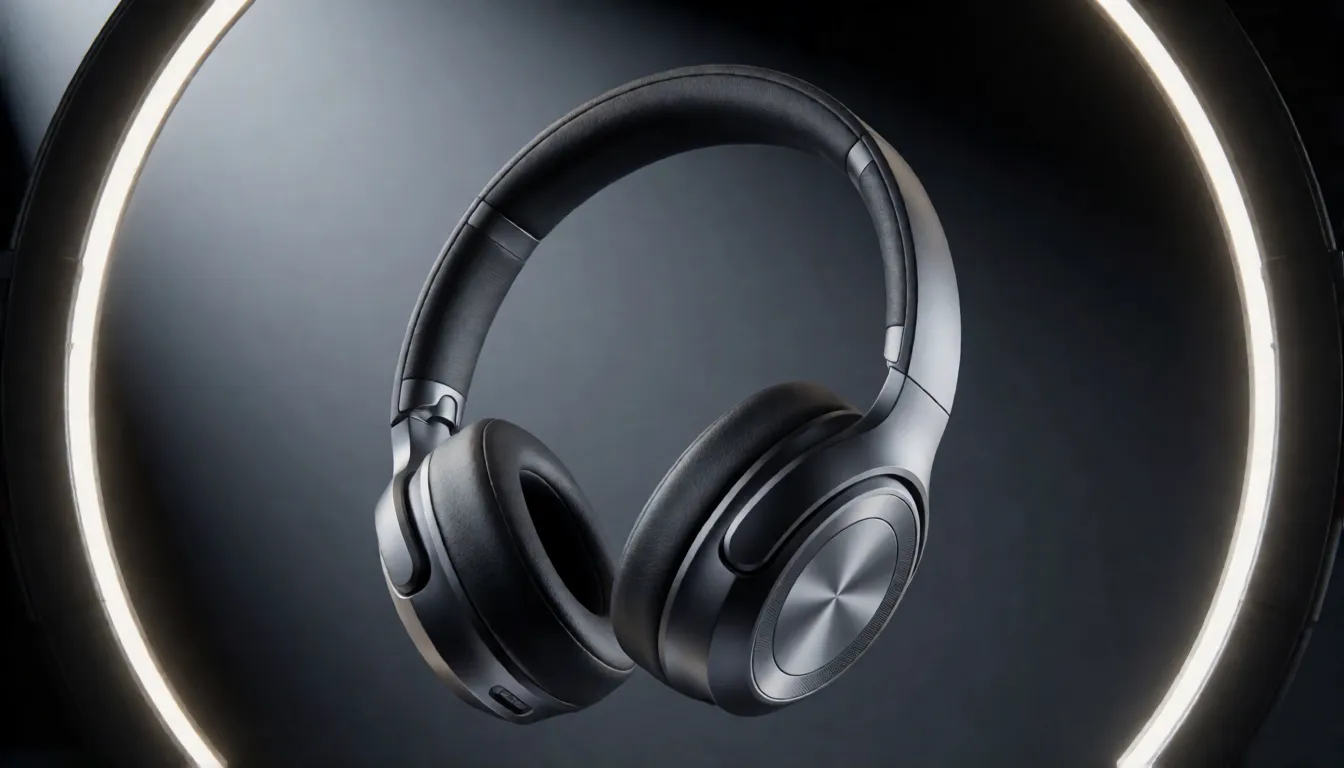
Drop a product photo into Ref2VA and the item keeps its exact shape and colors while the camera orbits under rim light. A whoosh and a bass hit land on cue, so a headphone or perfume spot is ready for a store page or a social ad.
Short dramas and sitcom gags
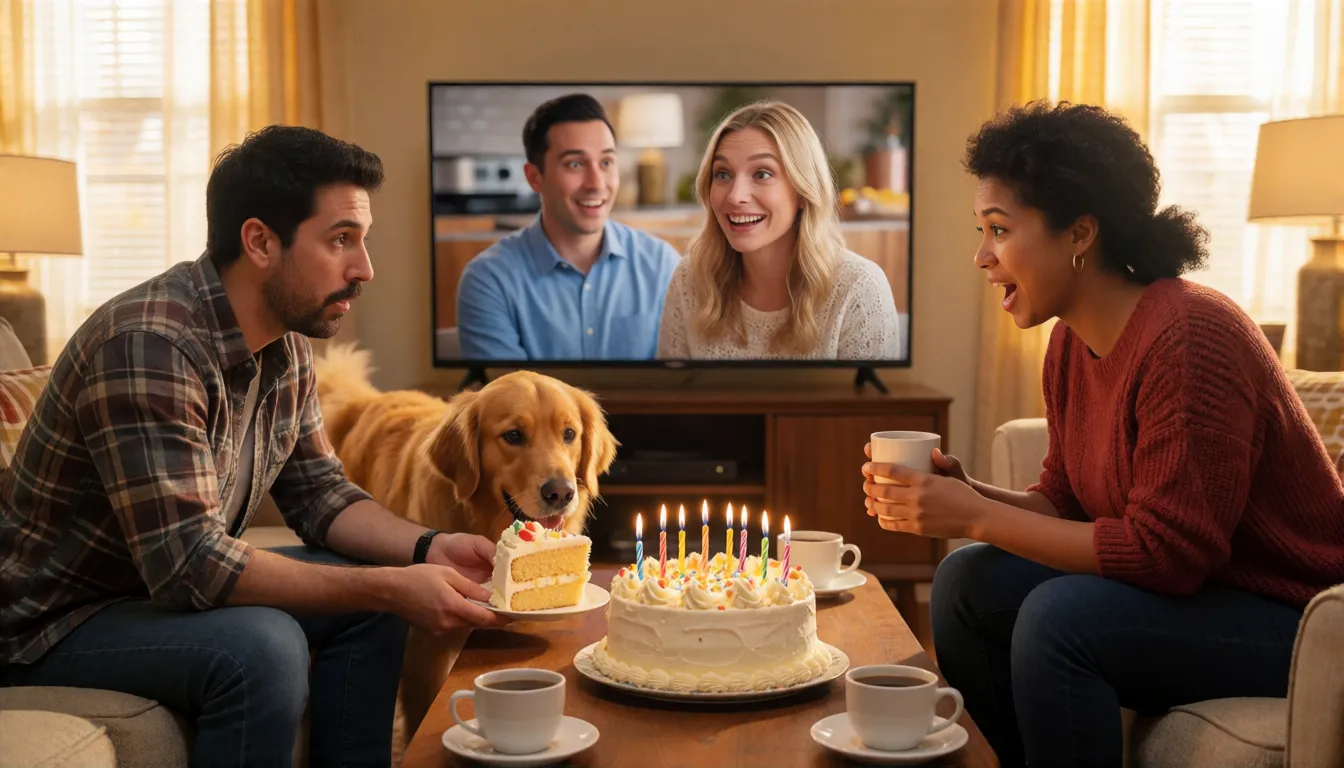
One prompt can hold a wide shot, a reaction close-up and a punchline inside 15 seconds, with dialogue and laugh-track ambience. Pika's showcase uses a dog stealing the birthday cake; skit writers use the same recipe for daily episodes.
Beat-synced titles and music promos
Add a reference track and letters, logos or shapes snap onto every beat. The Swiss-style kinetic word MOVE is the classic demo, and it works just as well for song teasers, event openers and channel intros.
Sports and action at real speed
A table tennis rally with a 35mm look plays at true speed, no slow motion, with the ball's click on the table in sync. Good for fitness accounts, gear brands and highlight-style reels.
Dance covers and choreography
A reference video hands its steps to a new dancer in a new place, such as a pop-art record store, while the music keeps time. Creators use it to restage a trend in different outfits and settings.
Storyboards, transitions and group shots
Give FL2VA a first and a last frame and it fills in the move between them, handy for previsualizing a scene or bridging two shots. Circling camera moves around several people, like three adults stretching on a balcony, hold together well.
Adult (18+) fashion and swimwear reels
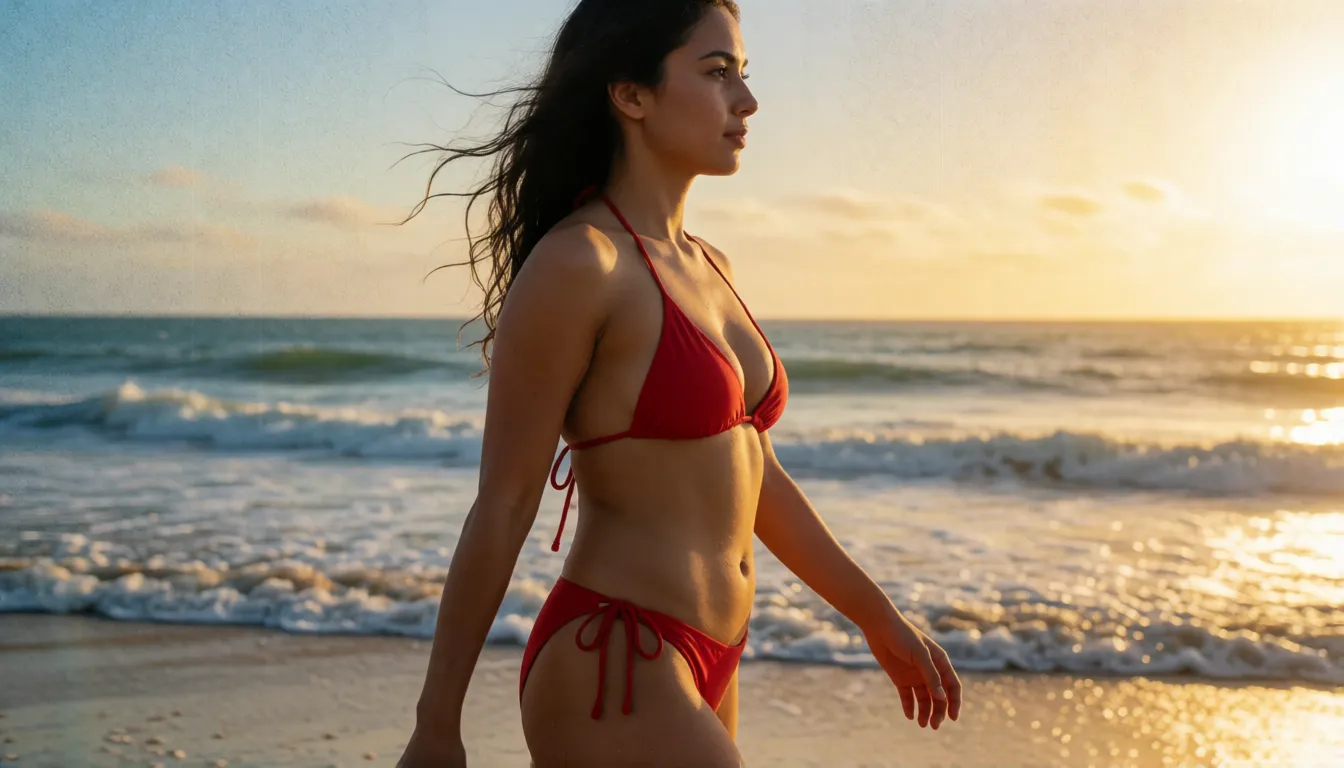
Fictional adult models on a bikini beach walk, in a lingerie lookbook or at a pool party dance, with the outfit locked by a reference image so it stays the same in every shot.
| Scene | What you give it | What comes out |
|---|---|---|
| Product ad | Product photo + short brief | Orbit shot with sound effects and music |
| Sitcom gag | Text script with timed beats | Multi-shot scene with dialogue and laughs |
| Beat-synced title | Text + reference audio | Motion graphics that hit each beat |
| Dance cover | Character image + reference video | New dancer, same steps, music in time |
| Scene transition | First frame + last frame | A smooth move between the two |
| Swimwear reel (18+) | Outfit image + setting | Runway-style walk with a steady look |
Reference to video: twelve files in one prompt
Ref2VA is where Flex shines for brands and storytellers. You can attach up to 12 files in total: as many as nine images, three video clips and three audio clips, with at least one image or video in the mix. Each audio or video clip runs 2 to 15 seconds, and the prompt itself can be up to 8,000 characters, enough to script a short scene beat by beat.
A simple routine works well: image 1 for the hero product or character, image 2 for the outfit or setting, an audio clip to set rhythm, and a short video if you need a specific move. Refer to every file by its number in the prompt, then describe action, camera and sound. Clips come out at 24 frames per second as MP4 with 32 kHz stereo sound, at 480p or 768p in eleven aspect ratios from 21:9 to 9:21.
Prompt templates you can copy today
Pika's prompt guidance favors a clear structure: split the clip into time ranges, name the camera move, say what must stay consistent, describe the film look, then list dialogue, sound effects and music separately. For Flex, pick a whole number of seconds from 5 to 15 and keep one main idea per time range.
All-purpose structure
[0-3s] A cyclist rolls into a sunlit plaza. [3-8s] Dolly in as she stops and looks up. [8-12s] Slow orbit to reveal the city. Consistency: keep her yellow jacket and short hair. Look: 35mm film, natural light, grain. Sound: bike chain, distant chatter. Music: mellow indie, 90 BPM.
Multi-cam sitcom
Multi-cam sitcom, bright living room. [0-4s] Wide shot: a golden retriever eyes a birthday cake. [4-9s] Close-up reaction of two adults on the sofa. [9-12s] The dog runs off with a slice. Laugh track ambience. Dialogue: "Was that the whole cake?"
Product ad with references
Use image 1 as the product, keep its shape and colors exact. Slow orbit around the headphones, studio rim light, dark gradient background. Sound: soft whoosh, bass hit at 2s. Music: minimal electronic, 100 BPM.
Beach runway (18+)
An adult fictional model in the red bikini from image 1 walks along the beach at golden hour. Tracking shot at her side, she turns and smiles at 6s. Sound: waves and wind. Music: upbeat house.
- Put timing in brackets so each beat gets its own action.
- Write sound and music as separate lines; the model hears the difference.
- For kinetic type, add a reference audio clip and say which letters land on which beat.
From fifty steps to six: why everyone is talking about it
Most open video models make you wait while they denoise a clip forty or fifty times. Pika started from MiniMax H3, a 33-billion-parameter model that already creates video and sound in one pass, then added its own fine-tuning, a distillation method it calls PDMD, and preference learning. The teacher model needs 50 steps; the new release needs only six. Pika published it on October 29, 2026, as two LoRA adapters that sit on top of the original H3 weights.
The payoff is speed you can feel. In Pika's own test on a server of eight B300 GPUs, a 5-second 768p clip with audio took about 2.1 seconds instead of 3.4, and the company says it averages around 1.8 times faster than the hosted H3 Max on Fal. Those are vendor numbers, not independent benchmarks, but they explain the buzz: quick drafts mean more ideas tried per evening, and a real open source video model from a brand people already know.
FL2VA, Ref2VA or the community Hybrid: pick your adapter
The release is really two tools. FL2VA handles text-to-video, image-to-video and first-and-last-frame clips, which makes it the go-to for storyboards, transitions and filling the gap between two keyframes. Ref2VA reads a whole reference pack, so a face, a product or a dance move stays the same from shot to shot. A third option comes from the community: hyukudan's Hybrid b30-49 keeps blocks 0 to 29 from FL2VA and takes blocks 30 to 49 from Ref2VA, a plain tensor copy with no retraining.
| FL2VA | Ref2VA | Hybrid b30-49 | |
|---|---|---|---|
| Inputs | Text, first frame, last frame | Text + up to 9 images, 3 videos, 3 audio clips | Same reference inputs as Ref2VA |
| Best for | Storyboards, transitions, animating a still | Recurring characters, products, dance or music references | Multi-reference clips with fewer artifacts |
| Made by | Pika Labs | Pika Labs | Community (hyukudan), experimental |
| Watch out | No character reference sheet | Needs at least one image or video | Only pairs with a matching b30-49 hybrid base |
The Hybrid's author says it is not faster than turbo options; the point is cleaner pictures while keeping Ref2VA's memory. Run it with a strength of 1.0, the lcm sampler, CFG 1.0 and the author's manual sigma list, and do not stack turbo or Lightning LoRAs on top.
Pika H3 Flex vs MiniMax H3: what got better
Compared with the base H3 it grew from, the headline is speed: six steps instead of fifty, plus a separate 1.6 times inference optimization in Pika's tests. On the hosted side, the API adds higher resolutions up to 4K and can deliver five editable audio tracks: dialogue, music, sound effects, foley and ambience, which makes mixing far easier for editors.
Pika is also candid about weak spots. Physics, multi-scene storytelling, lighting and materials still trail some rival models. So the model is at its best for punchy single-scene clips, ads, dances and comedy beats, and less suited to long cinematic sequences with complex light.
Download and run at home: ComfyUI, VRAM and 4K
The weights live on Hugging Face under Pika-Labs/Pika-H3-Flex, with code on GitHub. Diffusers users load them onto MiniMax H3 with one load_lora_weights call, and the command-line tool is named pika-h3-pro. ComfyUI ships official workflow templates for text-to-video, FL2VA and reference-to-video; put the adapter in the loras folder and pick a template. Draw Things, Colab and Kaggle notebooks are other easy routes.
Pika says the adapters run on a single GPU, with CPU offload as an option, and tested its 480p and 768p examples on an 80 GB H100. It gives no minimum VRAM, so owners of consumer cards usually reach for community quantized builds and test the results themselves. For scale, the Hybrid author reports about 28 seconds per step for a 15-second 1184×672 clip on a 96 GB card.
One thing local users cannot get yet is 4K. Local output tops out at 768p; 1080p, 2K and 4K belong to Pika's hosted API, where 4K comes from a separate 1B upscaler. Pika says that upscaler will be open-sourced, with no date announced.
Turbo LoRA, NVFP4 and int8: the community builds
Within days, people started remixing the release. At the time of research the Hugging Face page counted 483 likes, 986 downloads in the past month and 19 Spaces built on it, plus a handful of adapters, fine-tunes and quantizations.
- Turbo LoRA (akhaliq/Pika-H3-Flex-Turbo-LoRA): seven files for 2, 4 or 8 steps, about 3.9 GB in full or roughly 0.3 GB as a rank-32 version; ComfyUI Wiki reports it also works with int8 and GGUF builds of H3.
- NVFP4 builds from FastVideo, including an FP4-attention variant, aimed at Blackwell GPUs.
- int8: the Hybrid b30-49 pairs with an int8 hybrid base model, a popular route on smaller cards.
- GGUF: no dedicated GGUF of the adapters was found; the Turbo LoRA targets GGUF builds of the H3 base instead.
- Ready-made ComfyUI workflows from Thelocallab and files re-hosted by Comfy-Org.
Uncensored Pika H3 Flex: what local freedom means
There is no official or community uncensored or NSFW edition of these adapters so far; Pika's hosted API follows a platform content policy. What open weights change is where the clip is made: on your own machine there is no cloud filter between you and the output, which is why adult creators run open H3 models and style LoRAs locally. Without a big GPU, the image-to-video tool here offers similar filter-free motion from a single photo for adult (18+) scenes.
Animate an adult photo into a short video clip in your browser.
Open image to videoSelf-hosting the Flex weights vs generating online on Spicy AI
Running the adapters yourself gives full control and works offline, but it asks for a powerful GPU, model downloads and some ComfyUI tinkering. Generating online skips all of that: upload a photo, write the motion and sound, and get a short clip back in your browser.
| Local deployment (official weights) | Spicy AI online | |
|---|---|---|
| Content filters | None added locally | No content filters for adult (18+) scenes |
| Open weights | Yes | Not needed — runs in the browser |
| Model | Flex adapters on MiniMax H3 | Similar uncensored video model, hosted online |
FAQ
What is Pika H3 Flex?
It is a pair of open LoRA adapters, FL2VA and Ref2VA, that Pika Labs released on October 29, 2026 for the MiniMax H3 model. They generate 5 to 15 second videos with sound in six steps.
What is it best used for?
Pika H3 Flex is at its best on short single-scene clips that need sound from the start: product ads, sitcom gags, beat-synced titles, dance covers, sports moments and adult (18+) fashion reels. Long multi-scene films are not its strength.
Where can I download it?
The adapters are on Hugging Face under Pika-Labs/Pika-H3-Flex, with code and docs on GitHub. They load on top of the open MiniMax H3 base model.
How much VRAM does it need?
Pika only says it runs on a single GPU and was tested on an 80 GB H100, with CPU offload available. No minimum is given, so consumer cards rely on community int8, NVFP4 or Turbo LoRA setups.
Can it make 4K video locally?
No. Local output is 480p or 768p. 1080p to 4K is API-only, and the 4K upscaler is promised as open source without a date.
Should I choose FL2VA, Ref2VA or the Hybrid?
Use FL2VA for text, image and first-and-last-frame clips, Ref2VA for references, and try the experimental Hybrid b30-49 when you want references with fewer artifacts.
Can I stack the Turbo LoRA with the Hybrid?
The Hybrid's author advises against stacking turbo or Lightning LoRAs. The Turbo LoRA is a separate 2, 4 or 8 step route.
How many references can one clip use?
In Ref2VA, up to 12 files: at most nine images, three videos and three audio clips, including at least one image or video.
Sources
More uncensored AI video models
- Uncensored MiniMax H3
- Uncensored MiniMax H3 Max
- Uncensored Kling
- Uncensored Kling 2.6
- Uncensored Kling O1
- Uncensored Sora
- Uncensored Veo
- Uncensored Hailuo AI
- Uncensored Wan
- Uncensored Wan 3.0
- Uncensored Seedance
- Uncensored Seedance 2.5
- Uncensored Seedance 2.0
- Uncensored Seedance 2.0 Mini
- Uncensored HunyuanVideo
- Uncensored LTX Video
- Uncensored Runway
- Uncensored Pika
- Uncensored Luma Dream Machine
- Uncensored Vidu
- Uncensored PixVerse
- Uncensored EdenLive
- Uncensored UniAVC
- Uncensored Grok Imagine
- Uncensored AI Avatars
- Uncensored HappyHorse 1.0
- Uncensored MiniMax H3 FL2VA Ref2VA
- Uncensored Kling 4.0
- Uncensored Kling 3.0
- Uncensored MiniMax H3 RefMods
- Uncensored Kandinsky 6.0
- Uncensored Looking Ahead
- Uncensored Kandinsky S2V 1.0 Pro
- Uncensored TaoMate-H3
- Uncensored SANA-Video 2.0
- Uncensored MiniMax H3 Remix
- Uncensored Sora 2
- Uncensored Wan 2.6
- Uncensored LTX-2.5 Slow Motion
- Uncensored LTX-2.5 Cinemagraph
- Uncensored VDN MiniMax H3
- Uncensored Hy-Nomas
- Uncensored Seedance 1.5 Pro
- Uncensored Veo 3.1
- Uncensored LongCat-Video-Avatar 1.6
- Uncensored MiniMax H3 x Z-Image
- Uncensored Origami-H3
- Uncensored Wan 2.6 Flash
Pika and MiniMax are trademarks of their respective owners. Community builds are third-party work. All content must depict adults (18+).