Speech-to-video · Open weights
Uncensored Kandinsky S2V 1.0 Pro: Make Any Photo Talk, Gesture and Sing
Kandinsky S2V 1.0 Pro takes three simple things, a single photo, a recording of someone speaking and a short scene description, and returns a video in which that person talks with matching lip movement, moves their hands and shoulders and stays in character from the first second to the last. It comes from Kandinsky Lab, the team behind Kandinsky 5.0 and 6.0, and the weights are free to download. This guide shows where creators put it to work, what makes the results look natural, which version fits your GPU, ready-to-copy prompts and how it compares with other open talking-avatar models.
- Photo + voice → video
- Full body, not just a face
- 25 fps, any length
- 16-step fast version
Uncensored Alternative Video Generator
Image to videoLike S2V Pro, it starts from one portrait: upload it, describe how the person should move and what the scene looks like, and we open the image-to-video studio with everything filled in. Adult themes are welcome when everyone shown is 18+.
One Photo, One Voice Clip, a Whole Performance
Most talking-photo tools only animate a face: the mouth opens and closes while the rest of the picture stays frozen. Kandinsky S2V 1.0 Pro works differently. You give it a reference image, a clean speech recording (16 kHz mono) and a text prompt, and it generates a 25 fps video where the whole person comes alive. Lips follow every syllable, hands make the kind of gestures people use when they explain something, and the background behaves the way your prompt describes. The output keeps the aspect ratio of your photo and carries your original audio track, so the clip is ready to post.
Length is not fixed either. The model works in five-second blocks of 125 frames, and each new block picks up where the previous one stopped, so a two-minute voice-over becomes a two-minute video of the same person. Lip sync is the part people notice first: each video frame only listens to its own slice of the audio, which is why mouth shapes land on the right sound instead of drifting behind it.
Where Talking Videos From a Single Photo Are Taking Off
Speech-driven avatars have moved from tech demos into everyday content work, and S2V Pro fits right into it. The jobs below are the ones the research package and creator communities point to most often, and they all share one need: a believable person on screen who says exactly what your audio says, without booking a studio or a presenter.
- Short dramas and animated comics: give each character portrait its dialogue track and get full-body dialogue shots that feel like scenes, not stickers.
- Product and live-commerce clips: a model photo plus a product pitch recording becomes a presenter-style explainer in minutes.
- Courses, news recaps and training: turn a narration script into a long lecture with a virtual teacher who keeps gesturing for minutes.
- Virtual streamers and AI companions: pair a character image with a text-to-speech voice and the character answers back on camera.
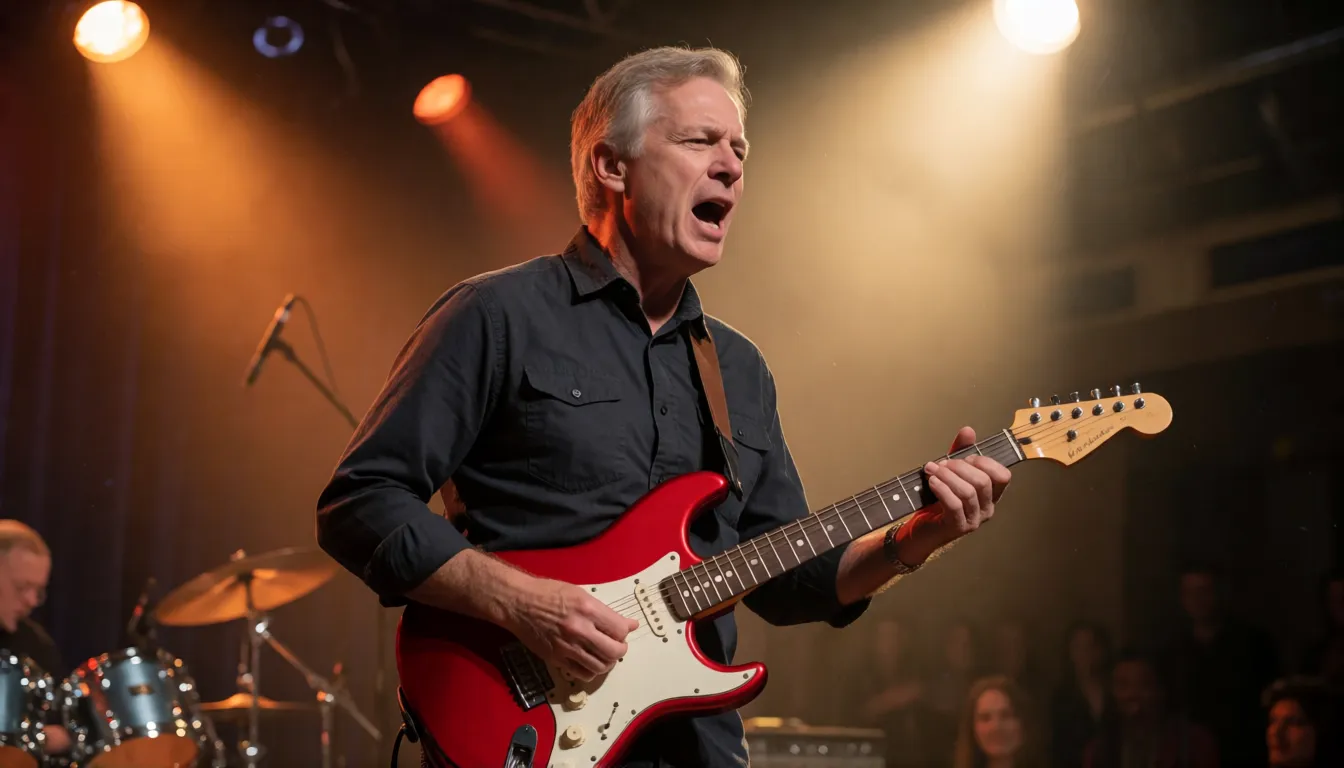
- Music and podcasts: the official Diffusers example is a gray-haired man playing a red electric guitar, a hint that performance clips are fair game (singing quality has not been benchmarked by the team).
- Multilingual dubbing: keep one photo and swap in voice tracks in different languages; training captions were English and Russian, so test other languages before a big project.
Short-drama dialogue
Give each character portrait its line of dialogue and S2V Pro returns full-body scenes with accurate lip sync.
Product explainers
A model photo and a recorded pitch become a presenter-style clip for shops and live commerce.
Virtual hosts
Pair a character image with a TTS voice for streamers, teachers and AI companions that talk back.
What Makes the Results Look Natural
Three design choices separate S2V Pro from the many lip-sync tools that came before it. First, it is full-body animation: the model starts from Kandinsky 5.0 Video, so it already knows how bodies, clothes and scenes move, and the prompt can steer gestures and setting. Second, it understands both the words and the voice: Qwen2.5-Omni reads your text prompt and listens to the speech at 25 tokens per second, which helps the motion match the energy of the delivery. Third, a three-level memory carries the look of the reference photo from block to block, so faces and outfits stay consistent in long takes.
The model also comes in a distilled edition. Pro distill reaches its result in 16 steps instead of 50 and bakes guidance into the weights, which the team reports as roughly five times faster (between 4.5× and 5.6× depending on the setup) while matching the base model on almost every metric. In the paper's human study against the strongest open baseline and two commercial services, S2V Pro was rated on par or better on average, with lip sync the most preferred aspect.
- Whole-body motion and scene control from a text prompt
- Frame-accurate lip sync from per-frame audio attention
- No hard length limit thanks to block-by-block continuation
- Open weights under an MIT license, runs locally
- Needs a 48 GB GPU for the Pro model (80 GB for HD)
- Does not create sound, so you bring your own voice or TTS
- No official quantized build for 24 GB cards yet
- HD mode was not trained or evaluated at that resolution
Lite or Pro, Base or Distill: Picking a Version
The model belongs to a family of four checkpoints. The 2B Lite models are the quick, lighter option; the 21B Pro models give the best faces, hands and motion. Within each size, the distilled edition is the everyday pick and the 50-step base model is for people chasing the last bit of detail. Both Pro checkpoints can also run an HD config at 1280×768.
| Version | Size and steps | Good for | Speed on one H100 (per second of video) |
|---|---|---|---|
| Lite 2B distill | 2B, distilled | Fast drafts, smaller GPUs | About 8.7 s |
| Lite 2B | 2B, base | Lite quality without distillation | Slower than Lite distill |
| Pro 21B distill | 21B, 16 steps | Best balance for daily use | About 41.5 s (33.6 s compiled) |
| Pro 21B | 21B, 50 steps | Maximum fidelity, supports negative prompts | About 189 s |
| Pro distill HD | 21B, 1280×768 | Larger frames (untested quality) | About 137 s |
GPU Memory and Speed: What to Expect
The model is a big model, so plan your hardware before you download about 65 GB of files. The official requirement is a single GPU with at least 48 GB of memory (80 GB for HD) and a driver version of 580 or newer. On one H100, Pro distill at standard resolution peaks at about 46 GiB; HD peaks at about 55 GiB. A ten-second clip therefore takes roughly six to seven minutes on one card, and the official eight-GPU setup cuts each second of video to about 11 seconds.
Short on memory? Turning on VAE tiling brings the peak down to about 28 GB at the cost of faint seams, the Diffusers route with CPU offload peaks near 50 GiB, and the Lite 2B distill model is the easiest way to experiment on a smaller card. Renting a cloud GPU for an afternoon is the common workaround for consumer 24 GB cards, since no official quantized files exist yet.
Three Ways to Try It: Online Demo, ComfyUI and Diffusers
You do not have to install anything to see what S2V Pro can do. The team hosts a free demo Space on Hugging Face, and there are Colab and Kaggle notebooks for people who want a bit more control. When you are ready to run it yourself, pick the route that fits how you already work.
- 1Online: open the Kandinsky-S2V-1.0-Demo Space on Hugging Face, upload a portrait and a short WAV file, add a prompt and generate.
- 2Command line: clone the kandinsky-s2v GitHub repo, run uv sync, then uv run kandy-s2v generate with the s2v_pro_distill.yaml config, your --audio, --image and --out paths; add --prompt and --seed to steer and repeat results.
- 3ComfyUI: switch to the repo's dev/comfyui branch, which ships nodes for Lite distill and Pro distill, and wire image, audio and prompt into the sampler.
- 4Diffusers: install diffusers from the main branch, load kandinskylab/Kandinsky-S2V-1.0-Pro-distill-Diffusers with ModularPipeline and read your audio at 16 kHz.
Whichever route you choose, S2V Pro rewards good input files more than any setting. Keep these in mind:
- Use a sharp, front-facing photo where the person fills much of the frame; its aspect ratio becomes the video's.
- Record clean speech without background music, saved as 16 kHz mono audio.
- Fix the --seed once you like a result, then change only the prompt to explore variations.
Prompt Templates for Talking Videos
In S2V Pro the text prompt does not hold the script; your audio does. Use the prompt to describe the person, their movement, the setting and the camera, and keep clothes and background close to the reference photo so the look does not drift. These templates cover the most popular formats; swap the details and keep the structure.
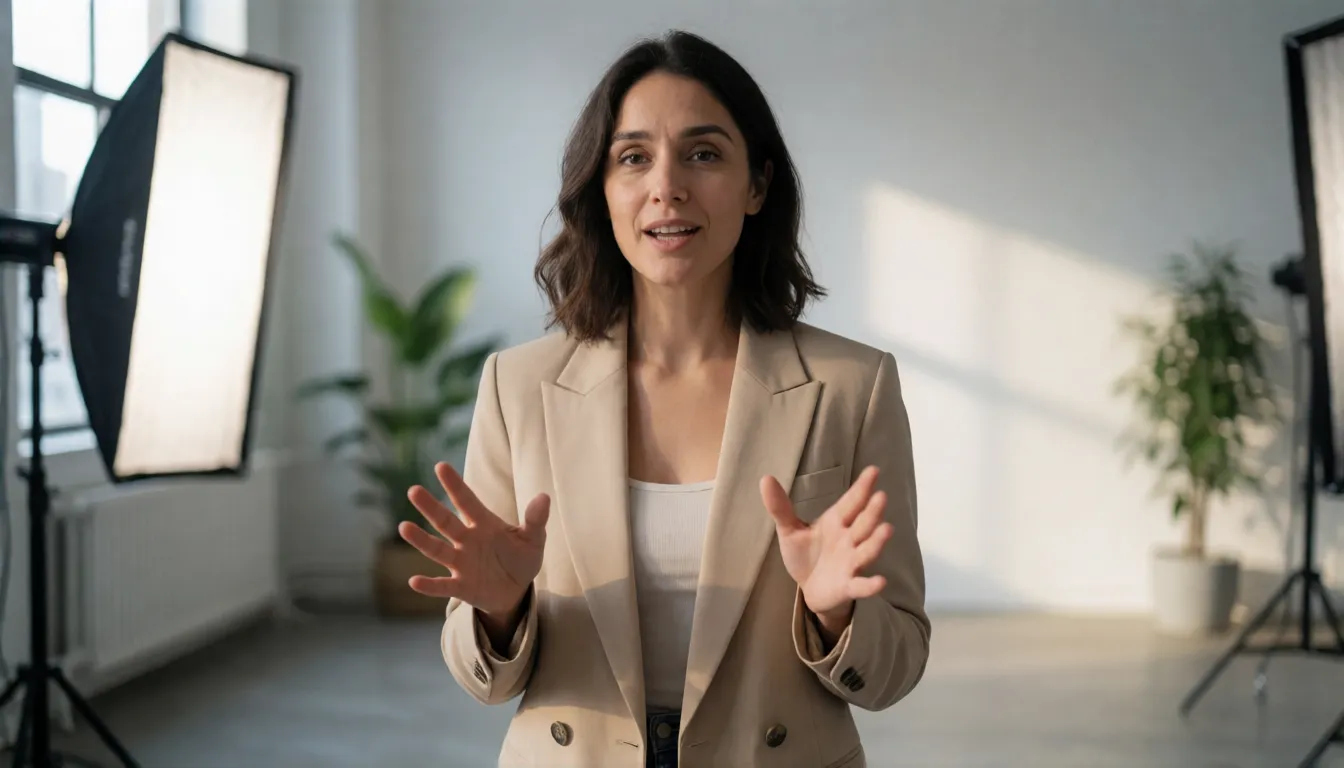
- Presenter: A young woman in a beige blazer speaks confidently to the camera in a bright modern studio, natural hand gestures, soft key light, medium shot.
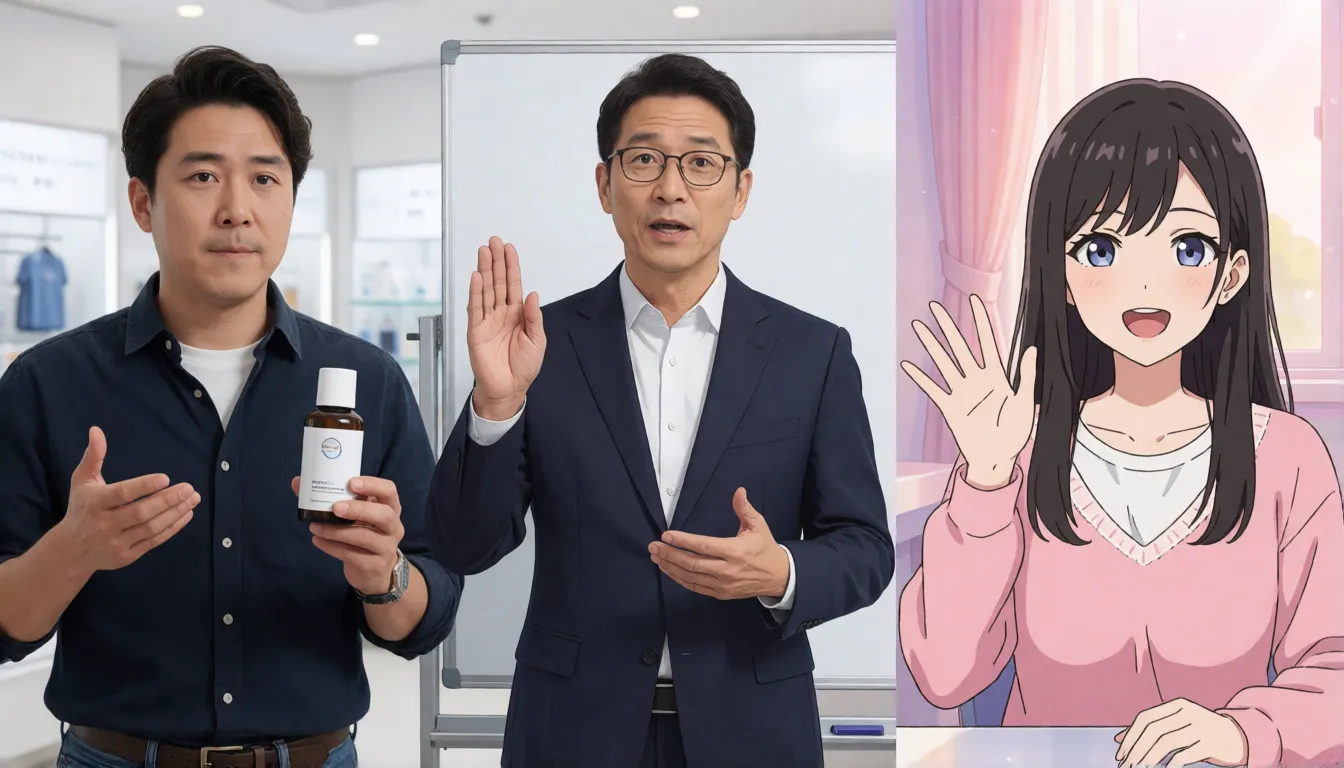
- Product pitch: A smiling man holds a skincare bottle and explains its features to the camera, gesturing toward the product, clean white background, live-stream style.
- Drama dialogue: A woman in a red evening dress stands on a rainy balcony at night, speaking emotionally, city lights bokeh behind her, cinematic lighting.
- Musician: A man with short gray hair plays a red electric guitar and sings on a small stage, spotlight, energetic body movement.
- Teacher: A middle-aged professor in glasses explains a concept beside a whiteboard, calm gestures, classroom lighting, full body visible.
- Virtual streamer: An anime-style adult girl with silver hair talks cheerfully and waves, pastel bedroom background, streaming frame.
- Beach talk (18+): A confident adult woman in a black bikini talks to the camera on a sunny beach, relaxed posture, gentle waves, golden hour light.
- Negative prompt (50-step model only): blurry face, distorted mouth, extra fingers, flickering, static body.
How It Compares With Wan 2.2 S2V, InfiniteTalk and Other Open Avatars
Open talking-avatar models have multiplied, and each has a different strength next to S2V Pro. Wan2.2-S2V-14B from Alibaba already has community GGUF files, which makes it friendlier for smaller GPUs. InfiniteTalk and MultiTalk focus on very long videos and multi-person conversations. LongCat-Video-Avatar 1.5 also has GGUF builds for ComfyUI. S2V Pro stands out for its permissive MIT license, full-body motion steered by text and the 16-step distilled release; its weak spots today are the high memory bar and a young community ecosystem. The paper does not name its baselines, so treat head-to-head claims as unverified and test with your own clips.
| Model | Strength | Easiest on smaller GPUs? |
|---|---|---|
| Kandinsky S2V (Lite / Pro) | Full-body motion, text-controlled scenes, 16-step distill | Lite only; Pro needs 48 GB |
| Wan2.2-S2V-14B | Mature ecosystem, cinematic motion | Yes, community GGUF |
| InfiniteTalk / MultiTalk | Very long clips, multi-person dialogue | Depends on setup |
| LongCat-Video-Avatar 1.5 | Avatar video with ComfyUI support | Yes, community GGUF |
Uncensored Talking Avatars: What You Can Do Today
There is no official or community uncensored fine-tune of S2V Pro yet. The open weights run locally without an online moderation layer, but the training data is single-person speaking footage, so adult scenes are not something it was built for, and the model card asks users to animate only people who have given consent. If you want to make a photo talk, flirt or pose in swimwear or lingerie for 18+ fictional characters without installing anything, our image-to-video studio lets you upload a portrait, describe the motion and generate in the browser.
Animate an 18+ character portrait in your browser, no GPU needed.
Start image to video →Self-Hosting S2V Pro vs Generating Online at Spicy AI
| Local deployment (official weights) | Spicy AI online | |
|---|---|---|
| Content filtering | No online filter when you run it yourself | Adult (18+) content allowed |
| Open weights | Yes, MIT license on Hugging Face | Not applicable, runs online |
| Model actually used | Kandinsky S2V Lite or Pro | Spicy AI's own video models |
| Price | Free weights, you pay for the GPU | Free to start, credits for more |
- Local: speech-driven lip sync from your own audio, unlimited length, full control.
- Spicy AI: start from a photo and animate it in the browser, no hardware needed.
Frequently Asked Questions
What is Kandinsky S2V 1.0 Pro?
Kandinsky S2V 1.0 Pro is a 21-billion-parameter speech-to-video model from Kandinsky Lab. Give it a reference photo, a voice recording and a text prompt, and it generates a 25 fps full-body talking video with lip sync. The weights are open under an MIT license.
What is the difference between Pro and Pro distill?
Both have 21B parameters. The distill version uses pi-Flow distillation to finish in 16 steps instead of 50 and bakes guidance into the weights, so it is about five times faster while scoring close to the base model on almost every metric.
How much GPU memory does S2V Pro need?
The team asks for a single GPU with at least 48 GB (80 GB for HD). Pro distill peaks at about 46 GiB at standard resolution; VAE tiling lowers that to around 28 GB with faint seams. There is no official quantized build yet.
How long can S2V Pro videos be?
As long as your audio. The model generates five-second blocks and continues each one from the last. On one H100, one second of standard-resolution video takes about 41.5 seconds with Pro distill.
Does S2V Pro generate the voice too?
No. You supply the speech, either a real recording or text-to-speech, and the finished video carries that original audio track.
Is there an online demo or ComfyUI support?
Yes. Kandinsky Lab hosts a demo Space on Hugging Face, the GitHub repo's dev/comfyui branch adds ComfyUI nodes for Lite distill and Pro distill, and Diffusers support is available from the main branch.
Is there an uncensored Kandinsky S2V 1.0 Pro?
Not as of November 2026: no official or community uncensored fine-tune has been released. You can run the open weights yourself, or use an online image-to-video generator that allows 18+ fictional content.
Sources
- Kandinsky-S2V-1.0-Pro-distill model card (Hugging Face)
- Kandinsky-S2V-1.0-Pro-distill-Diffusers model card (Hugging Face)
- Kandinsky-S2V-1.0-Pro base model (Hugging Face)
- Kandinsky S2V 1.0 online demo (Hugging Face Space)
- kandinskylab/kandinsky-s2v repository (GitHub)
- Kandinsky S2V 1.0: Audio-Driven Avatar Video Generation (arXiv)
- Kandinsky Avatar project page
- Wan2.2-S2V-14B GGUF (Hugging Face)
More Uncensored Video Model Guides
- Uncensored Kandinsky 6.0
- Uncensored Kling
- Uncensored Kling 2.6
- Uncensored Kling O1
- Uncensored Sora
- Uncensored Veo
- Uncensored Hailuo AI
- Uncensored MiniMax H3 Max
- Uncensored Wan
- Uncensored Wan 3.0
- Uncensored Seedance
- Uncensored Seedance 2.5
- Uncensored Seedance 2.0
- Uncensored Seedance 2.0 Mini
- Uncensored HunyuanVideo
- Uncensored LTX Video
- Uncensored Runway
- Uncensored Pika
- Uncensored Luma Dream Machine
- Uncensored Vidu
- Uncensored PixVerse
- Uncensored EdenLive
- Uncensored Grok Imagine
- Uncensored AI Avatars
- Uncensored HappyHorse 1.0
- Uncensored MiniMax H3 FL2VA Ref2VA
- Uncensored Kling 4.0
- Uncensored Kling 3.0
- Uncensored MiniMax H3 RefMods
- Uncensored Looking Ahead
- Uncensored TaoMate-H3
- Uncensored SANA-Video 2.0
- Uncensored MiniMax H3 Remix
- Uncensored Sora 2
- Uncensored Wan 2.6
- Uncensored LTX-2.5 Slow Motion
- Uncensored VDN MiniMax H3
Spicy AI is an independent site and is not affiliated with Kandinsky Lab or Sber. All content must involve adults (18+) only; do not animate real people without their consent.