AI Video · Alibaba
HappyHorse 1.0: The Blind-Test Champion That Makes Video and Sound Together
HappyHorse 1.0 is the Alibaba video model that showed up anonymously on a public blind-test leaderboard, took first place, and only then got a name and an owner. It creates picture and sound in one pass, so a clip arrives with dialogue, ambience and matching lip movement already in place. Clips run from 3 to 15 seconds at up to 1080p, in five aspect ratios. Below you will find what it does, where creators use it, prompt templates you can copy, how it compares with Veo 3, Kling 3.0 and Seedance 2.0, and the truth about open-source and uncensored versions.
- Picture + sound in one pass
- 3–15 s up to 1080p
- Lip sync in 7 languages
- #1 in blind voting
Uncensored Alternative Video Generator
Image to videoUpload one photo, describe the motion, camera and sound you want, and we will open the image-to-video studio with everything filled in. Adult themes are welcome when everyone shown is 18+.
Try a prompt
Fresh prompts in the same style: subject, beats, light, camera, sound.
From Anonymous Entry to Number One
On April 7, 2026 an unnamed model appeared in the Artificial Analysis Video Arena, where people vote on pairs of clips without knowing which model made them. It climbed to the top of both the text-to-video and image-to-video boards (the no-audio tracks) and set off a guessing game across creator forums. Two days later Alibaba confirmed it was theirs, and by April 27 HappyHorse 1.0 was live on fal as an official API partner.
The team behind it is Future Life Lab at Taotian Group, part of Alibaba Token Hub (ATH). Press coverage says the lab is led by Zhang Di, described as a former Kuaishou vice president and technical lead on Kling; treat that background as a media report rather than an official biography. Leaderboard positions shift as votes come in, so check the live arena for today's ranking.
| Date (2026) | What happened |
|---|---|
| April 7 | Anonymous entry appears in the Artificial Analysis Video Arena and takes first place |
| April 9–10 | Alibaba confirms the model and its name |
| April 27 | Goes live on fal as an official API partner, followed by OpenRouter, Hedra, Artlist and others |
Five Ways to Create a Clip
The official endpoints cover four jobs, and partner platforms add a fifth, voice-driven option. Image to video is the one most people reach for first: drop in a product shot or a character portrait and it comes to life with natural motion, camera movement and sound that fits the scene.
- Text to video: write a scene and get a finished clip with picture and audio.
- Image to video: animate a photo, product shot or character art while keeping its look.
- Reference to video: feed several references so the same character stays consistent across clips.
- Video editing: restyle an existing clip or swap elements while keeping the motion.
- Speech-driven modes: some partner platforms package audio-driven options on top; these are platform features, not official modes.
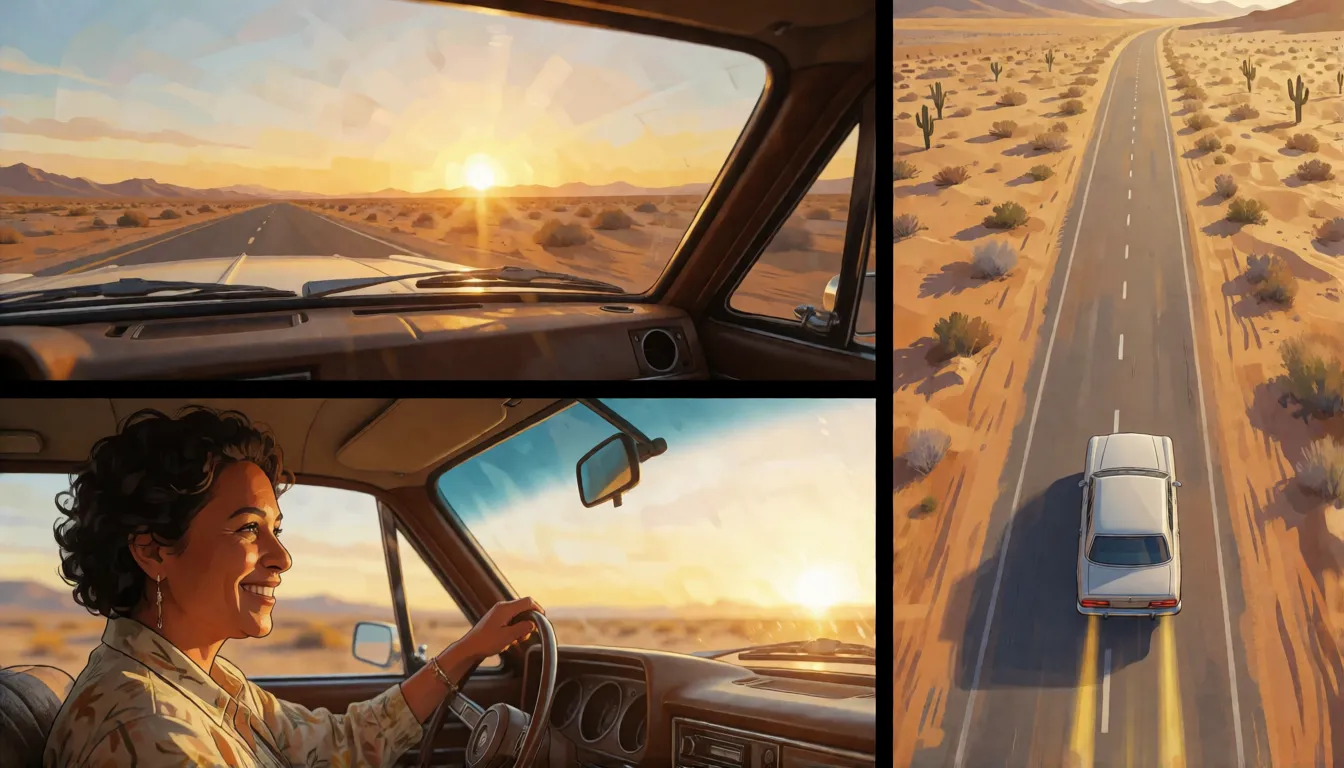
Creators also show multi-shot results, where one render cuts between a wide shot, a close-up and an aerial view while the same person stays recognisable. That is what makes the model feel like a small film crew rather than a single-shot animator.
Where Creators Put It to Work
Vertical short dramas are the obvious fit. A 9:16 frame, up to 15 seconds and spoken lines with matching mouths cover most establishing shots, reaction beats and transitions that a micro-drama needs. Because lip sync works in Mandarin, Cantonese, English, Japanese, Korean, German and French, the same scene can be re-voiced for overseas releases without reshooting.
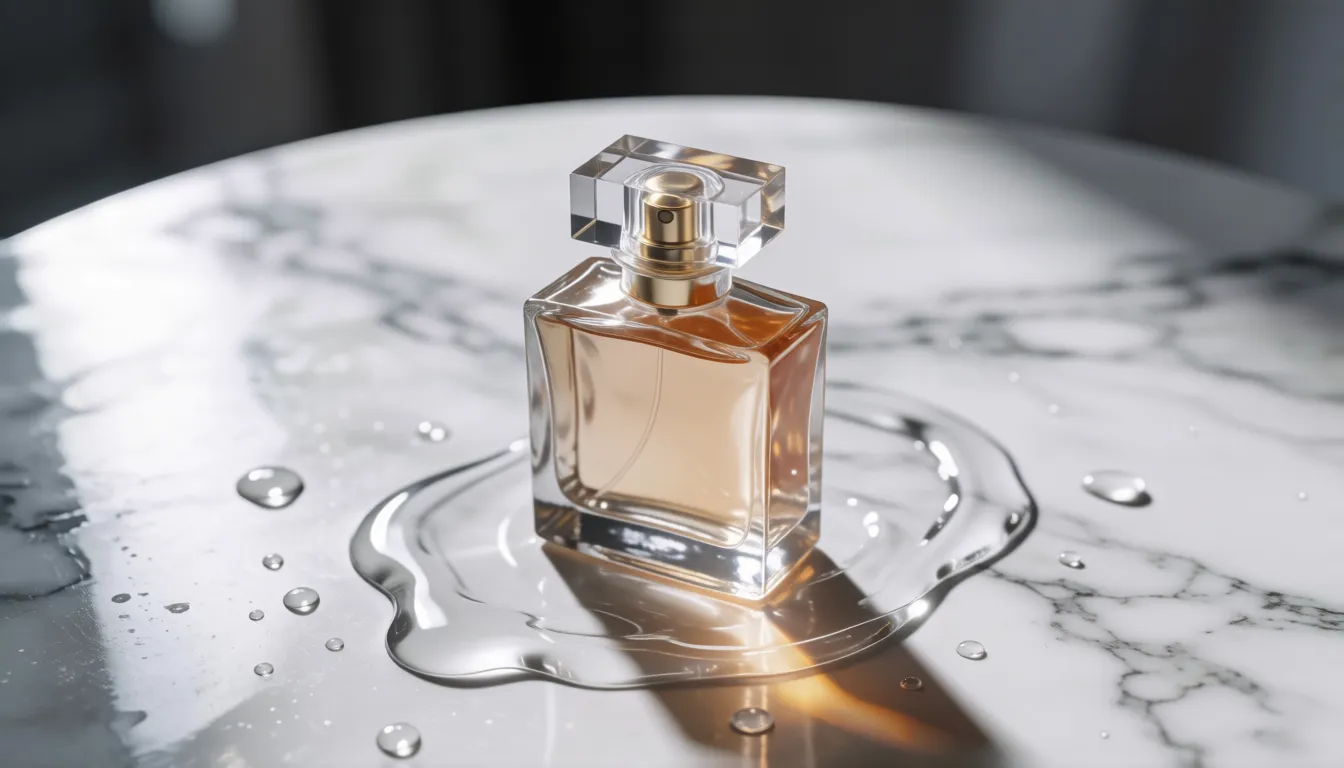
E-commerce teams use image to video to turn a still product photo into a short showcase: a bottle rotating on marble, a jacket catching the wind, a model saying one line about the item. Social media creators, music video makers and brand storyboard artists use it to preview ideas quickly before spending on a real shoot.
Trending Playbooks Worth Trying
Once people see a clip that talks, moves and sounds right in one take, the same handful of ideas keeps coming back in creator showcases. Each one plays to what HappyHorse 1.0 does best: short scenes, a clear subject, one camera move and a line of dialogue or a strong ambient sound.
- Cliffhanger beat: a single 9:16 shot that ends on a spoken line, used as the last second of a micro-drama episode to pull viewers into the next one.
- One ad, seven voices: the same product scene rendered with the line spoken in Mandarin, English, Japanese or German, so one storyboard serves several markets.
- Still-to-story: an old portrait or a character illustration that blinks, smiles and says hello, popular for family memories and fan art.
- Product spin with a pitch: a rotating item on a clean surface while a presenter's voice names one benefit.
- Music video loops: moody 5-second loops of rain, neon and slow dolly moves, cut together on the beat.
Sound, Lip Sync and Motion That Impress
The headline feature is native audio. Dialogue, room tone, footsteps and rain are generated together with the picture in a single forward pass, so there is no separate dubbing or foley step. You can also switch audio off when you only want silent footage for your own soundtrack.
Reviewers and platform write-ups praise smooth motion, steady subjects and a cinematic shallow depth of field. The main complaints in the community are about everything around the model: an open-source promise that never materialised, a crop of unofficial copycat sites using the name, and per-second costs that run higher than some rivals.
| Lip sync language | Typical use |
|---|---|
| Mandarin | Domestic short dramas and livestream-style ads |
| Cantonese | Hong Kong and Guangdong audiences |
| English | Global social content and product videos |
| Japanese | Anime-style characters and J-market ads |
| Korean | K-drama style scenes and beauty promos |
| German | European e-commerce localisation |
| French | European brand stories and fashion clips |
What It Does Well and Where It Falls Short
No model wins at everything, and knowing the trade-offs saves credits. HappyHorse 1.0 shines when you need a polished, voiced shot fast; it is less convenient when you need long takes, local control or a cheap way to iterate dozens of times.
- Picture, dialogue and ambience in a single render, no dubbing step
- Lip sync in seven languages, including Cantonese
- Led human blind voting in the arena at launch
- Five aspect ratios, from vertical drama to square feed posts
- Clips stop at 15 seconds, longer stories need editing
- No downloadable weights, cloud platforms only
- Per-second billing adds up during heavy iteration
- Copycat sites use the name, so check where you sign up
Prompt Templates You Can Copy
The most reliable structure is: subject and look, then actions split into beats, then setting and light, then one camera move, then sound or a quoted line with its language, then style. fal publishes an official prompting guide that follows the same logic. Here are three templates to adapt.
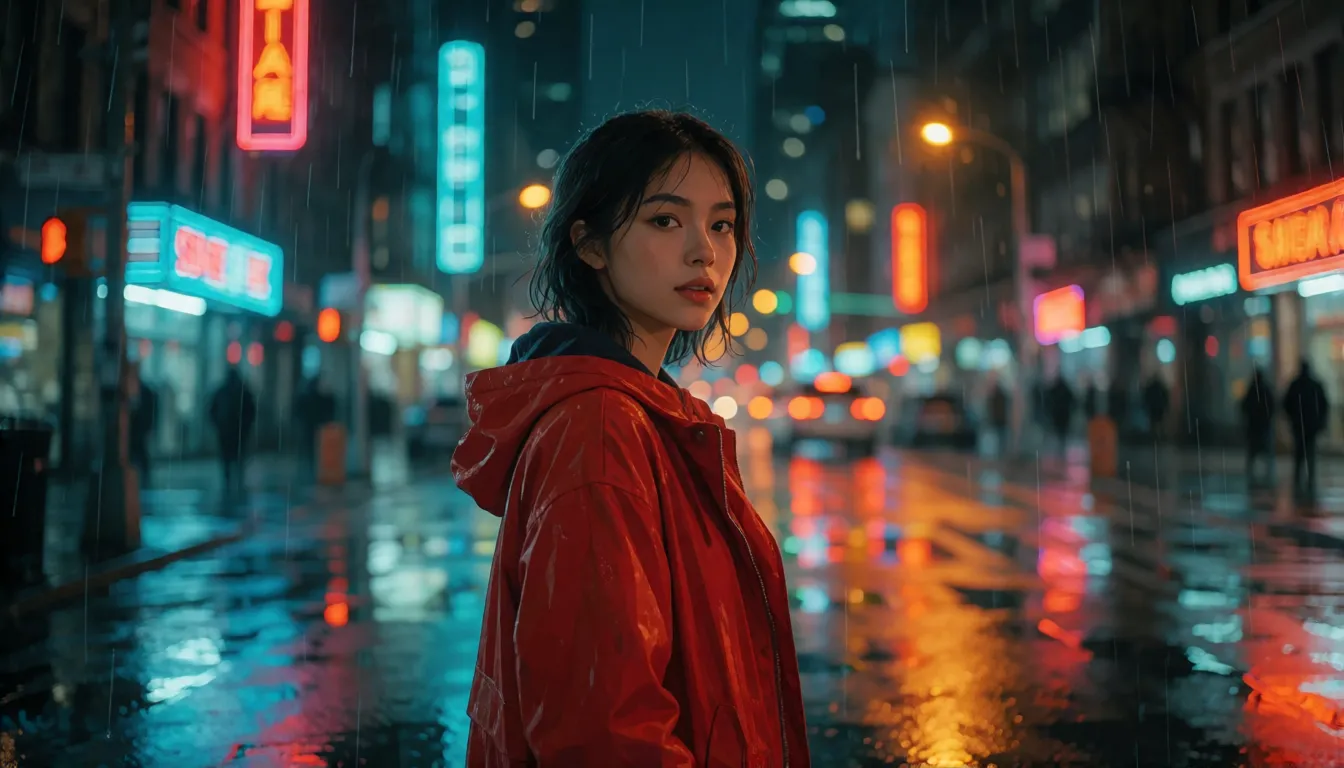
- Short-drama dialogue: A young woman in a red coat stands under neon rain at night, turns to the camera and says in Mandarin: "你终于来了。" Slow push-in, shallow depth of field, teal-orange grade, soft rain ambience.
- E-commerce image to video (upload the product photo): The bottle rotates slowly on a marble table, water droplets glisten, the camera orbits 180 degrees, soft studio light, subtle upbeat music.
- Multi-shot story: Shot 1: wide shot of a desert road at sunrise. Shot 2: close-up of the driver smiling. Shot 3: drone shot pulling back. Keep the same character and engine sound throughout.
Put every spoken line in quotation marks and name the language, otherwise the voice may drift. Break movement into time beats instead of one long sentence. Use only one main camera move per prompt, since stacking a dolly, a pan and a zoom usually produces wobbly footage. Turn audio off if you plan to add music later.
Getting Natural Dialogue and Lip Sync
Talking shots are where this model surprises people most, and also where small prompt mistakes show. Keep each spoken line short, ideally one sentence that fits comfortably in the clip length, and always state the language before the quote. A face that is large in frame and lit from the front gives the mouth movement more detail to work with.
- Write the line in its own script, for example Japanese in Japanese characters, rather than a romanised version.
- Describe the tone of voice: whispered, cheerful, tired, angry. It changes delivery as much as the words.
- Leave a beat of silence before or after the line so the clip does not feel rushed.
- Add one ambient sound such as rain, traffic or a café crowd to make the scene feel recorded rather than generated.
How to Make Your First Clip Step by Step
There is no consumer app from Alibaba; you reach the model through partner platforms such as fal, OpenRouter, Hedra, Artlist or A2E, several of which give new accounts a few free credits. The workflow is the same everywhere.
- 1Pick a partner platform that offers the model and sign in.
- 2Choose the mode: text, image, reference or video editing.
- 3Write the prompt with beats, camera move and any quoted dialogue plus its language.
- 4Set aspect ratio (16:9, 9:16, 1:1, 4:3 or 3:4), length (3–15 seconds), 720p or 1080p, and audio on or off.
- 5Generate, review, and download the MP4; run an upscaler afterwards if you need 4K.
| Setting | Options |
|---|---|
| Length | 3 to 15 seconds |
| Resolution | 720p or 1080p |
| Aspect ratios | 16:9, 9:16, 1:1, 4:3, 3:4 |
| Audio | Dialogue with lip sync, ambience, voice; can be turned off |
| Model size | Around 15B parameters, as reported by partners (not officially confirmed) |
HappyHorse Image to Video: Tips for Photos That Move Well
Image to video keeps the colours, outfit and framing of your starting picture, so the photo matters more than the prompt. Choose a sharp image with one clear subject and some empty space in the direction you want them to move. Busy backgrounds and cropped hands tend to produce warping once motion starts.
Then tell the model only what changes: the action, the camera and the sound. You do not need to describe what is already visible. For products, a slow orbit or push-in with soft light works almost every time; for portraits, a small gesture such as a head turn, a smile or a step forward looks more natural than big movement.
HappyHorse 1.0 vs Veo 3, Kling 3.0 and Seedance 2.0
Veo 3 and Sora 2 also generate sound with the picture, and the comparison mostly comes down to blind-vote preference, where HappyHorse led at the time of its launch. Against Kling 3.0 and Seedance 2.0 its edge is the number of lip sync languages and its arena score, while Seedance accepts more references per clip. Open models such as Wan 2.2 and LTX-2 can run on your own GPU; this one is cloud only.
| Model | Native audio | Open weights | Standout strength |
|---|---|---|---|
| HappyHorse 1.0 | Yes | No | Top blind-vote preference, 7-language lip sync |
| Veo 3 | Yes | No | Google's cinematic realism |
| Kling 3.0 | Yes | No | Strong motion and character control |
| Seedance 2.0 | Yes | No | Multi-shot clips with many references |
| Wan 2.2 | No | Yes | Runs locally, large community of add-ons |
Rankings change as the arena collects votes; check the live leaderboard before you decide.
Is HappyHorse 1.0 Open Source? The Download Question
No downloadable official weights could be found as of October 2026. One partner page claims the weights are on Hugging Face, but fal states plainly that the model is closed and will not be open-sourced or licensed, and independent checks found the Hugging Face link returning an access error and no code or weights on GitHub. Any "community checkpoint" using the name is unofficial and of unknown origin, so it is best avoided.
If you want an open model you can download and run yourself, look at Wan 2.2 from Alibaba's Tongyi team or LTX-2 from Lightricks, both of which publish weights. You will see the name HappyHorse 1.1 on some OpenRouter pages, but no official new release has been confirmed.
Uncensored HappyHorse: What Exists and What to Use Instead
There is no uncensored or NSFW edition of the model. Every route to it runs through cloud platforms, and each applies its own content policy to prompts and results. If you want adult-themed clips, our image-to-video studio animates your photos with filter-free models for content involving consenting adults, as in the ideas below.
Beach and swimwear
A bikini photo shoot that comes alive: waves, wind in the hair and a slow orbit around an adult model.
Runway and lingerie
Boutique-style lingerie or swimwear catwalk loops with spotlights and a confident turn to camera.
Romantic scenes
Two adult characters dancing in a candlelit loft, soft jazz, slow push-in on their faces.
- Start from a clear, well-lit photo of an adult subject; the motion follows the photo's pose and outfit.
- Describe one action and one camera move, then add light and sound cues.
- Only use photos of yourself, of consenting adults, or of fictional characters who are clearly 18+.
Animate an adult-themed photo with sound and camera motion.
Open image to videoOfficial Platforms vs Generating on Spicy AI
| Official service | Spicy AI online | |
|---|---|---|
| Content filter | Partner platform policies apply | No filter for consenting-adult content |
| Open weights | No, cloud only | Not needed, runs in the browser |
| Model actually used | HappyHorse 1.0 | Other video models |
| Pricing | Per-second or credit billing on each platform | Site credits |
- Start from your own photo
- Camera motion and sound cues in the prompt
- Adult themes allowed with 18+ subjects only
HappyHorse 1.0 FAQ
Who made HappyHorse 1.0?
Future Life Lab at Alibaba's Taotian Group, under Alibaba Token Hub. Alibaba confirmed the model around April 9, 2026, after it had already topped the blind-test arena anonymously.
How long and how sharp are the videos?
Clips run from 3 to 15 seconds at 720p or 1080p, in 16:9, 9:16, 1:1, 4:3 or 3:4.
Does it generate sound automatically?
Yes. Picture and audio are created together, including lip-synced dialogue and ambience, with lip sync in Mandarin, Cantonese, English, Japanese, Korean, German and French. Audio can be switched off.
Why is it ranked first?
It placed first in human blind voting on the Artificial Analysis Video Arena for text to video and image to video in the no-audio tracks. The ranking moves as new votes arrive.
Can I use it for free online?
Some partner platforms hand out free starter credits, but there is no fully free official version; longer use is billed by each platform.
What is HappyHorse 1.1?
The name appears on some OpenRouter pages, but Alibaba has not confirmed a new release.
Is there an uncensored version?
No. It is only available in the cloud under platform moderation. For unrestricted local work, open models such as Wan 2.2 or LTX-2 are the usual choice.
Can HappyHorse 1.0 animate my own photo?
Yes. Image to video is one of its official endpoints: upload a still and describe the motion, camera move and sound you want. The look of the photo is kept while it comes to life.
Where can developers find the API?
Alibaba does not run its own consumer app for it. fal is the official API partner, and OpenRouter, Hedra, Artlist and A2E also offer access. Each platform sets its own billing.
What makes a good prompt for it?
Name the subject, split the action into beats, add setting and light, pick one camera move, and finish with sound or a quoted line plus its language. Short, concrete prompts beat long lists of adjectives.
Sources
More AI Video Models
- Wan
- Wan 3.0
- Kling
- Kling 2.6
- Kling O1
- Sora
- Veo
- Hailuo AI
- MiniMax H3 Max
- Seedance
- Seedance 2.5
- Seedance 2.0
- Seedance 2.0 Mini
- HunyuanVideo
- LTX Video
- Runway
- Pika
- Luma Dream Machine
- Vidu
- PixVerse
- EdenLive
- Grok Imagine
- AI Avatars
- MiniMax H3 FL2VA Ref2VA
- Kling 4.0
- Kling 3.0
- MiniMax H3 RefMods
- Kandinsky 6.0
All product names mentioned here are trademarks of their respective owners. Every creation must feature adults (18+) only.