Uncensored AI Video · VAST
Uncensored EdenLive Guide: VAST's Real-Time Renderer, Specs and Prompts
EdenLive is the real-time generative rendering model in VAST's Project Eden research line, open-sourced on October 12, 2026. It is not a text-to-video generator and there is no official uncensored EdenLive: it repaints a reference video from a game or engine into a detailed or stylized stream and needs a 32 GB-class GPU. This guide covers how it works, 5B vs 14B, hardware, install, styles, community reception and prompt writing. If you simply want to turn a still image into an unfiltered adult clip, the generator below runs in your browser.
Spicy AI is not EdenLive — this page currently runs MiniMax H3 Turbo (free tier) and Wan 2.6.
- Free to start
- No filters
- Runs in browser

EdenLive at a glance
- Developer
- VAST (VAST-AI-Research, Project Eden)
- Open-sourced
- October 12, 2026
- Model sizes
- 5B and 14B DiT
- Inputs
- Reference video, first frame, text prompt
- Output
- 480P/720P video, 24+ FPS, minute-long
- RTX 5090 (5B, INT8)
- 24.87 FPS, 28.38 GiB peak
- Download size
- About 210–225 GB
- Open weights?
- Yes, on Hugging Face and GitHub
- Uncensored?
- No official uncensored build
EdenLive-Style Uncensored Video Generator
Image to videoUpload a photo and describe the motion — Spicy AI animates it into a short clip.
Try a prompt
Example prompts are in English, which gives the most reliable results.
What is EdenLive?
EdenLive is the latest model in VAST's Project Eden line, published by the VAST-AI-Research team. It takes three inputs, a reference or proxy video, a target first frame and a text prompt, and outputs a more detailed or restyled video that follows the reference frame by frame. It does not track the world state: the upstream game, engine or program keeps the rules and positions, and the renderer only decides how things look. VAST released 5B and 14B diffusion transformer (DiT) checkpoints, each with a bidirectional mode and a few-step chunk-autoregressive mode that runs four denoising steps per chunk. Output is 480P or 720P at 24+ FPS with minute-long continuous generation, and the 5B model can be deployed at 720P on a single GPU. VAST ships the weights, inference code, a real-time streaming service and a browser demo together.
Why people look for an uncensored EdenLive
People who search for an uncensored EdenLive usually want unrestricted creative video without a corporate content policy in the way. The honest picture is different. The weights are open, but EdenLive is a renderer that needs a reference video, a first frame and roughly a 32 GB GPU, not a prompt-to-clip generator, and its optional FLUX workbench for first frames requires content filtering. We did not find an official or widely used uncensored EdenLive build. Spicy AI does not host it; if your goal is a short adult video from a picture, our image-to-video tool uses a different model with no extra content filter, for consenting adults only.
How EdenLive works as a real-time world model renderer
VAST describes it as one half of a decoupled world model. A conventional program keeps the state, physics and game rules and renders a cheap proxy view; the reference video is the interface between that program and the neural renderer. A post-trained DINOv3 vision encoder turns each reference frame into features injected into the DiT, while a UMT5 encoder reads the text prompt. Wan2.1 and Wan2.2 VAEs handle latents, and a lightweight TAEHV decoder turns them into frames fast enough for streaming. For real-time use, the few-step chunk-autoregressive mode is paired with LightX2V optimizations such as INT8 or FP8 quantization, CUDA Graph, torch.compile, KV caching and a streaming LightTAE decoder. Our reading: the interesting part is not model size but the split of labor, because the engine guarantees consistency of rules and positions while the network only has to be good at appearance.
EdenLive 5B vs 14B: which checkpoint to pick
Both sizes share the same inputs, resolutions and two inference modes, so the choice is mostly about hardware and quality headroom. The 5B checkpoint is the one VAST positions for single-GPU 720P deployment, and it is the model behind the published RTX 5090 numbers. The 14B checkpoint aims at higher quality but needs more memory and compute, and VAST has not published a consumer-GPU frame rate for it. A sensible path is to prototype with 5B, then test 14B on a data-center card if the quality gain matters for your scene.
| EdenLive 5B | EdenLive 14B | |
|---|---|---|
| Inference modes | Bidirectional and few-step chunk-AR | Bidirectional and few-step chunk-AR |
| Resolution | 480P / 720P | 480P / 720P |
| Single-GPU 720P | Yes, per VAST | Not stated; needs more VRAM |
| Published consumer GPU result | RTX 5090, about 24.7–24.9 FPS | None published |
| Best for | Real-time prototypes and demos | Quality-first offline or server runs |
Based on the Hugging Face model card and the GitHub README.
VRAM requirements and RTX 5090 24 FPS results
The LightX2V deployment guide is the most concrete source on speed. On an RTX 5090 with INT8 ConvRot quantization (DiT plus proxy encoder, with an FP8 T5), at 1280×704 and a 24 FPS target, the 5B model generated 24.87 FPS and ran inference at 24.69 FPS, with a first-chunk latency of 500.02 ms, a P95 chunk interval of 492.63 ms and peak allocated memory of 28.38 GiB. On an H200 with FP8-SGL it reached 36.12 FPS at a 29.72 GiB peak. These are vendor measurements, not independent tests, and drivers, compilation and quantization can change them. VAST's separate claim of input-to-frame latency in the hundreds of milliseconds is a product-demo figure and should not be compared directly with the 500 ms benchmark. The README lists NVIDIA 80 GB GPUs as the validated environment; the 14B model and higher resolutions need more than a 32 GB card.
| Setup | Generation FPS | First chunk | Peak memory |
|---|---|---|---|
| RTX 5090, INT8 ConvRot, 1280×704 | 24.87 | 500.02 ms | 28.38 GiB |
| H200, FP8-SGL, 1280×704 | 36.12 | Not listed here | 29.72 GiB |
Figures from the LightX2V EdenLive README; vendor-reported.
EdenLive GitHub, Hugging Face download and install
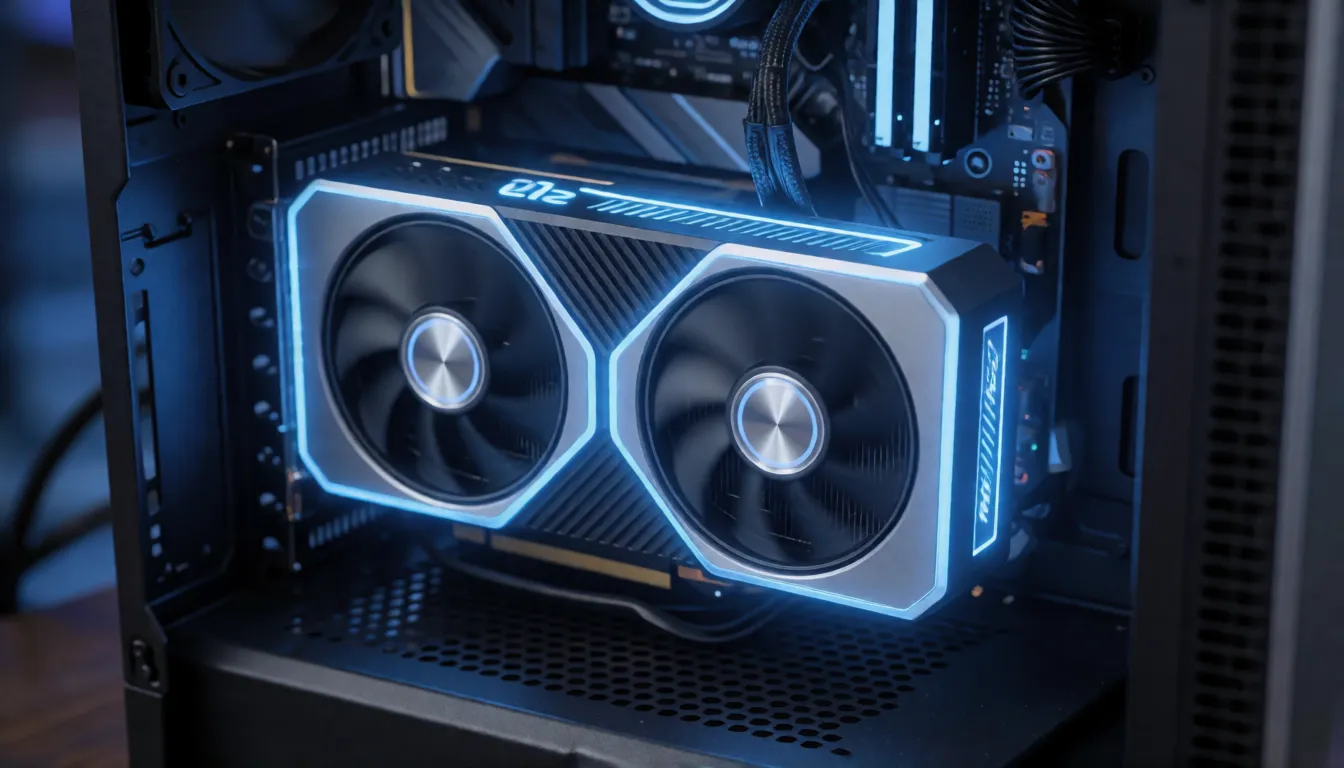
Is it open source? Yes: the code lives at VAST-AI-Research/EdenLive on GitHub and the weights at VAST-AI/EdenLive on Hugging Face, both created on October 12, 2026. Plan for disk space first: the README cites about 210 GB, and the files actually add up to roughly 224.8 GB because the repository bundles 5B, 14B and the FLUX workbench components. The documented environment is Linux x86-64 with Python 3.10, a PyTorch 2.14 nightly built for CUDA 13 (cu130), diffusers 0.39 and transformers 5.12; Node.js 22 is only needed for the game-rendering demo. The real-time service streams over WebRTC, so remote setups also need a TURN server and a GPU host; 5B runs on one GPU by default and NPROC enables multi-GPU.
- 1. Check the hardware: Linux, an NVIDIA GPU with at least 32 GB for 5B with INT8, and about 225 GB of free disk.
- 2. Clone the GitHub repository and create a Python 3.10 environment with the PyTorch nightly listed in the README.
- 3. Download the weights from Hugging Face; fetch only the size you need if your tooling allows partial downloads.
- 4. Start with the offline 5B example, then move to the WebRTC streaming service once frames look right.
- 5. ComfyUI: the official README lists no ComfyUI workflow and we found no official nodes, so treat any third-party node as unofficial.
Styles the VAST renderer can produce
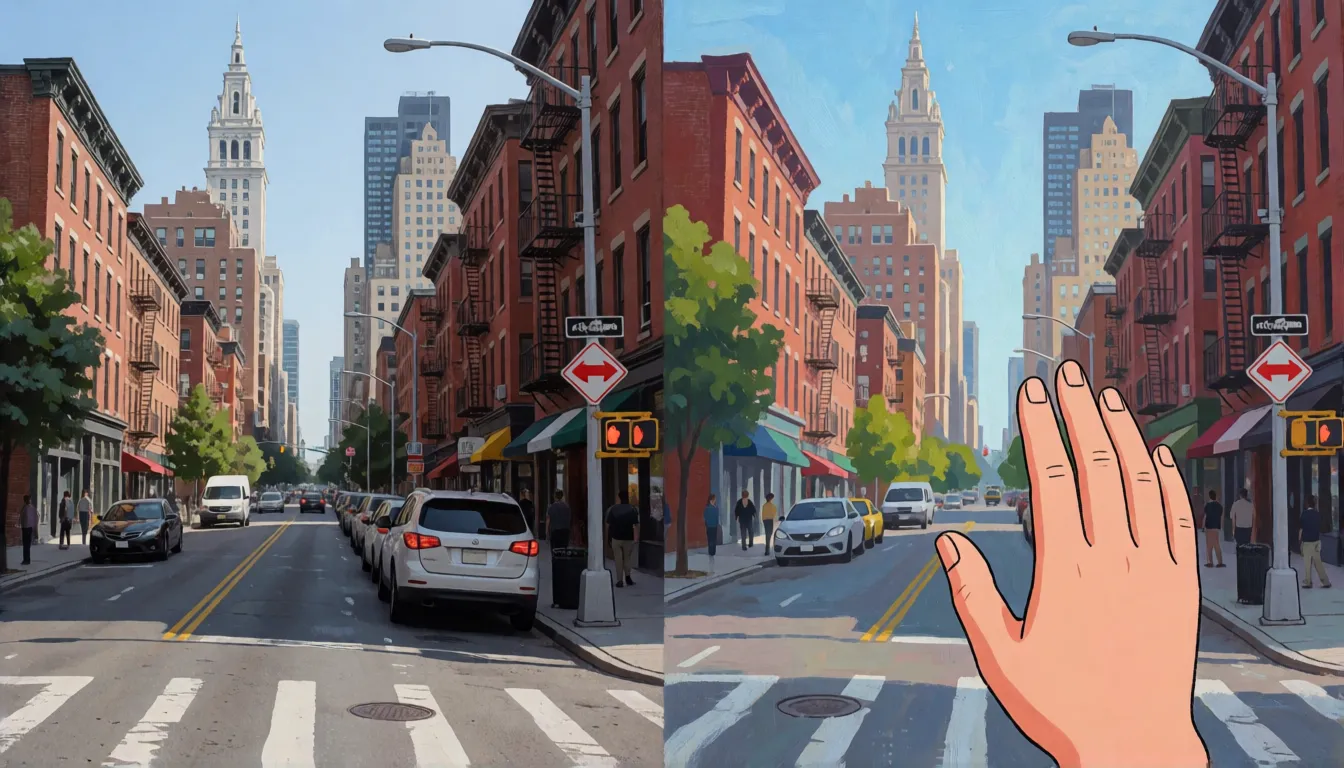
Because the prompt and the first frame set the look while the reference only sets layout and motion, one gray proxy scene can come out in very different styles. VAST's demos and press coverage show these directions:
- Photoreal: simple game geometry rendered as realistic streets, rooms and landscapes.
- Anime and cel-shaded: the same walkthrough repainted with flat colors and clean outlines.
- Hand-drawn animation: live footage of a house or street turned into a painted, storybook look.
- Cartoon characters: a person in the reference becomes a stylized character that keeps pose, clothing and color scheme.
- Material and object swaps: a human hand becomes a robot hand, or surfaces change color and material while motion stays put.
Creative uses: what people do with a reference video
The most talked-about ideas all reuse one strength: the reference video fixes layout, motion and camera, so you get the same scene in a new look. These are the uses VAST and early coverage point to, plus the cases where it still struggles.
- Game prototypes: walk through a blockout level and see it rendered as a finished-looking world in real time, best for exploration and slow puzzles.
- Previs and concept art: keep blocking and camera moves fixed while art directors compare several styles side by side.
- Video re-skinning: turn live footage into a cartoon or hand-painted version without re-animating anything.
- Embodied AI data: create many visual variants of the same robot or hand motion for training data.
- Weak spots: fast combat, several characters at once, small objects and very long consistency still drift.
How the community has received the release
Media attention ran well ahead of hands-on use. QbitAI and Pandaily covered the release around October 18, 2026, focusing on the RTX 5090 real-time claim and the decoupled world-model idea. Repository numbers in mid-October were small, so tutorials, forks and community fixes are still scarce, and we found no independent benchmark yet. We do not quote individual reviews; treat the vendor numbers as a starting point and test on your own scenes.
| Signal | What it shows |
|---|---|
| About 194 GitHub stars, 5 forks | Early interest, few active forks |
| 7 likes, 4 downloads in 30 days on Hugging Face | Very little hands-on use so far |
| Coverage by QbitAI and Pandaily | Attention centered on 24 FPS on one consumer GPU |
| No independent benchmark found | Speed and quality are vendor-reported only |
Open questions: real 14B memory and frame rates on consumer cards, quality loss per quantization, long-run stability and official ComfyUI support.
How to write prompts for this renderer
Here the prompt does a different job than in a text-to-video model. The reference video already decides where things are and how they move, so the prompt should describe appearance: style, materials, light, color and mood. Keep it consistent with the target first frame, because conflicting instructions make the stream flicker between looks. Describe the whole scene in one style rather than listing objects, and avoid asking for motion the reference does not contain. The same habits help in the browser generator above, where your photo plays the role of the first frame.
- Style first: "hand-painted watercolor animation" or "photoreal night street" sets the tone for every frame.
- Name materials and surfaces: wet cobblestone, brushed steel, soft cotton, glossy lacquer.
- Give light a source: low sun from the left, neon signs, overcast daylight, candlelight.
- Keep one palette: two or three main colors reduce flicker between chunks.
- Do not fight the reference: if the proxy shows a slow walk, do not prompt a sprint.
- In the Spicy AI generator, add one simple motion and one camera move, since there is no reference video there.
Prompt templates you can copy
Replace the bracketed parts and keep the structure. The first three suit the VAST model itself with a reference stream; the last two are written for the image-to-video generator on this page, where your uploaded adult photo sets the subject.
| Goal | Template |
|---|---|
| Photoreal restyle | Photoreal [place] at [time of day], [material] surfaces, [light source], natural colors, cinematic depth of field. |
| Anime re-skin | Cel-shaded anime style, clean outlines, flat [palette] colors, soft rim light, consistent character design. |
| Hand-drawn look | Hand-painted [watercolor/gouache] animation, visible brush texture, warm paper tones, gentle light. |
| Photo to clip | [Adult subject] slowly turns toward the camera, [style] look, [light source], slow push-in. |
| Mood scene | [Adult subject] in [setting], rendered as [style], [weather], camera glides sideways, [color palette]. |
Step by step: make a similar clip on Spicy AI
The browser workflow skips the 225 GB download and the GPU setup. It does not run the VAST model: it uses Spicy AI's default image-to-video model, so you start from a photo instead of a reference video.
- 1. Open the image-to-video tool from the button at the top of this page.
- 2. Upload a clear photo of an adult subject that you own or have consent to use.
- 3. Paste one of the templates above and set the style, light and one camera move.
- 4. Generate a short clip, check the motion, then change a single element per retry.
- 5. Download the result; if the motion looks rushed, simplify the action rather than adding words.
EdenLive vs Wan 2.2
The two are often searched together because the VAST renderer reuses Wan VAEs, but they solve different problems. Wan 2.2 creates video from text or an image and has a mature ComfyUI ecosystem; the VAST model re-renders an existing reference stream in real time and leaves content creation to the engine. If you need words-to-clip, pick a generator; if you need live proxy-to-detailed frames, the VAST renderer is the closer fit.
| EdenLive | Wan 2.2 | |
|---|---|---|
| Input | Reference video + first frame + prompt | Text or image + prompt |
| Output | Restyled video stream | New video clip |
| Real-time | Yes, 24+ FPS on tuned setups | No, offline generation |
| ComfyUI | No official workflow | Widely used |
| Open weights | Yes (5B and 14B) | Yes |
What you can create
Image-to-video clips
Upload an adult photo and animate it with a short motion prompt, no reference video needed.
Stylized motion
Borrow the restyling idea: ask for anime, painted or photoreal looks with a single camera move.
Quick drafts
Test a look in the browser before committing a 32 GB GPU to a local run.
Prompt tips for EdenLive-style results
- The renderer needs a reference video and a first frame; a text prompt alone is not enough.
- Start with the 5B model at 1280×704 on INT8 before trying 14B or higher resolutions.
- Re-check output quality after every quantization change, not just the frame rate.
- Keep the prompt about appearance and leave motion to the reference.
- Only use footage you have rights to, show adults (18+) only, and never restyle a real person without consent.
Self-hosting EdenLive vs generating online on Spicy AI
| Local deployment (official weights) | Spicy AI online | |
|---|---|---|
| Content filters | Set by VAST | No content filters |
| Open weights | Yes | Not needed — runs in the browser |
| Model | EdenLive | MiniMax H3 Turbo (free tier) and Wan 2.6 |
| Price to start | Varies by plan | Free tier available |
- Image-to-video in the browser
- Free queue at 0 credits (sign in, daily limit)
- Portrait (9:16) and landscape (16:9) clips
FAQ
Is EdenLive a text-to-video model?
No. It needs a reference or proxy video, a target first frame and a text prompt, and the world state is kept by the upstream game or engine.
Is there an uncensored EdenLive?
Not officially, and we found no widely used uncensored build. Its FLUX workbench requires content filtering. Spicy AI does not run it; our image-to-video tool uses a different model.
Can an RTX 5090 run it?
The 5B model can. LightX2V reports 24.87 FPS at 1280×704 with INT8 ConvRot and a 28.38 GiB memory peak; the 14B model needs more.
Can I use it commercially?
The weights are open and most core parts are Apache-2.0, but some bundled components, such as the DINOv3 encoder and the FLUX workbench, have their own terms. Read the repository notes before any commercial project.
How big is the download?
About 210 GB according to the README, roughly 224.8 GB of actual files, since 5B, 14B and workbench components share one repository.
Is Spicy AI affiliated with VAST?
No. Spicy AI is an independent platform and is not affiliated with or endorsed by VAST. EdenLive is a trademark of its respective owner.
Is it free?
You can start free: sign in and Spicy AI's free video queue animates your photo with MiniMax H3 Turbo at 0 credits, with a daily limit. The fast queue, other video models and longer clips use credits.
Sources
Spicy AI is not affiliated with VAST. EdenLive and other product names are trademarks of their respective owners and are used here for identification only. All content must depict adults (18+).